

Hey im brand new user here with very little experience seeking for help. Can somebody help me to connect to Proxmox VE please?
I made a fresh install of the latest Proxmox VE.
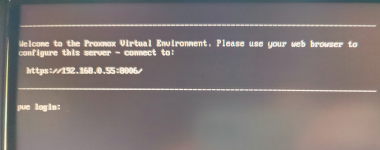
Trying to connect from my browser it give no result:


My 5G sim card/wifi router (ZTE 888) has two ethernet cables connected - one to my main PC and the other to Proxmox miniPC.
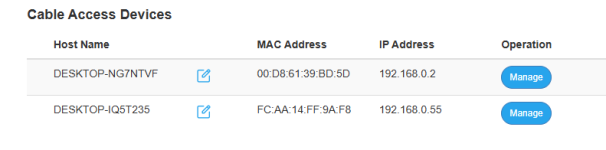
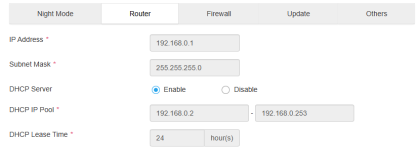
Router settings:

Is IP Pool range correct?
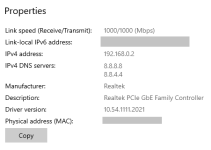
Network settings:
Pinging from miniPC, so I assume internet connestion is established:
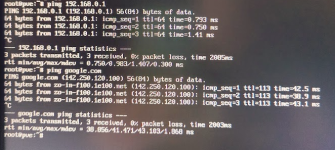
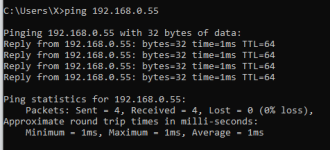
Pinging from PC to miniPC also is working fine:
Question - what DNS server I should indicate during installation? 8.8.8.8 or the suggested by default (it was somehow different like 255.255....).
I am lost a little? Please help.
I made a fresh install of the latest Proxmox VE.
Trying to connect from my browser it give no result:
My 5G sim card/wifi router (ZTE 888) has two ethernet cables connected - one to my main PC and the other to Proxmox miniPC.
Router settings:
Is IP Pool range correct?
Network settings:
Pinging from miniPC, so I assume internet connestion is established:
Pinging from PC to miniPC also is working fine:
Question - what DNS server I should indicate during installation? 8.8.8.8 or the suggested by default (it was somehow different like 255.255....).
I am lost a little? Please help.
Attachments
Last edited:

