Hello,
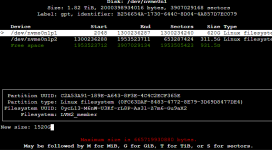
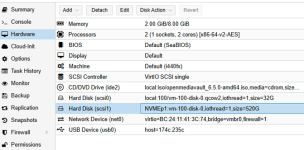
I store my VMs and file system on a 250Go flash disk, I use my NAS files on a 1To Nvme disk. The disk was partitioned in 2 parts, Nvme0n1 (OMV storage) and Nvme0n2 (to clone VM in the future). I wanted to change my Nvme storage to 2To. I cloned the disk with clonezilla. LVM disk NVMEp1 was correctly detected by Proxmox but I had to recreate PV and VG on Nvme0n2 to add LVM disk NVMEp2, I don’t know why...
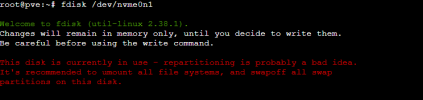
Now I am blocked, I can not extend Nvme0n1 partition to add 900Go free space for my NAS storage.
Would you have a solution?
You will find pictures below.
Thanks
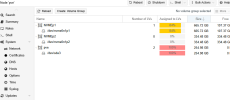
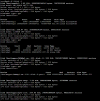

I store my VMs and file system on a 250Go flash disk, I use my NAS files on a 1To Nvme disk. The disk was partitioned in 2 parts, Nvme0n1 (OMV storage) and Nvme0n2 (to clone VM in the future). I wanted to change my Nvme storage to 2To. I cloned the disk with clonezilla. LVM disk NVMEp1 was correctly detected by Proxmox but I had to recreate PV and VG on Nvme0n2 to add LVM disk NVMEp2, I don’t know why...
Now I am blocked, I can not extend Nvme0n1 partition to add 900Go free space for my NAS storage.
Would you have a solution?
You will find pictures below.
Thanks