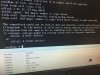
/bin/sh can't access tty job control turned off (initramfs)

GeorgeDebian

New Member
Mar 23, 2015
10
0
1
ThessalonÃ*ki, Greece
Hi to all,

( in my Proxmox VE 4.0Updated on 06 October 2015Version: 4.0-0d8559d0-17 )

I have this problem in my first vm (100).
In this vm(100) i have install debian with some services(tomcat,apache,etc).

One day....
I lost the web interface and SSH from my ProxMox server..(no access..only ping)

I close the server (power off)!! ..and after turn on the server...booting ProxMox OK.. ..and 2 VMs of 3 start OK.

Booting the VM 101(winXP) and VM 102(win10) ... But VM 100 not boot..

i opening the console of vm 100 and i see this message...:
Code:
 /bin/sh can't access tty job control turned off    (initramfs)

[video=youtube;NbjjWyxmsAU]https://www.youtube.com/watch?v=NbjjWyxmsAU[/video]
Any help?
 
Last edited:
Hi,
as the error msg say you have to run fsck on the sda1.

this mean in this case, turn off the vm.

make a copy of the vmdisk.
run fsck on the the file what is your vmdisk.
 
:(

68f1d0a02a5a26772b100ee681a87cdb.jpg


7754e46746118ea8c14a521b977f51e6.jpg


ImageUploadedByTapatalk1446723205.255576.jpg


root@vm:~# df -T | awk '{print $1,$2,$NF}' | grep "^/dev"
/dev/fuse fuse /etc/pve
root@vm:~# file -sL /dev/sda1
/dev/sda1: data
root@vm:~# cat /etc/fstab
# <file system> <mount point> <type> <options> <dump> <pass>
/dev/zvol/rpool/swap none swap sw 0 0
proc /proc proc defaults 0 0
root@vm:~#
 
Last edited:
Maybe i dont have problem to file system... (ProxMox file system)
Code:
root@vm:~# zpool list
NAME    SIZE  ALLOC   FREE  EXPANDSZ   FRAG    CAP  DEDUP  HEALTH  ALTROOT
rpool  1.36T  86.6G  1.27T         -     3%     6%  1.00x  ONLINE  -
root@vm:~# zpool scrub rpool
root@vm:~# zpool status rpool
  pool: rpool
 state: ONLINE
  scan: scrub in progress since Thu Nov  5 14:09:51 2015
        139M scanned out of 86.6G at 5.35M/s, 4h36m to go
        0 repaired, 0.16% done
config:


        NAME        STATE     READ WRITE CKSUM
        rpool       ONLINE       0     0     0
          raidz1-0  ONLINE       0     0     0
            sda2    ONLINE       0     0     0
            sdb2    ONLINE       0     0     0
            sdc2    ONLINE       0     0     0


errors: No known data errors
root@vm:~# cd /var/lib/vz/images/
root@vm:/var/lib/vz/images# touch test
root@vm:/var/lib/vz/images# ls
100  101  102  test
root@vm:/var/lib/vz/images#


I think ...i have problem in VM file system. . .
 
Last edited:
Hi Georges

As Wolfgang said, make sure before you have a backup of your VM100 ( trackerr)
and the read the fsck man page to get an overview of waht you will do

You have to call

fsck /dev/sda1

on the console of VM100 ( trackerr)
( ie the place where you see the message)
/bin/sh can't access tty job control turned off (initramfs)
 
Hi Georges

As Wolfgang said, make sure before you have a backup of your VM100 ( trackerr)
and the read the fsck man page to get an overview of waht you will do

You have to call

fsck /dev/sda1

on the console of VM100 ( trackerr)
( ie the place where you see the message)
/bin/sh can't access tty job control turned off (initramfs)

Yeahhhh Ok... the vm open.. :) (i put "y" 4 times.. after ctrl+alt+del ... the vm reboot and OPENNNNNNN)
Thank very very much..!!!!!