Backup Job suddenly slowing down and not finishing

youngcouch

New Member
Mar 30, 2026
3
0
1
I have a installation of Proxmox VE 8.2.2 running on an HP Elite Desk 800 g4 along with a PBS server running on a 2014 Mac Mini within a UTM VM. I have configured regular backups of my VMs to the PBS server and this has generally run smoothly, but every few backup jobs, 1 VM starts to hang and does not complete for days or even weeks if I don't cancel the job. This VM is my largest, running a series of docker containers on Debian but generally it is able to backup fine so the key configurations seem to be fine. Every time this happens, the backup for this VM starts with a reasonable read/write speed (~40 MiB/s on the last instance) then quickly drops to a few KiB/s which leads to this very long completion time. This does not occur every time my backup job runs but when it does, it always occurs with the same VM (101).

Other VMs on the same backup job run fine with read/writes in the 150 MiB/s range. Both machines are wired together through an unmanaged 1GB switch, so signal strength shouldn't be an issue. Any ideas on what could be causing this? Attaching the job log below, can attach other logs as needed.

I'm a novice to Proxmox and intermediate at best with Linux generally so could also use guidance on which logs to look at for better details on this and where they would be located
 

Attachments

Hey, this thread with a similar symptom was solved by changing the cache mode away from directsync (it is quite old though, but worth checking out).

A few other questions that could help narrow it down further:
  • Does the stall always happen at roughly the same percentage?
  • Does rebooting VM 101 before triggering a backup cause it to complete successfully?
 
Thanks for the reply!

My VM disk is already set to cache of Default (No cache) so I don't think it's the same issue as that previous thread.

Regarding your questions:
1) no it isn't always at the same place, though usually within the first 10-15%
2) I just tried a backup after a reboot and it ran successfully for much longer but then fully stalled out with no further log updates around 50%, hanging there for several hours. I canceled and attached the log from this attempt below.

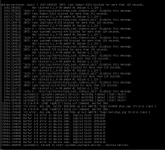
On opening the VM after this most recent backup attempt, I saw these errors in the console, not sure if this is related. Once I shutdown the VM and restarted (both through proxmox), it seems to have started back up fine.
1774926185950.png
 

Attachments

The console errors you shared show the VM's storage failing independently of the backup. Looks like the slowdown is caused by some underlying disk issues.

Would be helpful to see what your PVE host is seeing. The output of the following commands would be interesting:

Bash:
lsblk -o NAME,TYPE,SIZE,MOUNTPOINTS # find the path to the disk that is mounted on your VM

Look for the entry with TYPE=disk that has the PVE volumes under it, then check its health:
Bash:
smartctl -a /dev/sda # or the path you found with the command above

And check if the host kernel has been logging any storage errors:

Bash:
dmesg -T | grep -iv apparmor | grep -i "error\|warn"
 
I ran those commands and included the outputs in the file below. My install is on an m2 ssd, so I ran the health check on dev/nvme0n1 and it seems to be healthy.

The only error that sticks out is from the host kernal search, but this doesn't seem to be a huge concern based on a quick google search. I could try updating my bios but given that no other VMs are effected, the bios seems unlikely to be the source?

[Fri Feb 20 12:30:44 2026] ACPI BIOS Error (bug): AE_AML_BUFFER_LIMIT, Field [CAP1] at bit offset/length 64/32 exceeds size of target Buffer (64 bits) (20230628/dsopcode-198)

I tend to see this kind of restart error for the VM only after I cancel a stalled backup, so I thought it might be due to the backup itself creating a bad state for the virtual disk proxmox provides to the vm. If I reset the VM independent of a bad backup, that error doesn't appear
 

Attachments