ASUS P9D-E/4L + RX 6700 XT prevents Proxmox from booting (black screen / blinking cursor)

Tomblarom

Active Member
Dec 12, 2019
11
1
43
29
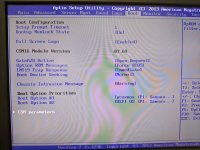
I’ve now tried several times to install my AMD RX 6700 XT in my Proxmox server. Unfortunately, without success. Whenever the card is installed, Proxmox stops booting (freezed ASUS-Bootlogo or simply a black screen). In this state I can hit Ctrl+Alt+Del to reboot the machine. At first, I suspected an incorrect BIOS setting or that Proxmox was booting in Legacy BIOS mode. I also removed the riser card and installed the card directly. I also tired temporarily removing the QNAP QM2-2P-384A. I now suspect that it is due to an incompatibility between the card and the motherboard.
Could that actually be the case?

Hardware:

  • ASUS P9D-E/4L
  • Xeon E3-1231 v3
  • Samsung 850 Pro 256 GB SATA SSD (Proxmox boot)
  • ASUS PIKE 2308
  • QNAP QM2-2P-384A
  • ASMB7-iKVM
  • RX 6700 XT
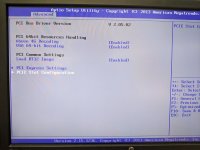
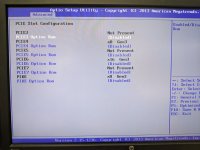
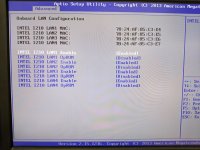
I disabled all PCIe Option ROMs and ASPM. It doesn't matter to what Above 4G Decoding and VGA 64-bit Decoding are set to. I tested both legacy and UEFI-related boot settings. Without the GPU it boots perfectly fine! With the GPU installed, it never finishes booting, as described earlier.

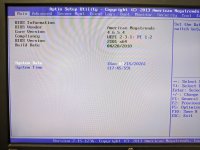
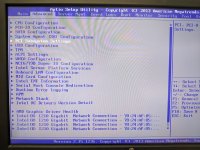
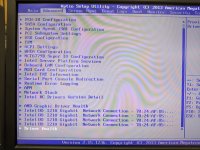
When the GPU is installed, new entries AMD Graphic Driver Health and Driver Health (NAVI22: Healthy) show up under Advanced in my BIOS.

Has anyone used a similar setup successfully?
 

Attachments

  • PXL_20260315_184635580.jpg
    PXL_20260315_184635580.jpg
    208.4 KB · Views: 10
  • PXL_20260315_184642038.jpg
    PXL_20260315_184642038.jpg
    215 KB · Views: 10
  • PXL_20260315_184658336.jpg
    PXL_20260315_184658336.jpg
    226.7 KB · Views: 10
  • PXL_20260315_184829373.jpg
    PXL_20260315_184829373.jpg
    277.1 KB · Views: 10
  • PXL_20260315_184559544.jpg
    PXL_20260315_184559544.jpg
    272.3 KB · Views: 9
  • PXL_20260315_184612080.jpg
    PXL_20260315_184612080.jpg
    322.6 KB · Views: 9
  • PXL_20260315_184844461.jpg
    PXL_20260315_184844461.jpg
    251.1 KB · Views: 9
  • PXL_20260315_184925641.jpg
    PXL_20260315_184925641.jpg
    203.7 KB · Views: 8
  • PXL_20260315_184940492.jpg
    PXL_20260315_184940492.jpg
    275.9 KB · Views: 8
  • PXL_20260315_184952296.jpg
    PXL_20260315_184952296.jpg
    306.3 KB · Views: 10
It's possible that this combination of Mainboard/CPU (from 2014) and this GPU (from 2021) won't work together.

I assume this GPU does not support legacy BIOS / CSM boot anymore, so you should use UEFI boot.

What you can try:
- remove ALL expansion cards, except GPU
- test the GPU with different slots, according to the docs Slot 6 would support PCIe3 x16 if you don't use Slot 5 at the same time
- try to boot different live linux distros to test if it's a hardware compatibility issue or if it's a problem specific to proxmox ve
- enable option rom for the slot the GPU is installed, maybe something is shown there?
- power supply? this gpu needs 1x8-Pin + 1x6-Pin (at least 230W)
- only needed for nvidia GPU's but you could try to boot with "nomodeset"
- if nothing works, reset bios settings to factory, test setting one by one

Did you test the newest available version of PVE?
 
Your board has BMC video output capability. How did you configure the corresponding jumper (VGA_SW1) on the board?
Where did you connect the cable to the actual phyiscal display? Aspeed (BMC) video output or the AMD card?
 
  • Like
Reactions: MarkusKo
Update: I’ve now narrowed the problem down quite a bit.

The RX 6700 XT itself is fine, as it boots without any issues on my MSI Z97 Gaming 5 (released in May 2014, Z97-chipset, LGA1150). On the P9D-E/4L (June 2013, C224 chipset, LGA1150) it is correctly recognised as PCIe 3.0 x16, even displays the BIOS screen, and the AMD GOP X64 Release Driver Rev. 3.0.0 (Sep 2020) even appears under ‘AMD Graphic Driver Health’ in the BIOS. The freeze only occurs right at the very end of the POST, just before GRUB.

Tested without success: QM2 completely removed, ASMB7/BMC removed, PCIe 6 reduced to x8 by configuring PCIe 5, VGA_SW1 on/off, CSM/UEFI variants, Above 4G on/off, VGA 64-bit decoding on/off, ASPM Disabled/Auto, RT32 on/off, .. The result is always the same hard freeze.

The VBIOS read out is an unmodified AMD reference ROM:
020.002.000.019.016478 / 113-D5121100-101 / 1002:73DF / SSID 1002:0E36
The structure of the RDNA2 ROM is interesting: it contains, in sequence,
Legacy ROM → x64 EFI GOP → ARM64 EFI GOP.

The P9D-E’s old Aptio IV core only reports UEFI 2.3.1. My current hypothesis is therefore that it is not the GPU initialisation itself that fails – this has been proven to work – but rather that the old AMI PCI/Option ROM parser later stumbles over the additional ARM64 EFI image in the RDNA2 ROM.
This is still just a hypothesis, but it fits the error pattern very well: x64-GOP runs, graphics work, Driver Health is available, and then the BIOS freezes before the boot device phase.
 
Last edited:
If your theory should be correct, then enable CSM in the BIOS menu and in the same sub-menu disable VGA ROM loading. If it works then, you probably had the right hunch.

Edit: If that doesn't do anything, then check the PCIe-port's SMBus connection. This has been an issue with various cards before, especially on those server platforms.
 
Last edited:
Thanks @celemine1gig. PCIE6 Option ROM was already disabled, but the AMD x64 GOP still loads and appears under Driver Health, so that setting evidently does not suppress the UEFI video GOP on this board. I’ll test CSM with “Launch Video OpROM Policy” set to “Do not launch” and verify whether the AMD GOP disappears. The SMBus suggestion is also interesting, especially because the board uses a PEX8747 and has previously shown warm-boot freezes with the QM2 card. Static analysis now shows that the ARM64 image is rejected with EFI_UNSUPPORTED, but the AMI PciBus converts the final-image case back to EFI_SUCCESS, so the ARM64 theory has become less likely.
 
I tested the suggested workaround. With Launch Video OpROM Policy disabled and the onboard AST2300 enabled, the AMD entry completely disappears from Driver Health, confirming that neither AMD GOP image is loaded. Nevertheless, the machine still freezes at exactly the same point before GRUB. This effectively rules out the x64/ARM64 multi-GOP and Option-ROM parser theory. The remaining suspects are now the PEX8747 path, PCIe resource/reset handling, or the PCIe SMBus connection. Masking B5 SMCLK and B6 SMDAT did not solve it.
 
Last edited:
Do you see the issue exclusively with this GPU? Alternative question: Did you already try other "bigger" cards in the same slot?
 
Due to the description, that it only hangs when an OS would be loading (at the moment, the BIOS is through and passes on to a Payload), it sounds like a Memory issue. Address conflict maybe.
Did you also try "Legacy" Video Oprom, via CSM? Maybe that helps.
Edit: Assuming, that it was set to "UEFI" before, of course.
I also had this board some time ago and remember, that it was kind of peculiar, when it came to Option ROMs.
Edit 2: Just checked. This is still an Aptio IV AMI BIOS. So really old stuff. UEFI booting was not really supported all that well, back then. And of course GPUs with that much RAM were also not readily available.
 
Last edited: