

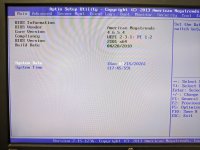
I’ve now tried several times to install my AMD RX 6700 XT in my Proxmox server. Unfortunately, without success. Whenever the card is installed, Proxmox stops booting (freezed ASUS-Bootlogo or simply a black screen). In this state I can hit
Could that actually be the case?
Hardware:
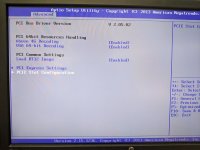
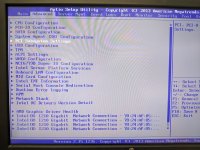
When the GPU is installed, new entries
Has anyone used a similar setup successfully?
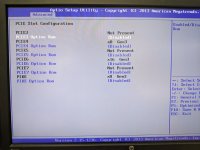
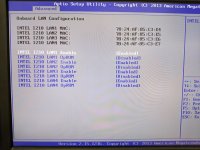
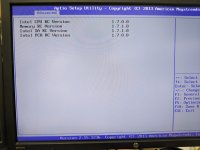
Ctrl+Alt+Del to reboot the machine. At first, I suspected an incorrect BIOS setting or that Proxmox was booting in Legacy BIOS mode. I also removed the riser card and installed the card directly. I also tired temporarily removing the QNAP QM2-2P-384A. I now suspect that it is due to an incompatibility between the card and the motherboard.Could that actually be the case?
Hardware:
- ASUS P9D-E/4L
- Xeon E3-1231 v3
- Samsung 850 Pro 256 GB SATA SSD (Proxmox boot)
- ASUS PIKE 2308
- QNAP QM2-2P-384A
- ASMB7-iKVM
- RX 6700 XT
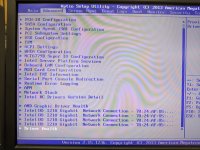
When the GPU is installed, new entries
AMD Graphic Driver Health and Driver Health (NAVI22: Healthy) show up under Advanced in my BIOS.Has anyone used a similar setup successfully?
Attachments
-
 PXL_20260315_184635580.jpg208.4 KB · Views: 10
 -
 PXL_20260315_184642038.jpg215 KB · Views: 10
 -
 PXL_20260315_184658336.jpg226.7 KB · Views: 10
 -
 PXL_20260315_184829373.jpg277.1 KB · Views: 10
 -
 PXL_20260315_184559544.jpg272.3 KB · Views: 9
 -
 PXL_20260315_184612080.jpg322.6 KB · Views: 9
 -
 PXL_20260315_184844461.jpg251.1 KB · Views: 9
 -
 PXL_20260315_184925641.jpg203.7 KB · Views: 8
 -
 PXL_20260315_184940492.jpg275.9 KB · Views: 8
 -
 PXL_20260315_184952296.jpg306.3 KB · Views: 10
