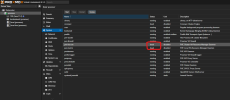
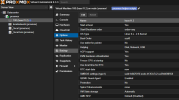
Hello! Home Assistant OS had been installed for over a year. Today, I updated Proxmox, and after rebooting, the container won’t start—it stops immediately.
Code:
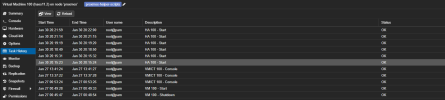
Requesting HA start for VM 100
Use of uninitialized value in string eq at /usr/share/perl5/PVE/API2/HA/Resources.pm line 40.
TASK OK
code_language.shell:
Jan 30 20:20:42 proxmox pvescheduler[966]: starting server
Jan 30 20:20:42 proxmox systemd[1]: Started pvescheduler.service - Proxmox VE scheduler.
Jan 30 20:20:42 proxmox systemd[1]: Reached target multi-user.target - Multi-User System.
Jan 30 20:20:42 proxmox systemd[1]: Reached target graphical.target - Graphical Interface.
Jan 30 20:20:42 proxmox systemd[1]: Starting systemd-update-utmp-runlevel.service - Record Runlevel Change in UTMP...
Jan 30 20:20:42 proxmox systemd[1]: systemd-update-utmp-runlevel.service: Deactivated successfully.
Jan 30 20:20:42 proxmox systemd[1]: Finished systemd-update-utmp-runlevel.service - Record Runlevel Change in UTMP.
Jan 30 20:20:42 proxmox systemd[1]: Startup finished in 3.969s (firmware) + 7.777s (loader) + 2.252s (kernel) + 11.601s (userspace) = 25.602s.
Jan 30 20:20:46 proxmox chronyd[750]: Selected source 94.100.180.133 (2.debian.pool.ntp.org)
Jan 30 20:20:46 proxmox chronyd[750]: System clock TAI offset set to 37 seconds
Jan 30 20:21:03 proxmox systemd[1]: systemd-fsckd.service: Deactivated successfully.
Jan 30 20:21:04 proxmox systemd[1]: systemd-hostnamed.service: Deactivated successfully.
Jan 30 20:21:10 proxmox pvedaemon[945]: Use of uninitialized value in string eq at /usr/share/perl5/PVE/API2/HA/Resources.pm line 40.
Jan 30 20:21:14 proxmox pvedaemon[947]: <root@pam> starting task UPID:proxmox:0000044C:000011BA:679BB50A:hastart:100:root@pam:
Jan 30 20:21:15 proxmox pvedaemon[947]: <root@pam> end task UPID:proxmox:0000044C:000011BA:679BB50A:hastart:100:root@pam: OK
Jan 30 20:21:59 proxmox pvedaemon[945]: <root@pam> starting task UPID:proxmox:00000531:0000232F:679BB537:hastart:100:root@pam:
Jan 30 20:22:00 proxmox pvedaemon[945]: <root@pam> end task UPID:proxmox:00000531:0000232F:679BB537:hastart:100:root@pam: OK