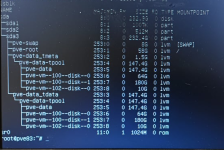
Hello. I am really new to this stuff so dont be harsh on me  . So we (my job) had some powerloss two days ago and one of the VM fails to start after that with an error "Job for pve-container@100.service failed because the control process exited with error code.
See "systemctl status pve-container@100.service" and "journalctl -xe" for details.
TASK ERROR: command 'systemctl start pve-container@100' failed: exit code 1".
So i checked the journal and it show this kind of error (or probably errors) - "Buffer O/O error on dev dm-7, logical block 472538 (and 8 other blocks), lost async page write. What should i do? If you please explain to me as simple as possible and with as much info as possible i am really new to this stuff because it wasnt me who build VM proxmox ;/
. So we (my job) had some powerloss two days ago and one of the VM fails to start after that with an error "Job for pve-container@100.service failed because the control process exited with error code.See "systemctl status pve-container@100.service" and "journalctl -xe" for details.
TASK ERROR: command 'systemctl start pve-container@100' failed: exit code 1".
So i checked the journal and it show this kind of error (or probably errors) - "Buffer O/O error on dev dm-7, logical block 472538 (and 8 other blocks), lost async page write. What should i do? If you please explain to me as simple as possible and with as much info as possible i am really new to this stuff because it wasnt me who build VM proxmox ;/