

After implementing the reset bug for AMD Radeon vii

The machine does not turn on after couple of restarts any ideas?

Error
Code:
Header
Proxmox
Virtual Environment 7.1-7
Virtual Machine 111 (BlueLionWindows11Games) on node 'workstation'
Status
 
stopped
HA State
 
none
Node
 
workstation
CPU usage
 
0.00% of 16 CPU(s)
Memory usage
 
0.00% (0 B of 11.77 GiB)
Bootdisk size
 
64.00 GiB
IPs
Guest Agent not running
Logs
()
swtpm_setup: Not overwriting existing state file.
TASK ERROR: start failed: command '/usr/bin/kvm -id 111 -name BlueLionWindows11Games -no-shutdown -chardev 'socket,id=qmp,path=/var/run/qemu-server/111.qmp,server=on,wait=off' -mon 'chardev=qmp,mode=control' -chardev 'socket,id=qmp-event,path=/var/run/qmeventd.sock,reconnect=5' -mon 'chardev=qmp-event,mode=control' -pidfile /var/run/qemu-server/111.pid -daemonize -smbios 'type=1,uuid=0e40f7ee-7dea-478c-a11b-542ec7491959' -drive 'if=pflash,unit=0,format=raw,readonly=on,file=/usr/share/pve-edk2-firmware//OVMF_CODE_4M.secboot.fd' -drive 'if=pflash,unit=1,format=raw,id=drive-efidisk0,size=540672,file=/dev/pve/vm-111-disk-1' -smp '16,sockets=4,cores=4,maxcpus=16' -nodefaults -boot 'menu=on,strict=on,reboot-timeout=1000,splash=/usr/share/qemu-server/bootsplash.jpg' -vga none -nographic -no-hpet -cpu 'host,hv_ipi,hv_relaxed,hv_reset,hv_runtime,hv_spinlocks=0x1fff,hv_stimer,hv_synic,hv_time,hv_vapic,hv_vendor_id=proxmox,hv_vpindex,kvm=off,+kvm_pv_eoi,+kvm_pv_unhalt' -m 12048 -readconfig /usr/share/qemu-server/pve-q35-4.0.cfg -device 'vmgenid,guid=e37c155c-d84b-4d8d-af7c-dbd29ea50982' -device 'usb-tablet,id=tablet,bus=ehci.0,port=1' -device 'vfio-pci,host=0000:03:00.0,id=hostpci0.0,bus=ich9-pcie-port-1,addr=0x0.0,multifunction=on' -device 'vfio-pci,host=0000:03:00.1,id=hostpci0.1,bus=ich9-pcie-port-1,addr=0x0.1' -chardev 'socket,id=tpmchar,path=/var/run/qemu-server/111.swtpm' -tpmdev 'emulator,id=tpmdev,chardev=tpmchar' -device 'tpm-tis,tpmdev=tpmdev' -chardev 'socket,path=/var/run/qemu-server/111.qga,server=on,wait=off,id=qga0' -device 'virtio-serial,id=qga0,bus=pci.0,addr=0x8' -device 'virtserialport,chardev=qga0,name=org.qemu.guest_agent.0' -device 'virtio-balloon-pci,id=balloon0,bus=pci.0,addr=0x3' -iscsi 'initiator-name=iqn.1993-08.org.debian:01:7d2c213dfb2a' -drive 'file=/var/lib/vz/template/iso/virtio-win-0.1.217.iso,if=none,id=drive-ide2,media=cdrom,aio=io_uring' -device 'ide-cd,bus=ide.1,unit=0,drive=drive-ide2,id=ide2,bootindex=102' -device 'ahci,id=ahci0,multifunction=on,bus=pci.0,addr=0x7' -drive 'file=/dev/pve/vm-111-disk-0,if=none,id=drive-sata0,cache=writeback,format=raw,aio=io_uring,detect-zeroes=on' -device 'ide-hd,bus=ahci0.0,drive=drive-sata0,id=sata0,bootindex=100' -netdev 'type=tap,id=net0,ifname=tap111i0,script=/var/lib/qemu-server/pve-bridge,downscript=/var/lib/qemu-server/pve-bridgedown' -device 'rtl8139,mac=26:5E:27:F5:96:0C,netdev=net0,bus=pci.0,addr=0x12,id=net0,bootindex=101' -rtc 'driftfix=slew,base=localtime' -machine 'type=pc-q35-6.1+pve0' -global 'kvm-pit.lost_tick_policy=discard'' failed: got timeout

Also realvnc shows a black screen
https://help.realvnc.com/hc/en-us/a...n-connecting-to-VNC-Server-running-on-Windows
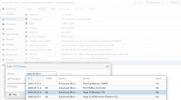
1651403644965.png
 
Last edited:
C:
TASK ERROR: start failed: command '/usr/bin/kvm -id 111 -name BlueLionWindows11Games -no-shutdown -chardev 'socket,id=qmp,path=/var/run/qemu-server/111.qmp,server=on,wait=off' -mon 'chardev=qmp,mode=control' -chardev 'socket,id=qmp-event,path=/var/run/qmeventd.sock,reconnect=5' -mon 'chardev=qmp-event,mode=control' -pidfile /var/run/qemu-server/111.pid -daemonize -smbios 'type=1,uuid=0e40f7ee-7dea-478c-a11b-542ec7491959' -drive 'if=pflash,unit=0,format=raw,readonly=on,file=/usr/share/pve-edk2-firmware//OVMF_CODE_4M.secboot.fd' -drive 'if=pflash,unit=1,format=raw,id=drive-efidisk0,size=540672,file=/dev/pve/vm-111-disk-1' -smp '16,sockets=4,cores=4,maxcpus=16' -nodefaults -boot 'menu=on,strict=on,reboot-timeout=1000,splash=/usr/share/qemu-server/bootsplash.jpg' -vga none -nographic -no-hpet -cpu 'host,hv_ipi,hv_relaxed,hv_reset,hv_runtime,hv_spinlocks=0x1fff,hv_stimer,hv_synic,hv_time,hv_vapic,hv_vendor_id=proxmox,hv_vpindex,kvm=off,+kvm_pv_eoi,+kvm_pv_unhalt' -m 12048 -readconfig /usr/share/qemu-server/pve-q35-4.0.cfg -device 'vmgenid,guid=e37c155c-d84b-4d8d-af7c-dbd29ea50982' -device 'usb-tablet,id=tablet,bus=ehci.0,port=1' -device 'vfio-pci,host=0000:03:00.0,id=hostpci0.0,bus=ich9-pcie-port-1,addr=0x0.0,multifunction=on' -device 'vfio-pci,host=0000:03:00.1,id=hostpci0.1,bus=ich9-pcie-port-1,addr=0x0.1' -chardev 'socket,id=tpmchar,path=/var/run/qemu-server/111.swtpm' -tpmdev 'emulator,id=tpmdev,chardev=tpmchar' -device 'tpm-tis,tpmdev=tpmdev' -chardev 'socket,path=/var/run/qemu-server/111.qga,server=on,wait=off,id=qga0' -device 'virtio-serial,id=qga0,bus=pci.0,addr=0x8' -device 'virtserialport,chardev=qga0,name=org.qemu.guest_agent.0' -device 'virtio-balloon-pci,id=balloon0,bus=pci.0,addr=0x3' -iscsi 'initiator-name=iqn.1993-08.org.debian:01:7d2c213dfb2a' -drive 'file=/var/lib/vz/template/iso/virtio-win-0.1.217.iso,if=none,id=drive-ide2,media=cdrom,aio=io_uring' -device 'ide-cd,bus=ide.1,unit=0,drive=drive-ide2,id=ide2,bootindex=102' -device 'ahci,id=ahci0,multifunction=on,bus=pci.0,addr=0x7' -drive 'file=/dev/pve/vm-111-disk-0,if=none,id=drive-sata0,cache=writeback,format=raw,aio=io_uring,detect-zeroes=on' -device 'ide-hd,bus=ahci0.0,drive=drive-sata0,id=sata0,bootindex=100' -netdev 'type=tap,id=net0,ifname=tap111i0,script=/var/lib/qemu-server/pve-bridge,downscript=/var/lib/qemu-server/pve-bridgedown' -device 'rtl8139,mac=26:5E:27:F5:96:0C,netdev=net0,bus=pci.0,addr=0x12,id=net0,bootindex=101' -rtc 'driftfix=slew,base=localtime' -machine 'type=pc-q35-6.1+pve0' -global 'kvm-pit.lost_tick_policy=discard'' failed: got timeout
 
Use vendor-reset to work-around AMD GPU reset issues. I used this guide. When using kernel 5.15 you need to set the reset_method to device_specific.

EDIT: Please attach the VM configuration file (from /etc/pve/qemu-server/111.conf) to your post so I can check if you passed through all devices. Are you using pcie_acs_override? Do you really need that?
 
Last edited:
  • Like
Reactions: rifaterdemsahin
Use vendor-reset to work-around AMD GPU reset issues. I used this guide. When using kernel 5.15 you need to set the reset_method to device_specific.

EDIT: Please attach the VM configuration file (from /etc/pve/qemu-server/111.conf) to your post so I can check if you passed through all devices. Are you using pcie_acs_override? Do you really need that?

how do we use pcie_acs_override ?

Code:
root@workstation:/etc/pve/qemu-server# cat 111.conf
agent: 1
bios: ovmf
boot: order=sata0;net0;ide2
cores: 4
cpu: host
efidisk0: local-lvm:vm-111-disk-1,efitype=4m,pre-enrolled-keys=1,size=4M
hostpci0: 0000:03:00,pcie=1,x-vga=1
ide2: local:iso/virtio-win-0.1.217.iso,media=cdrom,size=519096K
machine: pc-q35-6.1
memory: 12048
meta: creation-qemu=6.1.0,ctime=1651350125
name: BlueLionWindows11Games
net0: rtl8139=26:5E:27:F5:96:0C,bridge=vmbr0,firewall=1
numa: 0
onboot: 1
ostype: win11
sata0: local-lvm:vm-111-disk-0,cache=writeback,size=64G
scsihw: virtio-scsi-pci
smbios1: uuid=0e40f7ee-7dea-478c-a11b-542ec7491959
sockets: 4
startup: order=4
tpmstate0: local-lvm:vm-111-disk-2,size=4M,version=v2.0
vga: none
vmgenid: e37c155c-d84b-4d8d-af7c-dbd29ea50982
root@workstation:/etc/pve/qemu-server#
 
how do we use pcie_acs_override ?
Do you need it? What problems are you having? Note that it comes with a potential security issue.
Code:
root@workstation:/etc/pve/qemu-server# cat 111.conf
agent: 1
bios: ovmf
boot: order=sata0;net0;ide2
cores: 4
cpu: host
efidisk0: local-lvm:vm-111-disk-1,efitype=4m,pre-enrolled-keys=1,size=4M
hostpci0: 0000:03:00,pcie=1,x-vga=1
ide2: local:iso/virtio-win-0.1.217.iso,media=cdrom,size=519096K
machine: pc-q35-6.1
memory: 12048
meta: creation-qemu=6.1.0,ctime=1651350125
name: BlueLionWindows11Games
net0: rtl8139=26:5E:27:F5:96:0C,bridge=vmbr0,firewall=1
numa: 0
onboot: 1
ostype: win11
sata0: local-lvm:vm-111-disk-0,cache=writeback,size=64G
scsihw: virtio-scsi-pci
smbios1: uuid=0e40f7ee-7dea-478c-a11b-542ec7491959
sockets: 4
startup: order=4
tpmstate0: local-lvm:vm-111-disk-2,size=4M,version=v2.0
vga: none
vmgenid: e37c155c-d84b-4d8d-af7c-dbd29ea50982
root@workstation:/etc/pve/qemu-server#
With AMD GPUs, don't use Primary GPU (x-vga=1). The rest of the configuration looks fine.
Are you having any problems or is it working fine. You have enabled automatic starting of the VM, so I assume that it all works?