I am maybe not a beginner with Proxmox, been running a cluster of 3 Lenovo ThinkCentre M70q at home for soon a year now, but the thing is, it's been runnig flawlessly since I did set it up, so I have no experience in troubleshooting when the shit hits the fan. Which it did today...
Around noon I received an alert email:
That was worrying. But a much bigger problem, my Hermes VM was migrated to node 'proxmox3' and it was stopped with error:
No matter how I tried to start or stop the node on either node 2 or 3, I couldn't start up vm 210 (Hermes). Could not migrate back, could not issue qm unlock 210 or anything else.
I have both VM and file-based backup to my NAS, but still I was panicking a bit. What the hell has happened? I googled and learned that the first thing to do so at least I get my Hermes VM up and running on node 2 was to go to node 3 and directory /etc/pve/qemu-server/ and there move the 210.conf file to same location on node 2, and then I could start up my VM again. That was a relief, but what the hell had happened in the first place?
I took the logfile of node 2 and asked Claude to analyze it: The answer was clear:
So the NIC was the root cause! I find it odd that this happens after almost a year of usage, but I guess that I have been pushing a lot of tasks on Hermes in the last day, so more network traffic maybe provokes the error? The fix according to Claude:
The Thinkcentre chassis are small, so maybe I am not too keen on installing a separate NIC, what would you do? The fix "ethtool -K eno2 tso off gso off gro off", do you agree that it is a good thing to do?
The next problem I had, why the live migration to node 3 didn't work was the next mystery. Asking Claude again and the answer was really embarrasing (to me) ;-)
I admit: I thiought I had the HA and replication correctly set up and never looked back at it. Stupid, and I have learned my lesson now. I remade the configuration, and this time replicated VM 210 to node 3, logged in and tested functionality and then moved back to node 2 again and confirmed the whole thing to work.
So I am basically telling this so nobody else is stupid like I am and set up replication without testing it that it really works. And to ask if Claude's suggestion about the fix for the NIC should be done on all 3 nodes and sounds like the correct solution?
Around noon I received an alert email:
The node 'proxmox2' in cluster 'cluster' failed and needs manual intervention.
The PVE HA manager will now fence 'proxmox2'.
Status: Try to fence node 'proxmox2'
Timestamp: 2026-07-31 12:11:41
Cluster Node Status:
- proxmox1: online
- proxmox2: unknown
- proxmox3: online [master]
That was worrying. But a much bigger problem, my Hermes VM was migrated to node 'proxmox3' and it was stopped with error:
Jul 31 12:23:05 proxmox3 pve-ha-lrm[3121544]: <root@pam> end task UPIDroxmox3:002FA18A:1EC3E949:6A6C765E:qmstart:210:root@pam: timeout: no zvol device link for 'vm-210-disk-0' found after 300 sec.
Jul 31 12:23:05 proxmox3 pve-ha-lrm[3121544]: unable to start service vm:210
No matter how I tried to start or stop the node on either node 2 or 3, I couldn't start up vm 210 (Hermes). Could not migrate back, could not issue qm unlock 210 or anything else.
I have both VM and file-based backup to my NAS, but still I was panicking a bit. What the hell has happened? I googled and learned that the first thing to do so at least I get my Hermes VM up and running on node 2 was to go to node 3 and directory /etc/pve/qemu-server/ and there move the 210.conf file to same location on node 2, and then I could start up my VM again. That was a relief, but what the hell had happened in the first place?
I took the logfile of node 2 and asked Claude to analyze it: The answer was clear:
Root cause (12:10:45–12:11:40)
12:10:45 corosync: links to node 1 AND node 3 both go down
12:10:46 kernel: e1000e 0000:00:1f.6 nic0: Detected Hardware Unit Hang
(repeats every ~2 seconds for about 60 seconds)
12:10:51 proxmox2 loses quorum ("non-primary component")
12:10:51 pve-ha-lrm: loses its HA lock ("lost lock ... Device or resource busy")
12:11:29 watchdog-mux: "watchdog is about to expire"
12:11:39 watchdog-mux: "watchdog expired - disable watchdog updates"
12:11:40 kernel: "watchdog0: watchdog did not stop!" → hard reset
12:12:08 node comes back up
The physical NIC on node 2 (Intel e1000e, PCI 0000:00:1f.6, shows up as eno2/nic0, the only port in vmbr0) hung at the hardware level — the transmit descriptor ring (TDH) stopped advancing and the interface stopped responding. This is a well-known e1000e failure mode ("Hardware Unit Hang"), often tied to PCIe power-saving (ASPM) or TSO/GSO offload interacting badly with the driver.
Since all traffic on this node — cluster communication (corosync), storage, and VM networking — runs over that single NIC, the whole node got cut off from the cluster the instant the card hung.
So the NIC was the root cause! I find it odd that this happens after almost a year of usage, but I guess that I have been pushing a lot of tasks on Hermes in the last day, so more network traffic maybe provokes the error? The fix according to Claude:
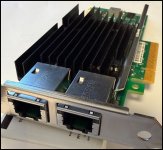
- Separate the cluster network from everything else (most important) — right now corosync, storage, and VM traffic all share the single NIC. If you have or can add a second network card, add it as a second corosync link (corosync.conf → second ring/link) so the node doesn't lose quorum just because one card hangs. Even a cheap USB NIC or a second onboard interface would give you redundancy.
- Mitigate the e1000e bug for now:
bash
ethtool -K eno2 tso off gso off gro off
Consider making this persistent (a systemd service, or a post-up line in /etc/network/interfaces), since this is a known workaround for this type of hang on some e1000e hardware.
- Try disabling PCIe ASPM if it recurs — add pcie_aspm=off to the kernel command line (GRUB / /etc/kernel/cmdline), since power-saving features are a common culprit for exactly this NIC failure on this class of onboard chip.
- Update pve-kernel — check pveversion -v against the latest pve-kernel package; e1000e-related fixes show up periodically in newer kernel builds.
- If you'd like an early warning next time instead of finding out after the fact: a simple monitoring script that alerts on Hardware Unit Hang in dmesg/the journal would flag it before the watchdog has a chance to fire.
The Thinkcentre chassis are small, so maybe I am not too keen on installing a separate NIC, what would you do? The fix "ethtool -K eno2 tso off gso off gro off", do you agree that it is a good thing to do?
The next problem I had, why the live migration to node 3 didn't work was the next mystery. Asking Claude again and the answer was really embarrasing (to me) ;-)
Root cause
- VM 210 has a configured replication job (210-0), but it's been failing on every single run with dataset does not exist — the target ZFS dataset tank/vm-210-disk-0 was never actually created on node3. Either the very first full sync never completed, or the dataset got removed/renamed on node3 at some point, and every incremental replication since has been silently failing.
Because the zvol wasn't there, qm start didn't fail instantly — Proxmox waits up to 300 seconds hoping the device link appears (in case it's just slow), then times out. That's why it looked "stuck" rather than erroring immediately. HA then retried the whole start cycle repeatedly (12:12:57 → 12:18:06 → 12:23:26 → 12:26:30 → 12:31:32...) and you also triggered manual attempts via the GUI at 12:44:49 and 12:48:26 — all failing identically, for about 40 minutes straight, which is exactly why you ended up needing to intervene by hand.
I admit: I thiought I had the HA and replication correctly set up and never looked back at it. Stupid, and I have learned my lesson now. I remade the configuration, and this time replicated VM 210 to node 3, logged in and tested functionality and then moved back to node 2 again and confirmed the whole thing to work.
So I am basically telling this so nobody else is stupid like I am and set up replication without testing it that it really works. And to ask if Claude's suggestion about the fix for the NIC should be done on all 3 nodes and sounds like the correct solution?