Gilberto Ferreira's latest activity
-
GGilberto Ferreira replied to the thread VLAN created inside SDN panel not appears in NODE -> SYSTEM -> NETWORKS?.It's doesn't appears in the drop down selection! Just the IPs configured in the system > networks
-
GGilberto Ferreira replied to the thread VXLAN with low bitrate transfer even with 10G SFP+..For now, I am using raw interface like vmbr1 with physical interface. The caveat is that needs to use cable instead of using the IPs from an exist interface. With RAW interface I was able to get full data rate.
-
GGilberto Ferreira reacted to wingull's post in the thread VXLAN with low bitrate transfer even with 10G SFP+. with
 Like.
Same problem here, with similar setup to OP. Full 10Gbps data rate between hosts when tested with iperf, but on VXLAN connected VMs only 3-4Gbps. Anybody know a fix? Thanks
Like.
Same problem here, with similar setup to OP. Full 10Gbps data rate between hosts when tested with iperf, but on VXLAN connected VMs only 3-4Gbps. Anybody know a fix? Thanks -
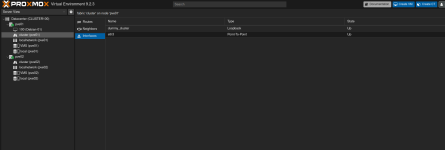
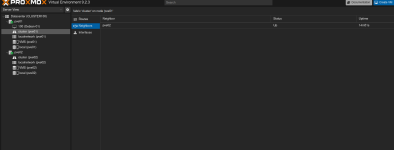
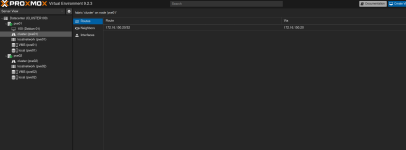
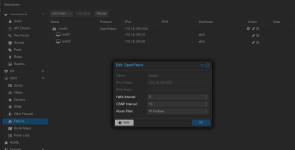
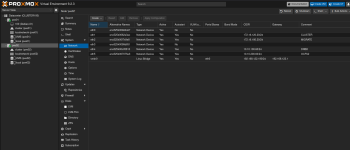
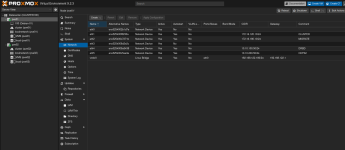
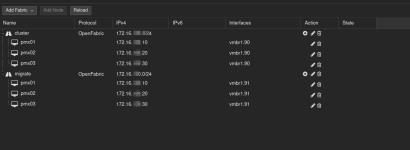
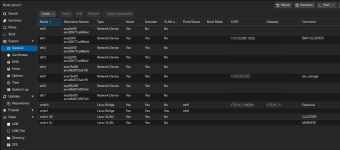
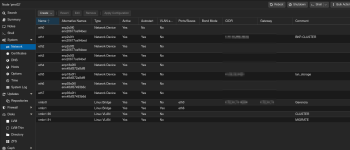
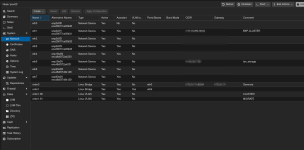
GGilberto Ferreira replied to the thread VLAN created inside SDN panel not appears in NODE -> SYSTEM -> NETWORKS?.Ok.... Here we go again... First, the physical interfaces on each server: pve01 pve02 Yes! Two nodes. This is just for test purpose. Now the fabric itself, in the Datacenter -> SDN -> Fabric In the fabric/sdn panel I got this: and and...
-
-
GGilberto Ferreira replied to the thread VLAN created inside SDN panel not appears in NODE -> SYSTEM -> NETWORKS?.Sorry.... Thank you for your reply. I couldn't stay much longer testing the SDN in this configuration. As my deadline with the customer was very short, turns out that the traditional way to create vlan and stuff, works better. So, in order to...
-
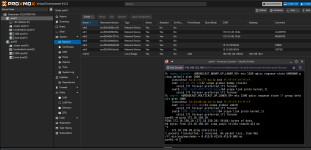
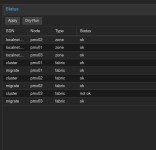
GGilberto Ferreira replied to the thread VLAN created inside SDN panel not appears in NODE -> SYSTEM -> NETWORKS?.I spoke too soon. Fabric doesn't work at all! For time to time, the status change it to 'not ok'! What's that suppose to mean? I have this in the log fabricd[891055]: [NBV6R-CM3PT] OpenFabric: Needed to resync LSPDB using CSNP!
-
-
GGilberto Ferreira replied to the thread VLAN created inside SDN panel not appears in NODE -> SYSTEM -> NETWORKS?.Well... It's seems that I need to create the vlan on each node, like vmbr1.90, and than use fabric to connect all nodes using the vlan vmbr1.90. In this scenario, is working.
-
GGilberto Ferreira posted the thread VLAN created inside SDN panel not appears in NODE -> SYSTEM -> NETWORKS? in Proxmox VE: Networking and Firewall.Hi... I have a VLAN named 90. In this VLAN I have had created this: pmx01:~# cat /etc/pve/sdn/zones.cfg vlan: vlan90 bridge vmbr1 ipam pve mtu 9000 pmx01:~# cat /etc/pve/sdn/vnets.cfg vnet: vnlan90 zone vlan90...
-
GGilberto Ferreira replied to the thread VXLAN with low bitrate transfer even with 10G SFP+..Same to me...
-
GGilberto Ferreira reacted to mokhtarzadeh.me's post in the thread VXLAN with low bitrate transfer even with 10G SFP+. with Like.
Actually, I am using the SDN feature of Proxmox with VXLAN on three hosts connected to a 10G switch. I’m using iperf3 from host to host, and it gives 10 Gbit/s throughput, but from guest to guest on two different hosts, it gives around 3 Gbit/s...
-
GGilberto Ferreira replied to the thread free Starwind x Proxmox SAN storage plugin.I totally agree with that.
-
GGilberto Ferreira reacted to alma21's post in the thread free Starwind x Proxmox SAN storage plugin with Like.
I think this is a misunderstanding .... the plugin which I mentioned can be used with any iscsi/FC SAN ... it's an open source shared/clustered lvm thin proxmox storage plugin developed by Starwind
-
GGilberto Ferreira replied to the thread Glusterfs is still maintained. Please don't drop support!.Botton line: use whatever fits you. I am using GlusterFS, Ceph, Drbd + Pacemaker + iSCSI + OCFS2, and guest what? Works for me in N scenario. And again: use whatever fits you and your customers...
-
GGilberto Ferreira replied to the thread Glusterfs is still maintained. Please don't drop support!.The gluster project is not dead. It's slow... Not dead... Long live to GlusterFS!
-
-
GGilberto Ferreira reacted to alpha754293's post in the thread Glusterfs is still maintained. Please don't drop support! with Like.
Two things: 1) As I mentioned, I'm running Proxmox 7.4-20 on the host system because kernel 6.8 that ships with Proxmox 8 by default doesn't work with the aforementioned 9361-8i. Who cares if it's old, if it works (vs. it not working)? If it is...
-
GGilberto Ferreira reacted to alpha754293's post in the thread Glusterfs is still maintained. Please don't drop support! with Like.
Sorry for resurrecting this old thread, but I am testing both ceph and gluster right now on my 4930K system (because it's what I have that I can spin up quickly with as few variables between systems as possible). Subjectively, the Win11 23H2...
-
GGilberto Ferreira replied to the thread Proxmox Datacenter Manager 1.1 released!.I'm looking forward to have this options in PVE installer. Make network changes over iLO or iDrac, is a painfull thing...
-
GGilberto Ferreira reacted to t.lamprecht's post in the thread Proxmox Datacenter Manager 1.1 released! with Like.
It allows the same options as the installer supports - if you want new ones ther they need to get added first to the installer. So once https://bugzilla.proxmox.com/show_bug.cgi?id=2164 is addressed we can also add support for this in the PDM...
-
GGilberto Ferreira replied to the thread Proxmox Datacenter Manager 1.1 released!.You can install it inside a VM. You will see all your clusters, vms and PBS. You'll can start, shutdown, stop, migrate vm from one node/cluster to another. But to set vm parameters, you still need to open the webui from that target. Pretty sure...
-
GGilberto Ferreira replied to the thread Proxmox Datacenter Manager 1.1 released!.Good job guys... But I want to pointed out that Network option still is very basic, in the automated installation. Need to include the ability to create LACP right from the installation.