Unusual traffic to GitHub from PVE

thormir84

New Member
Nov 16, 2026
2
0
0
Hello everyone, I'm making this first post because, recently, i've noticed some 'anomalous' traffic (or at least traffic i can't identify) from the host machine toward Github.
I noticed it while trying out a new type of firewall (Nethsecurity) and, to be sure, i checked on another host with OPNsense, which seems to have the same anomaly.

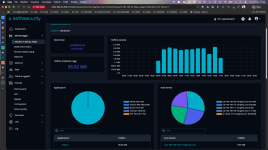
The traffic is generated by the host machine running Proxmox VE, and it's directed towards different Github domains, but i don't understand the meaning, especially since it's several gigabytes.

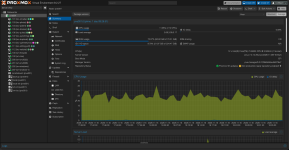
As you can see from the screenshots, one taken from Nethsecurity and one from OPNsense, the respective IPs of the host machines (192.168.20.1 and 172.22.8.1), just today alone, are generating a significant amount of traffic to Github, but i don't understand why.

I have no idea when it started, because i only noticed it by chance a few days ago.

Does this happen to anyone else, or can someone explain to me what it might be due to?


EDIT: Sorry, i forgot to specify the versions of Proxmox VE in use; both hosts where i noticed the issue are updated to 9.2.27 with kernel 7.0.14-29-pve.
 

Attachments
  • Screenshot 2026-11-16 alle 17.44.39.png
    Screenshot 2026-11-16 alle 17.44.39.png
    320.8 KB · Views: 0
  • Screenshot 2026-11-16 alle 17.52.36.png
    Screenshot 2026-11-16 alle 17.52.36.png
    300.6 KB · Views: 0
Last edited:
Does this happen to anyone else, or can someone explain to me what it might be due to?
Hi @thormir84 , welcome to the forum.

No, vanilla PVE installation does not reach out to Github. Did you use any of the 3rd party scripts/helpers/distributions during the deployment? If you did - look into those.
If you are unsure - wipe your installation and install from scratch just the vanilla PVE. Then you can confirm that nothing reaches out anywhere. Then, if you are really curious, start installing your 3rd party programs one by one and keep monitoring.

Cheers


Blockbridge : Ultra low latency all-NVME shared storage for Proxmox - https://www.blockbridge.com/proxmox
 
If you are unsure - wipe your installation and install from scratch just the vanilla PVE. Then you can confirm that nothing reaches out anywhere.

This can also be done inside a VM if one want to avoid the hassle of reinstalling/restoring everything. On typical homelab hardware aka used mini-pcs or something similiar you usually can't run VMs inside the ProxmoxVE VM but for this particular test just some basics lxcs created with the templates feature should be more than enough. Please note "basic lxcs", don't use something like the community scripts since they actually work with pulling stuff from github. But one of the Turnkey Linux appilances or the vanilla AlmaLinux,Debian, Ubuntu oder alpine lxc templates should work for this.
 
Hi, thanks for the reply!

So, on both hosts i installed several VMs (manually) and several LXCs (via script, taken from https://community-scripts.github.io/ProxmoxVE/ ).
In addition, i installed Netdata directly on the host (using the installation script), connected to their cloud platform for monitoring.

Every script for installing LXC is run directly from the host's shell, so it could have been one of them (or some or all of them). Each LXC obviously has a different IP, and they show no anomalies.

I could open an issue on the community-script GitHub page to report it, maybe I'm not the only one.
 

Attachments

  • Screenshot 2026-11-16 alle 18.39.10.png
    Screenshot 2026-11-16 alle 18.39.10.png
    233.5 KB · Views: 0
@Johannes S is correct, the traffic can also be generated by any of your VMs or LXCs. I mistakenly presumed that you have already excluded those by shutting them down.
Potential next steps are : a) shutdown VMs and LXCs, either one by one or all b) if step (a) does not flash thing out - start uninstalling the things your installed c) start from scatch

Good luck


Blockbridge : Ultra low latency all-NVME shared storage for Proxmox - https://www.blockbridge.com/proxmox
 
I’d try to catch one of those transfers while the firewall counter is climbing. If the flow is TCP, run this as root on the PVE host, replacing the example address with the destination IP from the firewall:

Code:
ss -tinp state established dst 203.0.113.10

Check it twice a few seconds apart. If bytes_received or bytes_acked is rising on the same socket, the process listed under users: gives you something specific to investigate. Short connections may have closed by the time you run the command. ss manual

If there’s no matching socket during the spike and the PVE host does NAT for guests, compare traffic to the same destination on the guest bridge and the uplink. Masquerading can make a guest’s traffic show up under the host IP at the firewall. Proxmox network guide