PBS on Debian

Jun 29, 2021
3
0
41
41
We're looking into hiring a VPS to have completely up to date offsite backups. Currently we're moving USB HDDs around but and we'll keep doing those to have airgapped backups but we'd like a more immediate restore option for the server rack burned down scenario.

The VPS would be provided by one of our ISPs in its dedicated datacenter with a direct line to our network. Unfortunately they're being stubborn about ISOs that are not fully vetted by their compliance dept and I'm like "dude, Proxmox is a tier 1 player" and they're like "I know, don't shoot the messenger".

So one workaround I came up with would be to have them set up the VM with Debian and us installing PBS on top of that. This part of the documentation says it's possible:
https://pbs.proxmox.com/docs/installation.html#install-proxmox-backup-server-on-debian

But it warns:
Caution

Installing Proxmox Backup on top of an existing Debian installation looks easy, but it assumes that the base system and local storage have been set up correctly. In general this is not trivial, especially when LVM or ZFS is used. The network configuration is completely up to you as well.

Does anyone know what specifically is meant by "base system and local storage have been set up correctly"? What would be an incorrect setup? Is there a situation where Debian is working fine but it is incorrectly set up as far as PBS is concerned?

And what is meant by network configuration other than the usual assigning of IP address, hosts and open ports in firewall?

Thanks so much in advance!
 
Does anyone know what specifically is meant by "base system and local storage have been set up correctly"? What would be an incorrect setup? Is there a situation where Debian is working fine but it is incorrectly set up as far as PBS is concerned?
PBS defaults to ZFS out of the box, and a normal Debian install does not use ZFS. So there could be some work there. But this begs the question, why run PBS remotely? You don't need to do that, you just need to store the data remotely. Personally I would run PBS locally, keep a copy of the data locally and then replicate a copy of the data off site. I do something like that here at home. PBS runs in a container on my TrueNAS, and I use ZFS send to to send copies of the snapshots of the PBS data store off site.
 
What would be an incorrect setup?
There is no answer to this one - there are a trillion ways to setup a server incorrectly. Think about "let it run directly from a chap USB stick"-class of "wrong" doings...
Is there a situation where Debian is working fine but it is incorrectly set up as far as PBS is concerned?
I would call a Debian installation on a (hard- or software-) Raid6 with HDDs being fine. It does not fit PBS requirements and won't fulfill expectations...
And what is meant by network configuration other than the usual assigning of IP address, hosts and open ports in firewall?
Nothing. It just points out, that this is not covered by the PBS installation sequence.

:-)
 
Just recently I setup a PBS server on a Debian 13 VM. Ext4 install. Created a datastore /backups as a directory.

It's on some sort of RAID at Interserver that is SATA HDD ZFS pool backed. ~200 iops on a backup ontegrity test but also 2 vcpus maxing in the process.

Works fine for me taking 1 zfs-send dump a night and pxar backups of all VMs every 4 hours.
 
PBS defaults to ZFS out of the box
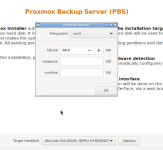
I cannot confirm this. This is the default the 4.2 installer shows when you click Options. It does NOT default to ZFS.
1791660329770.png

Why would PBS need a bridge for?


@ITexports
I run PBS in a CT and at the time I installed it with this. Works fine. Heck I even use DHCP. PBS isn't as pedantic as PVE
Bash:
wget -P /etc/apt/trusted.gpg.d/ https://enterprise.proxmox.com/debian/proxmox-release-trixie.gpg
echo "deb http://download.proxmox.com/debian/pbs trixie pbs-no-subscription" >> /etc/apt/sources.list
apt install -yU proxmox-backup-server
 
  • Like
Reactions: _gabriel and UdoB
PBS defaults to ZFS out of the box, and a normal Debian install does not use ZFS. So there could be some work there.

In most cases it should be sufficient to install the Proxmox packages which also includes an kernel with ZFS support. According to the ops linked manual chapter "apt install proxmox-backup-server" should do the trick. The image provided by the ISP propably has a ext4 or xfs based Debian install but since this is only the OS that's not much of a problem imho. ZFS is more interesting if you want to use it's bitrot protection or other zfs-specific features for your datastore and this is covered if you use a Proxmox kernel instead of Debians defaults.

But this begs the question, why run PBS remotely? You don't need to do that, you just need to store the data remotely. Personally I would run PBS locally, keep a copy of the data locally and then replicate a copy of the data off site. I do something like that here at home. PBS runs in a container on my TrueNAS, and I use ZFS send to to send copies of the snapshots of the PBS data store off site.

Well PBS makes it quite easy to protect the data against bad actors since you can leverage pull-sync that you don't need to be able to access the remote backup from your local infrastructure. Only the remote PBS needs to be able to connect to the port 8007 of your local PBS to do a pull-sync. And even this could be limited to a vpn connection which is only enabled for the scheduled sync times. If you want to use ZFS for offsite backup most cloud storage providers doesn't support it (except rsync.net afik) so you will need to setup a vserver or dedicated server anyhow to have some zfs target. But if you do this then you can also setup a PBS and profit from it's more advanced features (like pushing backups from the remote PBS to S3-storage for longtime archive).And while I also run a PBS in a container in my homelab this is not a setup I would use in a corporate environment since running PBS in a container is not officially supported. I might be a bit to paranoid but I wouldn't feel comfortable that my local PBS might be gone if an update renders an non-supported, non-tested setup broken. Especially if one considers that TrueNAS seems to change their container/virtualization stack every major release.
Even in my homelab I have a mini-pc with a baremetal PBS, which wakes up every night and pull the backups from the PBS container for some peace of mind. The same container is also the source of my offsite pbs.
 
  • Like
Reactions: UdoB
In most cases it should be sufficient to install the Proxmox packages which also includes an kernel with ZFS support. According to the ops linked manual chapter "apt install proxmox-backup-server" should do the trick.
Yes, it does the trick to create a working PBS.
No, it does not include the Kernel (by default):
Code:
root@trixieb:~# apt -s install proxmox-backup-server                                                                               
                                                                                                                                   
Upgrading:                                                                                                                         
  dmsetup  libdevmapper1.02.1                                                                                                      
                                                                                                                                   
Installing:                                                                                                                        
  proxmox-backup-server                                                                                                            
                                                                                                                                   
Installing dependencies:                                                                                                           
  dmeventd                  libnvpair3linux          proxmox-archive-keyring             proxmox-termproxy
  gdisk                     libproxmox-acme-plugins  proxmox-backup-docs                 proxmox-widget-toolkit
  gnulib-l10n               libsgutils2-1.48         proxmox-enterprise-support-keyring  pve-xtermjs
  idn                       libuutil3linux           proxmox-mail-forward                sg3-utils
  libdevmapper-event1.02.1  libzfs7linux             proxmox-mini-journalreader          smartmontools
  libjs-extjs               libzpool7linux           proxmox-network-interface-pinning   thin-provisioning-tools
  libjs-qrcodejs            lvm2                     proxmox-offline-mirror-docs         zfs-zed
  liblvm2cmd2.03            pbs-i18n                 proxmox-offline-mirror-helper       zfsutils-linux                            
                                                                                                                                   
Suggested packages:                                                                                                                
  gsmartcontrol  smart-notifier  nfs-kernel-server  samba-common-bin  zfs-initramfs

But then again, a ZFS-enabled kernel is available:
Code:
root@trixieb:~# apt -s install proxmox-default-kernel

Installing:                     
  proxmox-default-kernel

Installing dependencies:
  proxmox-kernel-7.0  proxmox-kernel-7.0.14-23-pve-signed  pve-firmware

:-)
 
  • Like
Reactions: Johannes S