

IPv6 DHCP in LXC

kb1sph

New Member
Jul 26, 2026
3
0
1
Okay, I'm going to apologize ahead of time, because I know a lot of people have posted about this, but there are so many posts that I just can't find a working answer.

I'm running Proxmox VE 9.2.5. I have opnsense set up and working perfectly and giving out IPv6 addresses through DHCP and everything that gets an address for physical machines on the lan have IPv6 connectivity. The problem is, I can't seem to get this to work automatically in a LXC. There has to be something I am not seeing and I was hoping someone could help.

When any of my LXCs boot up, they get the IPv4 address and they get a link-local IPv6 address, but they do not get a global IPv6 address. I have a /56 with a /64 assigned to the LAN. However, if I manually run "dhclient -6" it gets an IP address no problem and I can ping ipv6 addresses.

What am I missing to make this work automatically? I've tried setting the IPv6 config for the LXC to DHCP as well as SLAAC, neither one works.

Strangely, if I switch from Static to DHCP, I get nothing. If while set to DHCP I check the box for host-managed, I get nothing. But, if I switch from Static to DHCP and click the host-managed button at the same time and apply it, I get an IPv6 address. However, if I reboot the LXC, it disappears, I get no IPv6 address. The same things happen going from SLAAC to DHCP.

Is this some kind of bug in Proxmox? Is there something I have misconfigured? I'm going crazy trying to figure this out and could use a little help. If there's any info you need from me, let me know.

Thanks in advance!
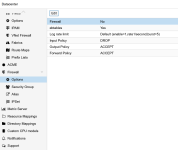
 
What distrib LXC used ?
What about cat /proc/sys/net/ipv6/conf/eth0/accept_ra ?
I have three LXCs all using the host OS, Debien 13.6.

Initially, the result of that was 1, but I did come across some posts about putting "net.ipv6.conf.eth0.accept_ra=2" into a sysctl file.

To be thorough, I put it into /etc/sysctl.conf (which didn't exist) as well as /etc/sysctl.d/99-accept-ra.conf. Then I ran "sysctl -p" to reload it and then the results of cat was 2.

After that I ran "systemctl restart networking" as well as "systemctl restart systemd-networkd". Again, just trying to be thorough and run everything I could think of or found in google searches. Still no luck.

I then even tried setting accept_ra on the host for the veth adapter that I believe is attached to the LXC. Based on the container id being 102, I assumed veth102i0 means that it is the virtual ethernet device number 0 (there's only one on that lxc) for container 102.

Then I found something that said to try setting "net.ipv6.conf.all.accept_ra=2" as well as "net.ipv6.conf.default.accept_ra=2" and tried those as well. Nothing.
 
Last edited:
I have opnsense set up
as VM within PVE or physical external ?
is your Edge router have IPv6 ?
IPv6 uses RA to get IPv6 prefix from router then generates its own IPv6 itself , it's not like IPv4 DHCP.

BTW, /etc/sysctl.conf is no more used since Debian13, *.conf are in /etc/sysctl.d/

EDIT: Just tried a debian13 LXC on a PVE 9.2.5
IPv4 DHCP + IPv6 SLAAC gets IPv6 without any settings and the default accept_ra=1
 
Last edited:
1. LXCs are usually configured via the network settings from the PVE definition. You do not have to set anything within the LXC itself, and even less so on the PVE host.

2. To rule out general network setup problems, I would try to test a Debian 13 VM and verify if that fails in getting an IPv6 as well. With VMs, network setup depends on how you install it (i.e. normal ISO install or a cloud-init setup).

Also, this all heavily depends on how the network is set up. If there is a front router != OpnSense, when IPv6 must be sub-delegated and also, how OpnSense and Proxmox are set up, as well. I do not think this is an LXC-specific problem at all.

Many people think this is straightforward, but it is not. There is a lot to learn, especially when OpnSense is a VM, too - see: https://forum.opnsense.org/index.php?topic=42985.0, https://forum.opnsense.org/index.php?topic=45822.0 and https://forum.opnsense.org/index.php?topic=44159.0
 
Last edited:
as VM within PVE or physical external ?
is your Edge router have IPv6 ?
IPv6 uses RA to get IPv6 prefix from router then generates its own IPv6 itself , it's not like IPv4 DHCP.

BTW, /etc/sysctl.conf is no more used since Debian13, *.conf are in /etc/sysctl.d/

EDIT: Just tried a debian13 LXC on a PVE 9.2.5
IPv4 DHCP + IPv6 SLAAC gets IPv6 without any settings and the default accept_ra=1
OPNsense is my edge router with a 2.5GB/s connection. As I said, I have a /56 and this is assigned by my ISP. I am familiar with how IPv6 works compared to IPv4.

I am also aware that /etc/sysctl.conf is not supposed to be used anymore. As I said, I was just trying to be thorough. For what it's worth, when I tried putting it into just the sysctl.conf before I added the file under /etc/sysctl.d and ran "sysctl -p", it actually worked, it updated accept_ra to 2. But, as I knew that wasn't supposed to work, I wanted to be thorough and do it both ways to make sure.

Also, I am not using SLAAC and do not want to use SLAAC. I'm using DHCP with the management bit set and literally everything else connected to the network has absolutely no issue with DHCP, only the LXCs do. And, the fact that I can run "dhclient -6" and get an address as well as IPv6 connectivity tells me that DHCP does work, just that for some reason the LXC is not asking for an address and is just assigning a link-local address. This is what I can't figure out and what I asked for help on.
1. LXCs are usually configured via the network settings from the PVE definition. You do not have to set anything within the LXC itself, and even less so on the PVE host.

2. To rule out general network setup problems, I would try to test a Debian 13 VM and verify if that fails in getting an IPv6 as well. With VMs, network setup depends on how you install it (i.e. normal ISO install or a cloud-init setup).

Also, this all heavily depends on how the network is set up. If there is a front router != OpnSense, when IPv6 must be sub-delegated and also, how OpnSense and Proxmox are set up, as well. I do not think this is an LXC-specific problem at all.

Many people think this is straightforward, but it is not. There is a lot to learn, especially when OpnSense is a VM, too - see: https://forum.opnsense.org/index.php?topic=42985.0, https://forum.opnsense.org/index.php?topic=45822.0 and https://forum.opnsense.org/index.php?topic=44159.0
As far as the LXC configuration, I realize this, but it doesn't seem to be working, so I was trying everything I could think of, everything I could find on google (at 11pm with at night with not much energy). With the amount of results I found, it's clear that other people have had problems with this as well and I was hoping one of the solutions might work. Unfortunately, they did not.

It is interesting though that if I change it to DHCP and select host-manged, it gets an address until it is rebooted.

As suggested, I just installed Debian 13.6 in a VM and it get's an IPv6 address no problem.

Also, I wasn't really paying attention last night, but the Proxmox host does not get an IPv6 address either, but it appears that in the configuration there is only the option to put in a static address, not DHCP. I don't necessarily need it to have an address, but it would be nice to have one and use DHCP. I tried editing the interfaces file and setting vmbr0 to DHCP for inet6 and restarting networking and it did not give it an address.
 
Last edited: