[SOLVED] My proxmox stopped responding in the browser (web interface).

mar144

New Member
May 13, 2026
8
0
1
Good afternoon,
My proxmox stopped responding in the browser (web interface).
I recently didn't make any changes or change my IP address. I have already tried the services but without success. Does anyone have any information that could help me solve this problem?
 
best advice I can give anyone troubleshooting is learn to search the forum.

 
best advice I can give anyone troubleshooting is learn to search the forum.

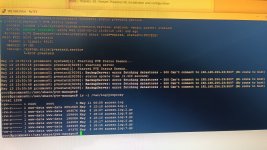
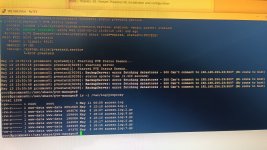
Thanks for the recommendation to search the forum. From what I understand, what solved that colleague's problem in the matter you sent was this command "chmod 700 /var/log/pveproxy". I applied it here, but it didn't solve it. I still don't have access to the web interface, but this made me realize something important. I applied the command "systemctl status pvestatd.service" and saw an error message that is as follows: "BackupServer: error fetching datastores - 500 Can't connect to 192.168.254.23:8007 (No route to host)"

I had disabled this server for a long time, but I had not yet deleted the backup schedule at that location and I remembered that the problem with the interface started the day after I deleted the schedule. I don't know yet if this information will help us discover something that solves this problem.saida comando2.jpeg
 

Attachments

  • saida comando2.jpeg
    saida comando2.jpeg
    198.4 KB · Views: 3
Last edited:
I missed showing this command output as well:
root@proxmox01:/usr/share/pve-manager
# ls -ld /var/log/pveproxy/drwx------ 2 www-data www-data 10 May 13 15:22 /var/log/pveproxy/
 
Oi,

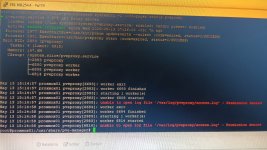
Observe na sua tela que o arquivo "access.log" possui o proprietário e as permissões (chmod) incorretas.

Atenciosamente,

Agora funcionou, meu amigo! Era isso mesmo. Mudei a propriedade do arquivo e o problema foi resolvido. Obrigado a todos.