Hi everyone,
I ran into a serious issue on my Proxmox host and I'm trying to understand what happened before attempting to do any operation.
Environment
Proxmox VE host (recent version, fully updated)
VM disks use virtio (inside the VM they appear as vda)
VM host Windows Server
GParted was run from a live cd inside the VM
What I did
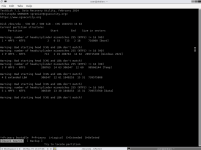
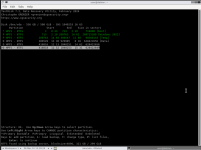
Inside a VM I booted into GParted to move a partition (200GB).
Inside GParted I only saw /dev/vda, which is expected since it's a virtio virtual disk.
During the operation the Proxmox WebUI became unresponsive after showing 30% completed in the GParted process.
Symptoms
Web UI stopped responding completely
SSH was also unreachable
Not responding on ping
The disk activity LEDs on the server kept blinking constantly (no pause, same pattern)
It looked like the system was stuck
The system remained in this state for over than 14 hours
Because the disks looked active, I assumed it might eventually finish, so I waited.
After ~16 hours nothing had changed:
Web UI still inaccessible
SSH was also unreachable
Not responding on ping
Led still blinking constantly (again no pause or different pattern)
At that point I powered the server off manually.
After reboot:
The host came back normally
I did not start any VMs
I immediately created backups of all VMs (i know, this has to be done before moving the partition)
Restored the problem VM (the one i was trying to move a partition) from the backup to a different proxmox server and try to turn it on. It was booting in Windows but my D drive was corrupted (according to Windows )
Questions
1. What's the best way to continue and is it possible to restore the drive?
2. Is there any known issue where partition operations inside a VM (GParted) can cause the Proxmox host to become unresponsive like this?
I want to understand the root cause before attempting any similar operation again.
Thanks in advance for any insights.
I ran into a serious issue on my Proxmox host and I'm trying to understand what happened before attempting to do any operation.
Environment
Proxmox VE host (recent version, fully updated)
VM disks use virtio (inside the VM they appear as vda)
VM host Windows Server
GParted was run from a live cd inside the VM
What I did
Inside a VM I booted into GParted to move a partition (200GB).
Inside GParted I only saw /dev/vda, which is expected since it's a virtio virtual disk.
During the operation the Proxmox WebUI became unresponsive after showing 30% completed in the GParted process.
Symptoms
Web UI stopped responding completely
SSH was also unreachable
Not responding on ping
The disk activity LEDs on the server kept blinking constantly (no pause, same pattern)
It looked like the system was stuck
The system remained in this state for over than 14 hours
Because the disks looked active, I assumed it might eventually finish, so I waited.
After ~16 hours nothing had changed:
Web UI still inaccessible
SSH was also unreachable
Not responding on ping
Led still blinking constantly (again no pause or different pattern)
At that point I powered the server off manually.
After reboot:
The host came back normally
I did not start any VMs
I immediately created backups of all VMs (i know, this has to be done before moving the partition)
Restored the problem VM (the one i was trying to move a partition) from the backup to a different proxmox server and try to turn it on. It was booting in Windows but my D drive was corrupted (according to Windows )
Questions
1. What's the best way to continue and is it possible to restore the drive?
2. Is there any known issue where partition operations inside a VM (GParted) can cause the Proxmox host to become unresponsive like this?
I want to understand the root cause before attempting any similar operation again.
Thanks in advance for any insights.