

Hello Everyone,
I am experiencing an issue while migrating my VM from vSphere to Proxmox. I have successfully done this previously, but on the new server, the VM goes to a blue screen after migration.
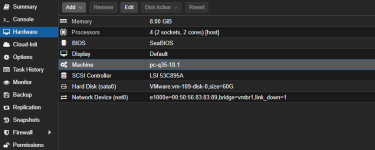
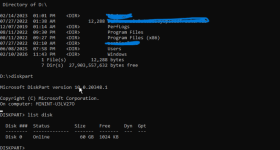
I have set the hard disk to SATA, as I understand that SCSI requires drivers to work in Proxmox. However, even with this configuration, it is not working as expected. When using SATA, I check the disk via CMD, and I can see that the disk is detected.
Could you please advise on what might be causing this issue or how to resolve it?

I am experiencing an issue while migrating my VM from vSphere to Proxmox. I have successfully done this previously, but on the new server, the VM goes to a blue screen after migration.
I have set the hard disk to SATA, as I understand that SCSI requires drivers to work in Proxmox. However, even with this configuration, it is not working as expected. When using SATA, I check the disk via CMD, and I can see that the disk is detected.
Could you please advise on what might be causing this issue or how to resolve it?
Last edited:
