PVE to PBS

BigBadBlack

New Member
Feb 12, 2026
3
0
1
For some reason I can’t get my pve to authenticate my pbs. I have tried any and everything except the right thing I presume. Its on the same bare metal to test then I plan to move it to its on bare metal. Do I have to have PBS on separate bare metal for PBS to work properly? I’ve been trying to get this to work for a week. FYI, this is my 1st Proxmox application. I’m sure it’s some simple but it’s racking my brain and pulling out what little hair I have left.

I’m using the most recent version of both pve and pbs.

Please help!!!!!!!
 
Hi @BigBadBlack , welcome to the forum.

Do I have to have PBS on separate bare metal for PBS to work properly?
You do not.
I’m using the most recent version of both pve and pbs.

Please help!!!!!!!
It would be helpful if you provided actual information that you tried to input, errors you received, etc.
If you are unable to provide accurate information in text format (please use CODE tags) - screenshots will suffice.

Without this information it is impossible to provide any suggestions.

Cheers


Blockbridge : Ultra low latency all-NVME shared storage for Proxmox - https://www.blockbridge.com/proxmox
 
ive got PVE 9.1.1 & PBS 4.1.0. im getting "permission check failed". guys im aware that i NEED to run the PBS in another box but can it FUNCTION on the same box?. im testing the concept before pulling out the 2nd bare metal. heres what ive setup.

heres the input and output i entered to get there:

root@pve1:~# set +H
read -s -p "Token secret: " SECRET; echo
AUTH="PBSAPIToken pve-backup@pbs!pve1:${SECRET}"
curl -sk -H "Authorization: $AUTH" \
"https://xxx.xxx.xxx.21:8007/api2/json/admin/datastore/pbs-backups/status" ; echo
Token secret:
permission check failed
root@pve1:~#

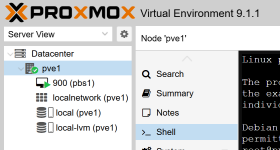
Screenshot 2026-02-12 195326.png
 
Last edited:
but can it FUNCTION on the same box?
of course, why should it not?
no need to censor rfc1918 :)
permission check failed
Looks like a permission error.

Take a look at this:
https://pbs.proxmox.com/docs/

Now what tripped me up the first time setting it up, was this paragraph here:
Permissions for API tokens are always limited to those of the user.

So counterintuitively (at least to me), just setting a token permission is not enough; the corresponding user also needs to have these permissions.
 
So counterintuitively (at least to me), just setting a token permission is not enough; the corresponding user also needs to have these permissions.

Yes, I also stumbled into that, when I tried to restrict permissions for the first time. :)

And it is very logical, considering that not all tokens belong to/ are managed by the root@pam user.
 
  • Like
Reactions: Johannes S
And it is very logical, considering that not all tokens belong to/ are managed by the root@pam user.
It depends.

Windows uses the User / share permission and uses a more restrictive AND permission logic.
But for Users and groups, it uses the less restrictive OR permission logic.
And Synology does this stuff again differently by using the more restrictive AND permission logic "your user might have permission, but he/she also belongs to group X which has no permission, so no permission for him/her".

So I would argue, it is not very logical. On the contrary I would argue that most API tokens handle it differently than PBS.
For API keys or for SSH access, I would naturally assume it to behave differently than how it currently does in PBS.

First of all, I don't get why an API Token even has to be connected to a user.
I just want a token that has the permission to do X, like with almost any other API.
That forces me to create a user, which in return makes that user possible to login in the webGUI over the pbs realm.
But I don't want my backup1 API token to have a the user backup1, and then I have add 2FA, because otherwise my public webGUI has a brute force vector. I just want that I can create a backup API token, that has certain permissions defined for the token and nothing more.

Instead I have to create the user, add 2FA, add the user permission, add the token permission.
For me, having a token or public key and not needing passwords is the whole point of using tokens instead of users. With the current implementation, one big advantage of public_key instead of password falls on its face.

Compare that to something like an S3.
You create a API token, what capabilities it has, what buckets it has access to and that is it.
No user, nothing.
 
Take a look at this:
https://pbs.proxmox.com/docs/

Now what tripped me up the first time setting it up, was this paragraph here:
Permissions for API tokens are always limited to those of the user.
Did you leave something off that link? It just takes me to the full documentation area of the site and pasting “Permissions for API tokens are always limited to those of the user.” doesn’t bring back anything.
 
Hi IsThisThingOn,

thanks for your impressions. I tried to answer them in the best way, even if the topic is a very long one.

It depends.

Windows uses the User / share permission and uses a more restrictive AND permission logic.
But for Users and groups, it uses the less restrictive OR permission logic.
And Synology does this stuff again differently by using the more restrictive AND permission logic "your user might have permission, but he/she also belongs to group X which has no permission, so no permission for him/her".

In Windows environments you can do both at the same time, permission management via User/Groupmembership for the filesystem as well as explicit share permissions.
Both need to allow access to a shared folder, or it will result in no access.
This usually leads to situations where the configuration allows everybody access to the share
and then the permissions on the filesystem ensures the access control. (and explicitly deny permissions).
But that is filesystem permission management, not api management. (I have no experience with Synology)

A recommended way in an organization is using at least user- and ressourcegroups:
- usergroups to group the people that needs permissions according their organizational position (e.g. teams)
- ressourcegroups to group permissions on ressources (e.g. read or write access to shared folders, or in pve permissions on ressourcepools)

PVE and PBS is very strong at this point because they allow a very fine grained configuration for the permissions of groups. Unfortunately there is no nesting of groups, which can work fine with external realms which manages the usergroups.
This setup allows delegating various permissions including the partly administration of the clusters., following the principal of segregation of duties.

By this reason every regular user should able to create his/her own tokens, for the automation of specific tasks.

People will change their role within an organization (joiner-mover-leaver) and therefore their membership in the usergroups (handled by external realms). Which means they will gain or lose permissions on the specific ressources, due to inheritance. Tokens do only exist in the PVE/PBS world. So it is a necessary requirement that as well the token as also the user owning the token has the necessary requirements. Otherwise the tokens a cluster administrator would not be deactivated in an automated way, after the person left the company or changed her/his role.

So I would argue, it is not very logical. On the contrary I would argue that most API tokens handle it differently than PBS.
For API keys or for SSH access, I would naturally assume it to behave differently than how it currently does in PBS.

First of all, I don't get why an API Token even has to be connected to a user.
I just want a token that has the permission to do X, like with almost any other API.
That forces me to create a user, which in return makes that user possible to login in the webGUI over the pbs realm.

But I don't want my backup1 API token to have a the user backup1, and then I have add 2FA, because otherwise my public webGUI has a brute force vector. I just want that I can create a backup API token, that has certain permissions defined for the token and nothing more.
You will need that user anyway e.g. the root user, or the personalized admin users, or (because personal and service account should actually not beeing mixed) a service user with a very complex password + MFA + monitoring ... The permissions of that service user can be restricted, too. And in an ideal world there should be an automated expiring process, the requires the confirmation of the necessity of that service within a given time period.

The WebUI also relies on the API for authentication and runs on the same port. So a simple ip based separation, is not possible. Tokens do not require separation of privileges by default.


Instead I have to create the user, add 2FA, add the user permission, add the token permission.
For me, having a token or public key and not needing passwords is the whole point of using tokens instead of users. With the current implementation, one big advantage of public_key instead of password falls on its face.


Compare that to something like an S3.
You create a API token, what capabilities it has, what buckets it has access to and that is it.
No user, nothing.

Mhm, can you elaborate how to implement automatic lifecycle management for tokens with S3-Buckets for cases of joiner-mover-leaver?

BR, Lucas