

Memory Usages
- Thread starter ahadeee
- Start date
-
- Tags
- proxmox pve
You are using an out of date browser. It may not display this or other websites correctly.
You should upgrade or use an alternative browser.
You should upgrade or use an alternative browser.


Good morning ahadeee,
Forgive me for not having a direct answer for you, but I wonder if we could know a little bit about some of the specifics of what is running on this possibly Win10 instance? You mentioned Office products. Is it perhaps a Terminal machine where a lot of users are on Teams or the link? Is there collaborative work being done within Microsoft? SharePoint perhaps?
Forgive me for not having a direct answer for you, but I wonder if we could know a little bit about some of the specifics of what is running on this possibly Win10 instance? You mentioned Office products. Is it perhaps a Terminal machine where a lot of users are on Teams or the link? Is there collaborative work being done within Microsoft? SharePoint perhaps?
At first i created VM in windows 10 and installed office 365 ,then created template .After that I have full clone from that template where memory allocation 32GB,nevertheless the memory uses illustration 28GB which is alarming.Would you able to provide solution regarding this.
Last edited:
Could you perhaps share the Task Manager running processes sorted by Memory? Are you running the QEMU Guest Agent?

You have allocated 32 GB to the VM, it will use that amount...it allocates caches, etc., and does not know how to release it to the host. If you need it to use less you can allocate less to the VM.
If you enable ballooning (and have the driver installed) Proxmox will remove memory from the VM if the host reaches 80% RAM usage (by default).
If you enable ballooning (and have the driver installed) Proxmox will remove memory from the VM if the host reaches 80% RAM usage (by default).
I have seen that inside the task manager RAM utilization report is okay but in the proxmox's summary is difference from the vm machine. What is the actual reason for this.Could you perhaps share the Task Manager running processes sorted by Memory? Are you running the QEMU Guest Agent?
Attachments
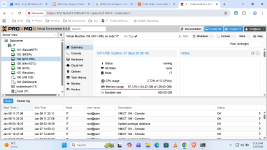
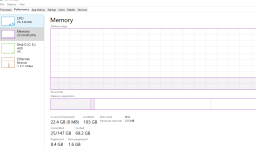
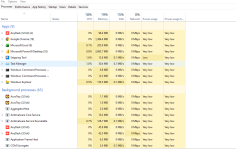

Is the Balloon Device checkbox active in the VMs Memory configuration (Advanced section)?
Is the Balloon Service installed and running in the Windows VM?
The Balloon Device is needed to communicate with the VM regarding its memory usage (and therefore enabled by default). For Windows, that dedicated service is needed. On Linux guests for example, that is automatically handled by the kernel of the guest.
If that works as expected, the memory graph should resemble the guests view. With Proxmox VE 9 we added a dedicated host view as well, to have both (guest and host view) visible at the same time.
Is the Balloon Service installed and running in the Windows VM?
The Balloon Device is needed to communicate with the VM regarding its memory usage (and therefore enabled by default). For Windows, that dedicated service is needed. On Linux guests for example, that is automatically handled by the kernel of the guest.
If that works as expected, the memory graph should resemble the guests view. With Proxmox VE 9 we added a dedicated host view as well, to have both (guest and host view) visible at the same time.

Kindly tell me how can i do itIs the Balloon Device checkbox active in the VMs Memory configuration (Advanced section)?
Is the Balloon Service installed and running in the Windows VM?
The Balloon Device is needed to communicate with the VM regarding its memory usage (and therefore enabled by default). For Windows, that dedicated service is needed. On Linux guests for example, that is automatically handled by the kernel of the guest.
If that works as expected, the memory graph should resemble the guests view. With Proxmox VE 9 we added a dedicated host view as well, to have both (guest and host view) visible at the same time
The Balloon Service is provided by the VirtIO Iso. See https://pve.proxmox.com/wiki/Windows_VirtIO_Drivers for more details.
ThanksThe Balloon Service is provided by the VirtIO Iso. See https://pve.proxmox.com/wiki/Windows_VirtIO_Drivers for more details.