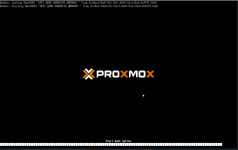
Windows10 boot problem after install

klorinczi

New Member
Jul 23, 2025
3
0
1
Using ProxMox v8.4.0.

Installed Windows 10, but does not boot, I get
0xc000000e
error.

I tried to change boot order, but it does not help.

I get "No bootable device" error in Seabios.
But I can not boot using UEFI bios, neither.

If I go to the UEFI Firmware settings and press Continue, then boots the Windows 10.
Strange.
 

Attachments
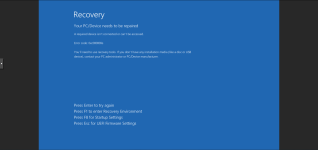
  • 2025-07-23 ProxMox boot problem2.png
    2025-07-23 ProxMox boot problem2.png
    101.2 KB · Views: 7
  • 2025-07-23 ProxMox boot problem4.png
    2025-07-23 ProxMox boot problem4.png
    68.3 KB · Views: 5
Last edited:
Code:
qm config 101 --current
agent: 1
bios: ovmf
boot: order=sata0
cores: 8
cpu: x86-64-v2-AES
efidisk0: iSCSI:vm-101-disk-0,efitype=4m,pre-enrolled-keys=1,size=4M
kvm: 0
machine: pc-i440fx-9.2
memory: 63488
meta: creation-qemu=9.2.0,ctime=1752850069
name: Windows10Pro
net0: e1000=xx:xx:xx:xx:xx:xx,bridge=vmbr1,firewall=1
numa: 0
onboot: 1
ostype: win10
sata0: iSCSI:vm-101-disk-4,cache=writethrough,size=1000G
sata1: iSCSI:vm-101-disk-1,cache=writethrough,size=6000G
smbios1: uuid=xxxxxxxx-xxxx-xxxx-xxxx-xxxxxxxxxxxx
sockets: 1
tags: Windows;Windows10Pro
tpmstate0: iSCSI:vm-101-disk-3,size=4M,version=v2.0
usb0: spice
vga: vmware
vmgenid: xxxxxxxx-xxxx-xxxx-xxxx-xxxxxxxxxxxx
vmstatestorage: iSCSI
 
Not definitely, no. I'd create a snapshot and then try things in this order.
  1. Add both disks to the boot order
  2. Re-create the EFI disk
  3. Re-install the bootloader
Make sure to use the Reboot button in the GUI after each step to apply the settings.
 
Last edited: