

have a problem with my proxmox server
- Thread starter jcss21
- Start date
You are using an out of date browser. It may not display this or other websites correctly.
You should upgrade or use an alternative browser.
You should upgrade or use an alternative browser.

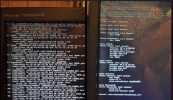


How could we know what you have configured - your posts contain zero information - that's why @maxim.webster just gave a "guess"...i have check that and the names are the same or am i over looking something
Please start by giving us some information, like the copy-n-pasted output of some commands, run on a PVE host (either via SSH or via "Datacenter --> <one Node> --> Shell", both ways allow copy-n-paste):
PVE System information:
-
pveversion -v -
head -n -0 /etc/apt/sources.list /etc/apt/sources.list.d/*# all repositories -
apt update && apt -d -y full-upgrade# update package list and download (not:install) packages
Basic network information:
-
ip address show# currently active IP addresses on one NODE -
ip route show# currently active routing table on one NODE -
cat /etc/network/interfaces# configuration of the network and/orifquery -afor comparison from one NODE -
cat /etc/resolv.conf# DNS resolver settings -
ping -c 1 -W 1 9.9.9.9# a simple "ping" to verify outgoing routing -
host quad9.net# a simple DNS lookup to verify reachable DNS servers
Those are examples. You may add/edit commands and options if you can enrich the information given. Oh, and please put each command in a separate
[CODE]...[/CODE]-block for better readability.
"bridge-ports servers" makes no sense. Please compare: https://pve.proxmox.com/wiki/Network_Configuration#_default_configuration_using_a_bridge
"bridge-ports servers" makes no sense. Please compare: https://pve.proxmox.com/wiki/Network_Configuration#_default_configuration_using_a_bridge
Actually, it looks valid as vmbr0 is a bridge on the network interface „servers“, which by itself is a Tages vlan interface for the „raw“ device enp10s0f0
Not really straight forward, yet valid.
Quest remains: Which of the many interfaces is actually physically connected?
"bridge-ports servers" makes no sense. Please compare: https://pve.proxmox.com/wiki/Network_Configuration#_default_configuration_using_a_bridge
thats a Vlan that proxmox created it self i just gave a name
all are 2 are 1gb and the other 2 are 10gbActually, it looks valid as vmbr0 is a bridge on the network interface „servers“, which by itself is a Tages vlan interface for the „raw“ device enp10s0f0
Not really straight forward, yet valid.
Quest remains: Which of the many interfaces is actually physically connected?
How could we know what you have configured - your posts contain zero information - that's why @maxim.webster just gave a "guess"...
Please start by giving us some information, like the copy-n-pasted output of some commands, run on a PVE host (either via SSH or via "Datacenter --> <one Node> --> Shell", both ways allow copy-n-paste):
PVE System information:
pveversion -vhead -n -0 /etc/apt/sources.list /etc/apt/sources.list.d/*# all repositoriesapt update && apt -d -y full-upgrade# update package list and download (not:install) packages
Basic network information:
ip address show# currently active IP addresses on one NODEip route show# currently active routing table on one NODEcat /etc/network/interfaces# configuration of the network and/orifquery -afor comparison from one NODEcat /etc/resolv.conf# DNS resolver settingsping -c 1 -W 1 9.9.9.9# a simple "ping" to verify outgoing routinghost quad9.net# a simple DNS lookup to verify reachable DNS servers
Those are examples. You may add/edit commands and options if you can enrich the information given. Oh, and please put each command in a separate[CODE]...[/CODE]-block for better readability.
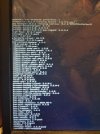
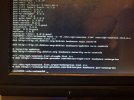
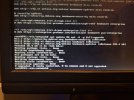
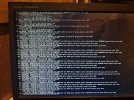
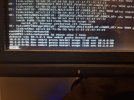
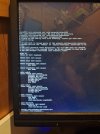
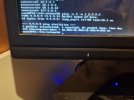
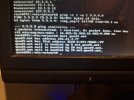
Attachments
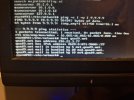
Last edited:
Can you show output for the following:
Code:cat /etc/hostname cat /etc/hosts
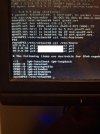
2 things I notice (you've blocked out the actual name addresses - so I'll ignore them):
1. Your hostname is named
2. You have a third entry with a different IP address on the third line. IDK why, so maybe comment out that line by placing a
Good luck.
1. Your hostname is named
PX1, but you have px1 in the hosts file. I believe this is case-sensitive. So change that last word in that hosts file on the line from px1 to PX12. You have a third entry with a different IP address on the third line. IDK why, so maybe comment out that line by placing a
# (ampersand) sign at the beginning of it.Good luck.
i comment the 3th line out and edit the hosts like you pointed out but no luck2 things I notice (you've blocked out the actual name addresses - so I'll ignore them):
1. Your hostname is namedPX1, but you havepx1in the hosts file. I believe this is case-sensitive. So change that last word in that hosts file on the line frompx1toPX1
2. You have a third entry with a different IP address on the third line. IDK why, so maybe comment out that line by placing a#(ampersand) sign at the beginning of it.
Good luck.