

windows 2003 p2v is blue screen
- Thread starter 8554650
- Start date
You are using an out of date browser. It may not display this or other websites correctly.
You should upgrade or use an alternative browser.
You should upgrade or use an alternative browser.
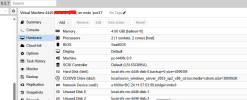
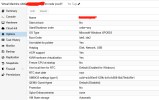
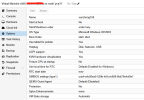

Could you describe the following:
- How did you migrate the VM from ESXi 8.0 to PVE?
- Which PVE version are you running (
pveversion -v | grep '\(proxmox-ve\|pve-manager\|qemu\)')? - The output of the VM configuration (
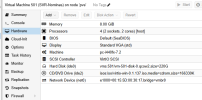
cat /etc/qemu-server/4446.conf)? - What is the configuration on the original ESXi VM?
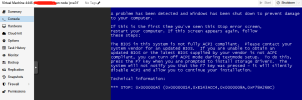
The stop error code here (
0x000000A5) seems to indicate that there is an error with the BIOS. I've also just seen that the VM is configured with the CPU type "host". Could you try to change the CPU type for example to "qemu64"/"kvm64" and check if the BSOD persists?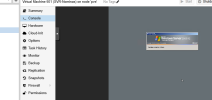
Are you using a 32-bit system without a blue screen?Hello, i have this setup with a vm moved from Hyper-v to Proxmox
View attachment 76480
View attachment 76481
我面临的唯一问题是 Windows 被停用
Is the blue screen a 64 bit system?
If so, simply do not set the CPU type to "host"
Because I am not good at English, I had to record a video. The reason is that the memory must be < 3.5G
2003_bluee_screen_a5
2003_bluee_screen_a5
I'm not R2,It's memory problem.please see https://forum.proxmox.com/threads/windows-2003-p2v-is-blue-screen.156072/post-713643Are you using a 32-bit system without a blue screen?
Is the blue screen a 64 bit system?
If so, simply do not set the CPU type to "host"
my english pool.It's ok ,see https://forum.proxmox.com/threads/windows-2003-p2v-is-blue-screen.156072/post-713643The stop error code here (0x000000A5) seems to indicate that there is an error with the BIOS. I've also just seen that the VM is configured with the CPU type "host". Could you try to change the CPU type for example to "qemu64"/"kvm64" and check if the BSOD persists?
Very strange question.please seeHello, i have this setup with a vm moved from Hyper-v to Proxmox
View attachment 76480
View attachment 76481
The Only promblem i'm facing, its that Windows gets deactivated
https://forum.proxmox.com/threads/windows-2003-p2v-is-blue-screen.156072/post-713643
Hello milocheri!The Only promblem i'm facing, its that Windows gets deactivated
When a Windows license is activated, it is activated for a specific hardware configuration. That is very likely to change during a VM migration between different hypervisors (Hyper-V to Proxmox). I'd like you to create a new thread for this (if you haven't already) as the topics aren't relevant to this thread and the discussion of solutions could be more focused on your problem.
Thank you for posting the answer to the problem!Because I am not good at English, I had to record a video. The reason is that the memory must be < 3.5G
2003_bluee_screen_a5
I wouldn't have guessed that, but I have to admit that I haven't touched Windows 2003 in a while... I'm guessing that you have a Windows 2003 Standard Edition and they seem to be limited to 4GB memory (which should be around ~3.7 GiB) as stated here [0].
[0] https://learn.microsoft.com/en-us/w...es#physical-memory-limits-windows-server-2003

This is a very strange problem.Thank you for posting the answer to the problem!
I wouldn't have guessed that, but I have to admit that I haven't touched Windows 2003 in a while... I'm guessing that you have a Windows 2003 Standard Edition and they seem to be limited to 4GB memory (which should be around ~3.7 GiB) as stated here [0].
[0] https://learn.microsoft.com/en-us/w...es#physical-memory-limits-windows-server-2003
The operating system is Windows 2003 Enterprise Edition 32-bit (not R2).
The physical memory is 4G.
When p2v to esxi, 4G memory is normal.
But after qm importdisk to pve, the memory must be less than 3.5G.
If you need, I can record a video.
If I understood it correctly, you migrated your physical Windows 2003 to ESXi, and then imported it with
Could you provide more information on the hardware configuration of the physical host / ESXi guest? A video could also be helpful, but a text (even translated through some online translator), would be more accessible here.
qm importdisk in PVE, right?Could you provide more information on the hardware configuration of the physical host / ESXi guest? A video could also be helpful, but a text (even translated through some online translator), would be more accessible here.
yes,dell 2950 ->esxi8(VMware vCenter Converter Standalone Client)->pve(sshfs mount esxi,qm importdisk vmdk)If I understood it correctly, you migrated your physical Windows 2003 to ESXi, and then imported it withqm importdiskin PVE, right?
Could you provide more information on the hardware configuration of the physical host / ESXi guest? A video could also be helpful, but a text (even translated through some online translator), would be more accessible here.
If you need, I can give you the password with pve, or tar vmdk to you
pve_memory_upgrade_4G
Attachments
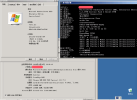
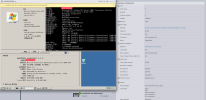
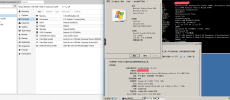
btw: we had the same issue: a running windows server 2003: blue screen after upgrading from Proxmox7 to Proxmox8 (with messages like ACPI incompatible, or BIOS outdated)
Solved by lowering the RAM (from 4G, which was not recognized before anyhow 'cause the max for that os is 2G, to 1G)
This is the running conf (pveversion: pve-manager/8.3.2/3e76eec21c4a14a7 (running kernel: 6.8.12-5-pve)
Server is an old: HP Proliant ML350p Generation8 - CPU E5-2609 2.40GHZ
Solved by lowering the RAM (from 4G, which was not recognized before anyhow 'cause the max for that os is 2G, to 1G)
This is the running conf (pveversion: pve-manager/8.3.2/3e76eec21c4a14a7 (running kernel: 6.8.12-5-pve)
Code:
# cat 600.conf
agent: 1
bootdisk: virtio1
cores: 4
cpu: host
ide2: none,media=cdrom
memory: 1024
name: Win2003-server
net0: e1000=3A:3F:34:32:CA:36,bridge=vmbr0,firewall=1
onboot: 1
ostype: wxp
protection: 1
scsihw: virtio-scsi-pci
sockets: 1
tablet: 0
virtio1: local-lvm:vm-600-disk-1,size=580G
Server is an old: HP Proliant ML350p Generation8 - CPU E5-2609 2.40GHZ
Last edited: