Need help. Double OS

johnnys219

New Member
Sep 27, 2024
10
0
1
So im an idiot. I have proxmox running bare metal. I used helper scripts to make a HA I'm. And a frigate container.

I though I was using a helper script to make a nextcloud container. But I actually ended up running a download in the console. I just restated my machine and it's asking me to log into nextcloud. And I can't get my proxmox os to load.

I just started with all this a few days ago. So I haven't gone Into to much detail with any programs. But I would like to backup my home assistant so I don't have to redo the little I managed to figure out.
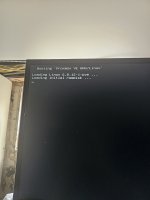
 
so do you have a console access or ssh access ?
If yes post some logs.
No ssh. The console comes up but it's a nextcloud console. On the boot screen I can boot proxmox in recovery mode. But it gives me a root account locked. Then if I hit enter it opens the nextcloud console
 
I just started with all this a few days ago. So I haven't gone Into to much detail with any programs. But I would like to backup my home assistant so I don't have to redo the little I managed to figure out.

What was the host install, i.e. LVM / ZFS? It might help to include link to what script you ran before the incident.
 
What was the host install, i.e. LVM / ZFS? It might help to include link to what script you ran before the incident.
It was proxmox ve 8.2. I'm pretty sure I ran it over linux.
And I don't remember what script i ran. This was a few days ago. It was all working fine untill I restarted today. Then the nextcloud boots over the proxmox
 
So i downloaded proxmox onto another drive i had connected. And I was able to boot to it. Now I am wondering if I can pull the data from the old install on the other drive
 
Well, it's quite difficult to understand what's in there, I suppose you meant it was installed on top of Debian. You can start by looking at output of:

Code:
lsblk -l -o+FSTYPE

You would need to mount the volumes and copy it out. But before seeing the output, it's hard to tell what you have where.
 
Well, it's quite difficult to understand what's in there, I suppose you meant it was installed on top of Debian. You can start by looking at output of:

Code:
lsblk -l -o+FSTYPE

You would need to mount the volumes and copy it out. But before seeing the output, it's hard to tell what you have where.
I decided to just start fresh. The amount of time googling was equal to the amount of time to just start fresh. I was really early in the setup. I barely had frigate running. I didn't have the drives configured for nextcloud. The only thing I really started was home assistant.

But I believe I ran an Install linux script for nextcloud in the proxmox console. So instead of running it in a container or vm. I double booted my main os. And once proxmox started the nextcloud os booted and took over. Never giving me a chance to sign into proxmox.

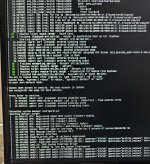
I did take a few pictures along the way.
 
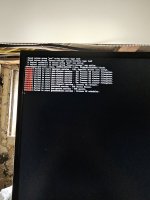
And after all the failed messages this screen pops up. Unfortunately I never got around to setting up NC so i didnt have a log in. Because I realized I put it in proxmox and not a container. So I planned to look up how to remove it. Not realizing once I restarted it I would lose access to proxmox.

I tried booting in recovery mode and an older version. And they would also give me errors. But this time it gave me a blank terminal. If I hit enter it went straight to the NC login
 

Attachments

  • 20240927_120929.jpg
    20240927_120929.jpg
    531.7 KB · Views: 2
This is what i get when I ran it in recovery mode. Root access is locked.

I solved the issue by just re installing. But im still sharing just in case people are curious.

I think I ran a linux install command instead of the helper script. I must have copied the wrong code.
 

Attachments

  • 20240927_120919.jpg
    20240927_120919.jpg
    785 KB · Views: 2
So if anyone finds this in the future, at least, the next step would have been to e.g. get LIVE boot Debian [1], boot into that, then mount the drives on the host and copy out what you needed.

Another thing is, if you have separate partitions for VMs and the host OS, then you might have just installed fresh system over the root partition and re-create your configs with the VM images most likely still there.

[1] https://www.debian.org/CD/http-ftp/
 
  • Like
Reactions: johnnys219