Move backups from disk to disk

escaparrac

New Member
Jun 2, 2022
23
4
3
Hi guys.

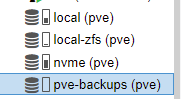
Before putting big disks into my PVE I had 2 ssd zfs mirrored with proxmox and a nvme to host my VMs and CTs.

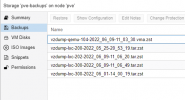
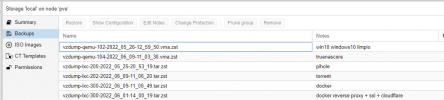
I created all the VMs and CTs and when everything was working, I did some backups in the SSD zfs mirror. Now I want to free that NVME drive to host only VMs/CTs and move the backups to the backup drives.
1654768982615.png
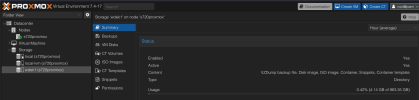
1654769087398.png

How do I do it? I don't see any option in the GUI and I tried to connect via SCP but I don't understand correctly how the data is distributed. I tried to look into the forums but no success.

Apart from the backups, If I could move the ISOs and CT templates that would be awesome, but that's not a hassle since I can reupload them again. Any help or guide that I could read?

Thank you :D
 
  • Like
Reactions: DvdNwk
Your pve-backups storage should be some folder on the disk. You can find the folder under Datacenter/Storage and then double clicking the storage of your backups.

In this folder there should be a subfolder dumps that contains your backups. If you move that folder to the new location, the backups should be visible there.
 
Your pve-backups storage should be some folder on the disk. You can find the folder under Datacenter/Storage and then double clicking the storage of your backups.

In this folder there should be a subfolder dumps that contains your backups. If you move that folder to the new location, the backups should be visible there.
I love you mate. It was so easy that I couldn't see it..

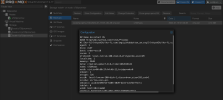
1654792661273.png

I'm moving everything and setting up the cron jobs. Thank you!
 
  • Like
Reactions: shrdlicka
Your pve-backups storage should be some folder on the disk. You can find the folder under Datacenter/Storage and then double clicking the storage of your backups.

In this folder there should be a subfolder dumps that contains your backups. If you move that folder to the new location, the backups should be visible there.
Do you mean double click in web GUI right ?, when I double click the storage, it just show the setting window
 
  • Like
Reactions: DvdNwk
Hi,
Do you mean double click in web GUI right ?, when I double click the storage, it just show the setting window
yes, in the settings window you can see which directory/path on the system is used for the storage. The web UI doesn't have an integrated file browser, so moving the backup files needs to be done via CLI or desktop environment.
 
  • Like
Reactions: bligher and forted
Hi,

yes, in the settings window you can see which directory/path on the system is used for the storage. The web UI doesn't have an integrated file browser, so moving the backup files needs to be done via CLI or desktop environment.
haha, thank you ^^.
 
  • Like
Reactions: amomp3
I think is good idea to add to possibility to move backup to another storage by the GUI
Yes, that's an interesting and might be useful in some situations - instead of being forced to delete some of them to free up space for example.

This forum is mainly used by community members (though actively supported by several staff members, thanks!) so to make the actual developers aware of this idea you may put it on https://bugzilla.proxmox.com/ as a "Feature request". (Not as an actual bug.)

Best regards
 
  • Like
Reactions: DvdNwk
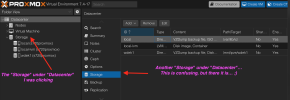
in the settings window you can see which directory/path on the system is used for the storage
Not really… Unless I'm looking into a wrong place?

Screenshot 2024-01-19 at 01.46.56.png

Screenshot 2024-01-19 at 01.47.57.png

As far as I have figured out for now, the backups are in `STORAGE/dump/`, where `STORAGE` depends on the concrete storage.

For `local` storage, the backups are in `/var/lib/vz/dump/`, while for a directory storage it might be in like `/mnt/pve/DIRECTORY_STORAGE_NAME/dump/`.
 
You can get the path of a file/virtual disk via pvesm path <VolID>
And you can get the VolID of a backup via pvesm list <STORAGE_ID> --content backup
 
  • Like
Reactions: DvdNwk
How I solved this issue:
I had two mnt storages, Storage 1 and storage 2.
Storage 2 was a external usb 6tb drive that had most of my backups. I wanted to turn this into a zfs/NFS drive for me cluster but it held about a years worth of backups on it.

Storage 1 is just local data for vms/LXCs. in Proxmox, those vzdump-* backup files are almost always under /mnt/pve/external/dump/. The safest way to “move” them to /mnt/pve/agents (especially since they’re large) is rsync (resumable + progress), then delete the originals after you verify.

Step 1 :
ls -lh /mnt/pve/storage2/dump | head
df -h /mnt/pve/storage1 /mnt/pve/storage2
Step 2 :
(Proxmox backup storage typically expects a dump/ directory.) Make it if the drive doesn't have it

mkdir -p /mnt/pve/storage1/dump
Step 3 : Dry Run
rsync -avhn --progress /mnt/pve/storage2/dump/ /mnt/pve/storage1/dump/

Step 4 : Do the copy with progress.
rsync -avh --progress --partial /mnt/pve/storage2/dump/ /mnt/pve/storage1/dump/

Step 5 : Verify/test/test 100 times.
ls -lh /mnt/pve/storage1/dump | head

Delete the orignals if needed. you can do this with the following command however I would just use the gui command "wipe disk" and then initialize as a zfs drive. Add that drive to a file server turnkey instance.

rm -f /mnt/pve/storage1/dump/vzdump-*

Hopes this helps someone,,, or me when i comeback to my notes when i have to do this again.
 
Last edited: