Storage Setup Advise

klabacita

New Member
Jan 12, 2024
4
0
1
Hello.
I have running v 8.1.x, the server that I have, support 8 HD.
I'm thinking in how to setup the storage, any sugestion welcome.
The idea is to setup 4 Raid1(1/1) and create 1 volume for all our vm's that would run under this server.
Any other recommendation I will appreciated, thanks.
:)
 
I have running v 8.1.x, the server that I have, support 8 HD.
I'm thinking in how to setup the storage, any sugestion welcome.
The idea is to setup 4 Raid1(1/1) and create 1 volume for all our vm's that would run under this server.
Rotating rust or SSD? If rotational: sacrifice 2 of them, replace them with SSDs and add them as a mirrored "Special Device". Search for this term for the reasoning. (No SLOG and no Cache, except you have a specific reasoning for this.)

Oh..., is it ZFS? I do not do anything else...
 
The idea is to setup 4 Raid1(1/1) and create 1 volume for all our vm's that would run under this server.
you're almost there- instead of 4 individual volumes, make one striped mirror volume. @UdoB point should be well taken- if its 8 HDDs you'd be better off adding 2 SSDs (replacing 2 HDDs if necessary) and use those as your virtual disk storage, and use the HDDs for bulk storage only.
 
Rotating rust or SSD? If rotational: sacrifice 2 of them, replace them with SSDs and add them as a mirrored "Special Device". Search for this term for the reasoning. (No SLOG and no Cache, except you have a specific reasoning for this.)

Oh..., is it ZFS? I do not do anything else...
The drives are sas.
 
not working
Can you provide any more information? It's really hard to help debugging else wise.
  • What OS are you using inside your VM?
  • Is the disk shown via 'Windows Partition Manager?
  • How is the disk you passthrough partitioned?
  • What is your expected outcome of passing through this disk? As far as I can tell from your previous post this seems to be a single disk of a raid5 array? (Windows 'Raid 5', mdadm or hardware Raid 5? )
Can you post output of:

Bash:
lsblk
mount
 
Last edited:
Yes, I saw that picture, please check my recommendation.
still not working
Can you provide any more information? It's really hard to help debugging else wise.

What OS are you using inside your VM?
Is the disk shown via 'Windows Partition Manager'?

Can you post output of:

Bash:
lsblk
mount
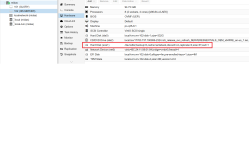
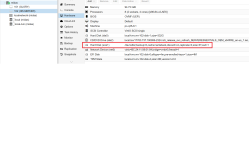
im using windows server 2019

not shown on windows partition manager
 
Did you really install all the virtio drivers? You probbly see the first disk (ide) because IDE doesn'T require additional drivers. The second disk (scsi) won't work without the virtio disk drivers.
 
Did you really install all the virtio drivers? You probbly see the first disk (ide) because IDE doesn'T require additional drivers. The second disk (scsi) won't work without the virtio disk drivers.
now working thank you guys for helping
 
Hello.
I have running v 8.1.x, the server that I have, support 8 HD.
I'm thinking in how to setup the storage, any sugestion welcome.
The idea is to setup 4 Raid1(1/1) and create 1 volume for all our vm's that would run under this server.
Any other recommendation I will appreciated, thanks.
:) this is my setup for mine 1-2 (raid 1 use for OS) (3-8 raid 5 and create 3 volume 1 for data1, 2 for data2, 3 for data ) with 3 vm