I do not see my disk array

BillGates

New Member
Mar 10, 2016
6
0
1
63
Hi. I have set up a cluster with 2 servers Proxmox v4.1-1 HP DL380 G5 smoothly. Now I want to access from this cluster to my disk array in HP MSA2000, 2012fc model, but do not know how to set up Proxmox to "see" the volume "Proxmox" created in the cabin.

Could you tell me how to add my cabin storage disks to cluster? Thank you very much in advance.
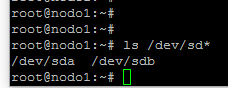
 
either way you can stand on you node in left column and use shell-menu on right side of GUI.

the command is
Code:
ls /dev/sd*

if you would see smth like
Code:
/dev/sda  /dev/sda1  /dev/sda2  /dev/sda3  /dev/sdb

then your host system sees the new volume.
 
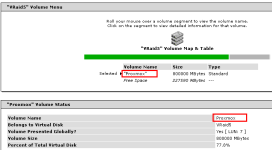
In the cabin I have set the volume "Proxmox":
upload_2016-3-10_13-3-38.png

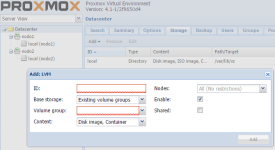
But I do not know what to put in the creation of LVM:

upload_2016-3-10_13-5-53.png
 
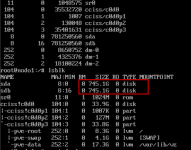
yes, your second volume appeared to your host system. it's /dev/sdb.

in field "ID" you give the name for the storage. it cannot be changed later easily, so think wise.

in popup menu "Volume Group" does any variants appear? should be "pve".

did you read http://pve.proxmox.com/wiki/Storage_Model ?
 
Thank you very much, LiSergei. Right now I can not prove it, but once you do, I'll tell you results.
 
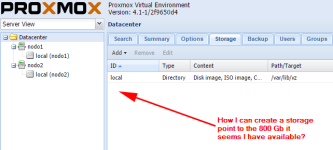
I still have the problem. I am not able to configure storage Proxmox I have available in my cabin HP discs. From GUI it seems so are the 800 Gb that I have available in the cabin, but do not know how to enable the DataCenter to save my virtual machines

upload_2016-3-16_12-6-20.png

upload_2016-3-16_12-9-47.png

:-(