Latest activity
-
DDexserver reacted to HammyHavoc's post in the thread Proxmox host and VM both failing large HTTPS downloads with Bad Record MAC / TLS decryption errors with
 Like.
Have you tried it on PVE 6.x? I'm having issues with an e1000e NIC not working under 7.x on a single node. Port doesn't even light up, but works fine when I boot into 6.x.
Like.
Have you tried it on PVE 6.x? I'm having issues with an e1000e NIC not working under 7.x on a single node. Port doesn't even light up, but works fine when I boot into 6.x. -
DDexserver reacted to HammyHavoc's post in the thread Proxmox host and VM both failing large HTTPS downloads with Bad Record MAC / TLS decryption errors with Like.
If you had 6.x running previously, you can reboot and choose the kernel you want to run. Failing that, I hear there's a "live" option for running Proxmox (think it's an unofficial community thing), so might be worth taking it for a spin that way...
-
DDexserver replied to the thread Proxmox host and VM both failing large HTTPS downloads with Bad Record MAC / TLS decryption errors.Unfortunately, this did not help. There were multiple kernels installed, I tried 6.17.13-8-pve and still the same issue. root@dexsoteric:~# uname -r 6.17.13-8-pve root@dexsoteric:~# wget -4 https://proof.ovh.net/files/1Gb.dat -O /dev/null...
-
Aalexskysilk replied to the thread Proxmox with nfs 4.1 on Netapp All Flash.https://docs.netapp.com/us-en/netapp-solutions-virtualization/proxmox/proxmox-deploy-guidelines.html --edit with video: https://docs.netapp.com/us-en/netapp-solutions-virtualization/proxmox/proxmox-ontap-nfs.html#storage-administrator-tasks
-
Pprmadmax replied to the thread Opt-in Linux 7.0 Kernel for Proxmox VE 9 available.I've had to move back to the 6.x kernels. Hosting multiple game rising storm 2 vietnam servers in windows we started seeing mass kicks for invalid RPC (packets) exactly the day we move to the 7.x kernel branch. So we will monitor now and see if...
-
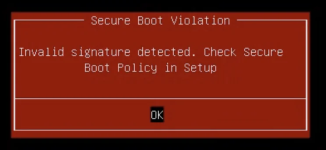
DDarkbotic replied to the thread Secure Boot Violation / Invalid Signature Detected after upgrading to Proxmox 9.2.In my case I'm just a home labber so not a business using high end or enterprise equipment. I'm using a HP EliteDesk 800 G1 TWR computer. This PC doesn't have the 2023 CA keys. Only 2011. I have another computer, same model, that I had to upgrade...
-
JJohannes S reacted to Impact's post in the thread [SOLVED] Unable to connect to internet when creating LXC without unprivileged container option with Like.
Please use code blocks to preserve formatting and don't censor so much and needlessly. Using local for virtual disks is a bad idea too (IMHO). Try to start the CT like this to get more information lxc-start -n 101 -F -l DEBUG Also try to enable...
-
KKingneutron reacted to RolandK's post in the thread Who runs Proxmox on the oldest hardware ? with Like.
>I think Intel Xeons E3/E5 v2 to v4 are the best bang for the buck right now yes, agreed. E5-2630Lv3 kicks ass, you actually get it for 10 euros...
-
Ooptical posted the thread Will Proxmox 10 introduce VM & LXC ID changes? in Proxmox VE: Installation and configuration.I was excited to update to Proxmox 9 but the feature is still not there. I don't want to edit a bunch of stuff manually, it should be as simple as pressing F2 and renumbering it
-
Wwar59312 replied to the thread NoVNC console mouse way off from local mouse.Same workaround. And spice has nothing to do with it for me. Happens with spice or not.
-
DDarkbotic replied to the thread Secure Boot Violation / Invalid Signature Detected after upgrading to Proxmox 9.2.For now, I think I found the issue. The new shim is signed with both 2011 and 2023 keys and my pc only has the 2011 keys. For some reason my PC is rejecting the shim signed with both keys so I had to remove the 2023 signature. Maybe downgrading...
-
Vvirtualizerforlife replied to the thread [SOLVED] Unable to connect to internet when creating LXC without unprivileged container option.Why is it bad? Asking out of curiosity Okay I started the command like you said and here is the output: How do you enable nesting for privileged container because that option was "greyed" out when "unprivileged container" setting was unchecked...
-
DDarkbotic replied to the thread Secure Boot Violation / Invalid Signature Detected after upgrading to Proxmox 9.2.I'm sure this is what messed it up
-
-
Ffastsonic replied to the thread Nach Update kein Netzwerk mehr 9.0.4 auf 9.1.7.danke das schau ich mir gleich noch an. ansonsten hier schonmal die Ausgabe von ifreload
-
-
DDarkbotic posted the thread Secure Boot Violation / Invalid Signature Detected after upgrading to Proxmox 9.2 in Proxmox VE: Installation and configuration.Now it won't boot unless I disable Secure Boot. I think it's related to the 2023 CA Keys. Probably 9.2 is using the 2023 but my BIOS only has the 2011 keys.
-
-
BBobhWasatch replied to the thread [SOLVED] ifupdown2-pre.service and systemd-udev-settle.service failing when resetting the network.While it may not have messed with the network, it may have messed with the web page. Some of those scripts purport to remove the "nag screen" and as a result they can cause problems when PVE is newer than when the script was last updated.
-
WWoisWoi posted the thread Best way to migrate a multi-disk VM from LVM to different ZFS Pools for Storage Replication? in Proxmox VE: Installation and configuration.Hello everyone, I am restructuring my 2-node PVE 9.1.x cluster (+ external QDevice) to enable ZFS Storage Replication and High Availability (HA). I need to migrate a multi-disk VM from its current local LVM configuration to new local ZFS pools...
-
G_gabriel reacted to t.lamprecht's post in the thread Proxmox Virtual Environment 9.2 available! with Like.
We are excited to announce the release of Proxmox Virtual Environment 9.2. This release focuses heavily on platform refinement, stability, and core optimization. Proxmox VE 9.2 is built on the robust Debian 13.5 "Trixie" and ships with Linux...
-
Ddavidjwood reacted to t.lamprecht's post in the thread Proxmox Virtual Environment 9.2 available! with Like.
We are excited to announce the release of Proxmox Virtual Environment 9.2. This release focuses heavily on platform refinement, stability, and core optimization. Proxmox VE 9.2 is built on the robust Debian 13.5 "Trixie" and ships with Linux...
-
Mmikeely replied to the thread Why are Maintenance Mode functions not in the WebUI?.Yes... I did mention that. But arming/disarming HA is _not_ the same thing as putting one node into maintenance mode - the latter function serves a completely different purpose.