Latest activity
-
RRice and Soy Sauce replied to the thread [SOLVED] Configured proxmox as dhcp.I can ping gateway from proxmox
-
-
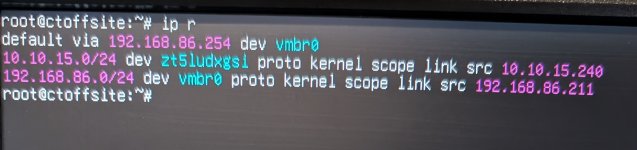
 fstrankowski replied to the thread [SOLVED] Configured proxmox as dhcp.I've edited my original post to "ip r". The "a" doesnt belong there.
 -
RRice and Soy Sauce replied to the thread [SOLVED] Configured proxmox as dhcp.
-
-
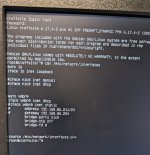
fstrankowski replied to the thread [SOLVED] Configured proxmox as dhcp.Could you please provde ip r I assume your /etc/network/interfaces looks like that now, correct? auto lo iface lo inet loopback iface nic0 inet manual auto vmbr0 iface vmbr0 inet dhcp bridge-ports nic0 bridge-stp off...
-
RRice and Soy Sauce replied to the thread [SOLVED] Configured proxmox as dhcp.Same error. this site can't be reached.192.168.86.211 took too long to respond
-
fstrankowski replied to the thread [SOLVED] Configured proxmox as dhcp.Please uncomment iface nic0 inet manual & afterwards systemctl restart networking
-
fstrankowski replied to the thread [SOLVED] Configured proxmox as dhcp.Change iface nic0 inet dhcp to iface vmbr0 inet dhcp and then systemctl restart networking P.S.: Still curious about my other question ;-) Found your answer. Awesome! I love fried rice with soy sauce ;-)
-
RRice and Soy Sauce replied to the thread [SOLVED] Configured proxmox as dhcp.LOL!!! Many main dishes
-
-
Jjaminmc replied to the thread Opt-in Linux 6.17 Kernel for Proxmox VE 9 available on test & no-subscription.To tidy up your Kernel command line, you can tweak / create /etc/modprobe.d/xe.conf by adding: options xe vram_bar_size=-1 After that, run update-initramfs -uk all to ensure your initramfs are fresh. Once that’s done, you can remove it from your...
-
fstrankowski replied to the thread [SOLVED] Can't access Web UI after bulk shutdown my whole VM.Welcome to the Proxmox Forum :-) Please connect via https://192.168.2.2:8006. If your PC is running Windows, it will block ICMP requests due to WFW Hit that please (from your macbook): curl -s --insecure https://192.168.2.2:8006 | grep...
-
DHi guys, is there any hope for official vitastor support in proxmox?
-
Bbrent729 replied to the thread [SOLVED] Can't access Web UI after bulk shutdown my whole VM.Apologies for the confusion, I had a brain fart when replicating the command to post it here but yes, I meant pinging the proxmox server. user@PC:~$ ping -c 3 192.168.2.2 PING 192.168.2.2 (192.168.2.2) 56(84) bytes of data. --- 192.168.2.100...
-
fstrankowski replied to the thread [SOLVED] USB passtrough with 2 identical USB devices.Could you try passing through the whole port (which should be static): That way you dont really need to care about the identical ids.
-
-
WWouter posted the thread [SOLVED] USB passtrough with 2 identical USB devices in Proxmox VE: Installation and configuration.I'm running into the following problem. I have two ZBT-2s for Home Assistant. Home Assistant runs as a VM on Proxmox. Using the GUI, I first created one USB port based on the device ID. When I received the second device, I wanted to do the same...
-
fstrankowski replied to the thread Storage configuration for consumer SSDs (ZFS vs LVM).Which CPU, how much RAM, how many VMs, workload on the VMs, etc. Please provider a bigger picture. By just naming 2 type of drives there is no way to provide a proper answer to your (very broad) question :)
-
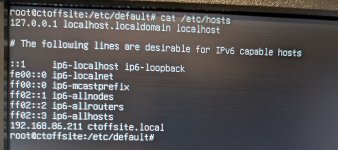
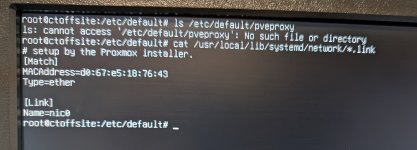
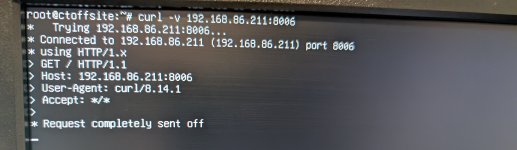
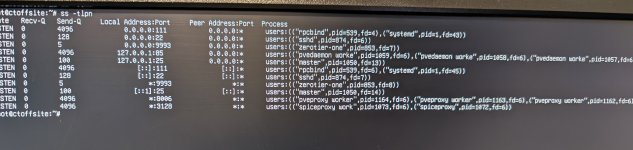
fstrankowski replied to the thread [SOLVED] Configured proxmox as dhcp.Welcome to the Proxmox Forum :-) Please provide (each result please in a seperate [ CODE ] block) ip a ss -tlpn curl -v ip:8006 (where ip is your dynamic ip) ls /etc/default/pveproxy cat /usr/local/lib/systemd/network/*.link cat /etc/hosts...
-
EExplodingLemur replied to the thread Opt-in Linux 6.17 Kernel for Proxmox VE 9 available on test & no-subscription.Oh! OH!!!! Okay, I found something! Adding this kernel command line boot parameter FIXES IT: xe.vram_bar_size=-1
-
BBikersmurf replied to the thread VM connection issues after subnet change. What am I missing? Real time problem..PROXMOX VE 9.0.3 running on debian Trixie I'm new to this forum, but if you poke around, you'll find @Bikersmurf on many other forums. I greatly appreciate the knowledge and expertise here.
-
BBikersmurf posted the thread VM connection issues after subnet change. What am I missing? Real time problem. in Proxmox VE: Networking and Firewall.I setup two of my proxmox servers while connected to one subnet, and then moved them to a different subnet. For simplicity we changed from 192.168.'A'.1 to 192.168.'B'.1. Accessing the GUI is working and the VMs all have IPs on the B subnet. The...