Latest activity
-
FFingerlessGloves replied to the thread Prevent IPv6 local link on SDN VNet.I feel marking a vnet as "VM traffic only" would be a nice clear way to present the option, ideally default option too, I can't see many wanting the host to be "on" the vnet. I just reread your message, and that's bad the firewall isn't applying...
-
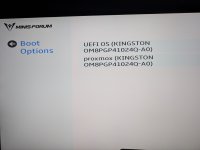
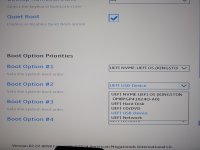
GGilou replied to the thread [SOLVED] PVE 9.1.5 doesn't boot after dist-upgrade (AMI BIOS).Can't you actually set the proxmox option there in the Setup? You can maybe change the entry, or just map BOOTX64.EFI to grubx64.efi in proxmox.. maybe proxmox-boot-tool (and its --grub option) can do it for you..
-
DderMiepz replied to the thread [SOLVED] PVE 9.1.5 doesn't boot after dist-upgrade (AMI BIOS).Thank you for your answer! So I'm pretty sure I found the answer to my problem, but not how to fix it yet. Using "efibootmgr -n 0000" works, but only once. I then used "efibootmgr -o 0,1,2" to set the actual boot sequence, but it won't get...
-
-
GGilou replied to the thread Prevent IPv6 local link on SDN VNet.I really think we need either generally allowing disabling link-local on an interface, or simply deny any IP configuration on the SDN bridges.. or a bit nicer, being able mark it for VM traffic only. This bug is not good on default setup btw...
-
Bbmernz reacted to fiona's post in the thread [SOLVED] pci_hp_register and slot initialization failed on ovmf / q35 uefi guest with
 Like.
Hi, yes, this is safe to ignore and happens because the q35 machine type currently uses more default virtual hardware than necessary. See also: https://bugzilla.proxmox.com/show_bug.cgi?id=6909
Like.
Hi, yes, this is safe to ignore and happens because the q35 machine type currently uses more default virtual hardware than necessary. See also: https://bugzilla.proxmox.com/show_bug.cgi?id=6909 -
GGilou reacted to FingerlessGloves's post in the thread Prevent IPv6 local link on SDN VNet with Like.
I agree the Proxmox Firewall will help with the host having a LL on those bridges/interfaces, but from a security audit point of view, they may say that's not enough . I think for now I'll go for the sysctl option. Then if needed I can prove the...
-
FFingerlessGloves replied to the thread Prevent IPv6 local link on SDN VNet.I agree the Proxmox Firewall will help with the host having a LL on those bridges/interfaces, but from a security audit point of view, they may say that's not enough . I think for now I'll go for the sysctl option. Then if needed I can prove the...
-
DDwarf replied to the thread Can't connect to GUI after creating sub-interface.Unfortunately it still doesn't work with iface vmbr0 inet manual :confused: Could it be a router issue? I'm very new to networking in general but trying to learn. :)
-
Jjanus57 replied to the thread Secure Boot – Microsoft UEFI CA 2023 Certificate Not Included in EFI Disk.Hi, I don't remember if it was the same error code, but I have the same issue with laptops. The issue was an UEFI partition that is full because the default size with the Windows Installer before W11 25H2 was 100MB, now it's 200MB. See...
-
GGilou replied to the thread Prevent IPv6 local link on SDN VNet.The firewall way works for the underlying bridge.. but it seems that by default vnets allow that traffic (set up using SDN), which to me, is a bug, I'll investigate.. EDIT: Yes.. damned. I'll open a bug but if you have firewall on, on a host...
-
Ccarles89 reacted to fargo's post in the thread Recommendations for virtualized Router/Firewall on Proxmox with Like.
Thank you guys for the suggestions. I think I'll install OPNsense and see how things will go.
-
Ffargo replied to the thread Recommendations for virtualized Router/Firewall on Proxmox.Thank you guys for the suggestions. I think I'll install OPNsense and see how things will go.
-
Ohttps://bugzilla.proxmox.com/show_bug.cgi?id=7303
-
Ffargo reacted to Blueloop's post in the thread Recommendations for virtualized Router/Firewall on Proxmox with Like.
I'll give you some options: OPNSense pfSense VyOS Proxmox! A Debian box is quite capable of being a very decent router and you already have one: Proxmox. However, that is one for the likes of me to run up. What you probably need is something...
-
Ffargo reacted to carles89's post in the thread Recommendations for virtualized Router/Firewall on Proxmox with Like.
I'd recommend Opnsense. It fits all these requirements and it can be installed as a VM on Proxmox VE (just download the iso-vga installer) https://opnsense.org/ It's basically an open source firewall. Among other functions, you can create...
-
OOnslow replied to the thread [SOLVED] Can't access Web UI after bulk shutdown my whole VM.Welcome, @brent729 As from the PC you can't ping the gateway, I would search for the reason in the PC itself or in its network connection (even something low level like a patch cable). Do the LEDs in the switch and in the PC's network card...
-
GGilou replied to the thread Prevent IPv6 local link on SDN VNet.There is a bug discussion here, that do not fix it but discusses options: https://bugzilla.proxmox.com/show_bug.cgi?id=1251 Another one, with mostly opinions, and the same idea I gave, use ifupdown2 and an up script...
-
Uuzumo replied to the thread Secure Boot – Microsoft UEFI CA 2023 Certificate Not Included in EFI Disk.I just jumped to conclusions. There was a bug causing it to switch between NotStarted and InProgress, but I don't know if it's fixed yet. This has nothing to do with your Windows issue (a problem unrelated to PVE). You should ask Microsoft...
-
GGilou replied to the thread Prevent IPv6 local link on SDN VNet.You can use the firewall to restrict those access to the host as it is, no code, no edit :P But it's true it could be disabled using ifupdown2, so that interfaces with something like "enable (or disable) link local v6" have the appropriate...
-
Tthe other replied to the thread Can't connect to GUI after creating sub-interface.Hey there, Looking into the official manual > https://pve.proxmox.com/wiki/Network_Configuration#sysadmin_network_vlan find an example like this: auto lo iface lo inet loopback iface eno1 inet manual auto vmbr0.5 iface vmbr0.5 inet static...