Latest activity
-
GGavino reacted to Nerion's post in the thread Secure Boot – Microsoft UEFI CA 2023 Certificate Not Included in EFI Disk with
 Like.
Hello, I read this thread. So what are the steps need to be done for windows server? As we have thousend of VMs, what need to be done to update the certificate? Can this be done inside VM only with some windows update? Or do we need to stop...
Like.
Hello, I read this thread. So what are the steps need to be done for windows server? As we have thousend of VMs, what need to be done to update the certificate? Can this be done inside VM only with some windows update? Or do we need to stop... -
GGavino reacted to BastianR's post in the thread Secure Boot – Microsoft UEFI CA 2023 Certificate Not Included in EFI Disk with Like.
It seems to be only available on PVE 9.
-
GGavino reacted to ces's post in the thread Secure Boot – Microsoft UEFI CA 2023 Certificate Not Included in EFI Disk with Like.
Hi @fiona, after deleting the EFI-Disk of an old VM on a current PVE 8.4.16 and creating a new EFI-Disk with enrolled keys, the disk contains only the old certs. Is that only applicable for current PVE 9.1? Thanks for the info.
-
TTarakesh replied to the thread ZFS-Bug: PBS Chunks not compressed [solved].a pure du-hs .chunks is useless on zfs as it shows diskusage after compression. so that will tell you exactly 3.87T Pretty easy to proof with an example of a highly compressable SD Card Image fg@truenas:/mnt/NAS/3DDruck/SDBackup/VT$ ls -lah...
-
Mmasato replied to the thread The PCI-E link speed of the Ryzen 9000 series is abnormal..It seems that recent GeForce models are designed to lower the PCI-E Gen when idle due to power-saving features. Regarding the SATA controller and USB 3.x controller, when I contacted AMD technical support, I was told that although it appears to...
-
Ssantiagobiali replied to the thread H330 sas controller failed after upgrading to Kernel 6.17.2-2-pve.Upgraded an Dell R740 with a PERC H740p and had no issues recognizing both the card or drives: root@p01:~# perccli64 /c0 show CLI Version = 007.1623.0000.0000 May 17, 2021 Operating system = Linux 6.17.4-2-pve Controller = 0 Status = Success...
-
RRémi L reacted to sbraz's post in the thread [SOLVED] Proxmox VE 8 to 9 on OVH bare metal servers with Like.
Hi, I work for OVHcloud on our OS images and I can indeed reproduce the problem on UEFI boot servers with PVE 8 installed on more than one disk with OVHcloud's installer. I'll first provide the solution and then explain why this issue occurs...
-
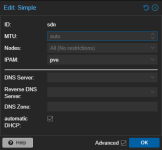
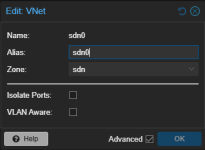
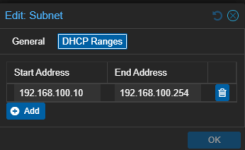
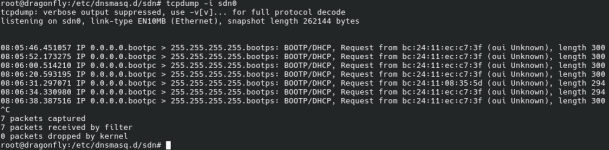
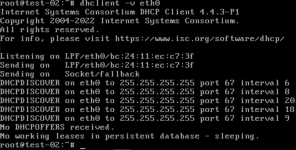
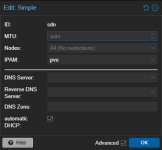
Nnikatjef replied to the thread SDN DHCP not working.EDIT: Found the issue. The SG needed to be applied to the host level firewall, not the VNET firewall I am using Proxmox 9.1.4 and having the same issue. From the test client; From the server, via tcpdump on the client; I have created...
-
-
Ssantiagobiali replied to the thread H330 sas controller failed after upgrading to Kernel 6.17.2-2-pve.Just upgraded a Dell R740XD w/ PERC H330, HBA330 Mini and 2 LSI 9300-8e to PVE 9 and it seems to be ok. All disks and controllers are showing up in storcli64, and perccli64 (perccli only shows dell cards). root@p03:~# pveversion...
-
Cchodzi replied to the thread Proxmox VE 8 HDD LVM Thin and Template Cloud-init.I dont know if its bug or not - but I probably found the issue. Reproduce: Create template like in this tutorial: https://pve.proxmox.com/wiki/Cloud-Init_Support On first try - do it on e.g ZFS or ext4 drive - should be ok On second try do it on...
-
TTrochB replied to the thread server shuts down after 15mins.no, that file or path doesn't exist. no, hostname wasn't changed ; like I said it's a fresh install. ip address collision, no I gave the pve a static free address :rolleyes:
-
Xx-ray replied to the thread apparmor denies dhclient socket.There is a related apparmor issue with more information here: https://gitlab.com/apparmor/apparmor/-/issues/561
-
TTrochB replied to the thread server shuts down after 15mins.
-
 Tealk replied to the thread Proxmox VM Stun bei Snapshot.Ich empfand das Backup immer als viel langsamer. Hab aber aktuell keinen belegbaren Beweis.
 -
KKingneutron replied to the thread Critical failure in systemd, zpool is unusable.I think I figured out what happened. I did an rpool backup to ztosh16, which was fine until a reboot. Then the backup rpool datasets mounted over root and confused everything. Was able to delete the rpool backup on another system and now ztosh16...
-
TTahsin replied to the thread Intel Arc Pro B50 - xe driver not binding on PVE host.note the "" on the command. you will have to include that.
-
Vvanstek_ reacted to kamanwu's post in the thread Try to install Proxmox 9.1 on a old linux server, and get lots of disk IO error. with Like.
Really appreciate it. I’ll wait for version 9.2 and hope it fixes this issue. If not, I’ll try the boot parameters you mentioned.
-
Eeagleman04 replied to the thread Intel Arc Pro B50 - xe driver not binding on PVE host.Still no luck: root@prox:~# echo 4 > /sys/devices/pci0000:e0/0000:e0:01.1/0000:e1:00.0/0000:e2:01.0/0000:e3:00.0/sriov_numvfs -bash: echo: write error: No such file or directory root@prox:~#
-
Jjdancer replied to the thread HW-based RAID corrupted something, VMs won't start anymore.Hopefully you have backups. I strongly recommend using a pure IT/HBA-mode storage controller. Use software-defined storage (ZFS, LVM, Ceph) to handle your storage needs. I use a LSI3008 IT-mode storage controller (Dell HBA330) in production...
-
TTahsin replied to the thread Intel Arc Pro B50 - xe driver not binding on PVE host.so your command will be echo 2 > "/sys/devices/pci0000:e0/0000:e0:01.1/0000:e1:00.0/0000:e2:01.0/0000:e3:00.0/sriov_numvfs" edit: changed to "2" I forgot you have the latest firmware.