Latest activity
-
Aalia80 replied to the thread [SOLVED] Proxmox VE 8 to 9 in-place update but kernel still on 6.8.update-grub didn't help and neither did proxmox-boot-tool refresh but I tried that a while ago
-
HHamed Roshan replied to the thread LXC installation fails due to DNS issue with raw.githubusercontent.com.Time is correct (date shows correct local time) and ca-certificates is installed and up to date.
-
-
HHamed Roshan replied to the thread LXC installation fails due to DNS issue with raw.githubusercontent.com.When running a GitHub helper script, curl fails with SSL certificate problem: certificate has expired while accessing raw.githubusercontent.com, indicating an SSL/CA or host-side configuration issue rather than a script issue. I also created a...
-
-
HHamed Roshan replied to the thread LXC installation fails due to DNS issue with raw.githubusercontent.com.When running a GitHub helper script, curl fails with SSL certificate problem: certificate has expired while accessing raw.githubusercontent.com, indicating an SSL/CA or host-side configuration issue rather than a script issue. I also created a...
-
-
JJohannes S reacted to alexskysilk's post in the thread Best architecture for running 50+ VDSs each with its own Proxmox VE on a large Dedicated Server (2 TB RAM) with
 Like.
Thats... absurd. you're wasting all those resources without any benefit; a cluster is of no value if all resources are HOSTED BY THE SAME DEVICE.
Like.
Thats... absurd. you're wasting all those resources without any benefit; a cluster is of no value if all resources are HOSTED BY THE SAME DEVICE. -
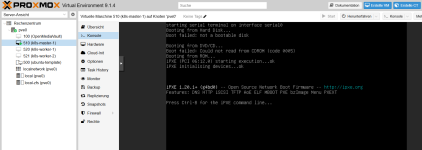
RRockiness6923 replied to the thread VM möchte nicht Booten (Code 0005).Ich habe eine .img Datei genutzt. Sollte ich eine andere Dateiendung benutzen? Wenn ja, welche? Ich hatte hier https://cloud-images.ubuntu.com/releases/noble/release/ keine .iso Dateien gefunden. Die hätte ich ansonsten bevorzugt benutzt.
-
-
Jno, for container backups no such tool exists yet. you can always extract the backup (it's a tar file containing the rootfs and the container configs), and then back it up again using proxmox-backup-client like vzdump does (that allows matching...
-
JJohannes S reacted to UdoB's post in the thread [SOLVED] PBS upgrade format is nice and clean with Like.
I was talking about upgrading to Trixie, if you really want to get the new apt binary - which is a weak reason, there are much better ones. In case of PVE this is the guide to follow: https://pve.proxmox.com/wiki/Upgrade_from_8_to_9
-
JJohannes S reacted to UdoB's post in the thread [SOLVED] PBS upgrade format is nice and clean with Like.
PBS 4 is on Trixie / Debian 13 PVE 8.4 is Bookworm / Debian 12 So... just upgrade and you get the new apt output "for free" ;-)
-
JJohannes S replied to the thread Installation Questions / Need help.What's your usecase for ProxmoxVE? If you mainly want to run your Notebook as a Desktop System something like VirtualBox or virt-manager is more suitable.
-
JJohannes S replied to the thread New Cluster for VMware migration.Ocfs is not officially supported by Proxmox Server Solutions though, which might be a problem if you ever need their support. And other people in this forum reported quite different experiences regarding it's stability
-
Tthomsany posted the thread Very slow VM restore from PBS into NVME cluster in Proxmox Backup: Installation and configuration.Hey guys, I have the following hardware on proxmox servers and PBS: Here are the hardware specs of each Proxmox server (5 of them): 2 x Intel Xeon Gold 6554S, 1.5TB RAM, 2x960GB SSD NVME OS drive, 24x3.84TB SSD NME PVE: 8.4.1 PBS specs: Amd...
-
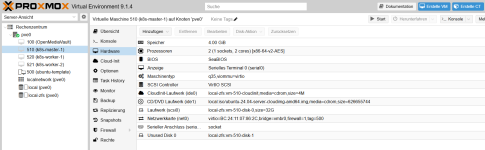
RIch bin noch Anfänger in Proxmox. Ich habe versucht, drei VMs zu erstellen, nach dieser Anleitung: https://www.ionos.de/digitalguide/server/konfiguration/kubernetes-cluster-auf-proxmox/ Ich möchte später darauf k3s installieren. Leider klappt bei...
-
-
Hharveyii posted the thread Installation Questions / Need help in Proxmox VE: Installation and configuration.I'm pretty new to Linux so please bare that in mind. I just installed Debian today on my laptop, im trying to install proxmox by following the bookworm wiki guide and im up to the point where I am trying to add the repository to the sources...
-
GGilou replied to the thread [SOLVED] Proxmox VE 8 to 9 in-place update but kernel still on 6.8.Hmm, it's weird, can you run update-grub ? I'm guessing something went wrong when it tried to configure it.. Or maybe something like apt install --reinstall proxmox-kernel-6.17 Or proxmox-boot-tool commands from @Impact, though it's weird that...
-
Zzemerdon posted the thread OpenVPN-AS LXC w/ DCO module loaded in Proxmox VE: Installation and configuration.on Proxmox host: check kernel version uname -r check headers exist sudo apt search proxmox-headers-6.17.4-2-pve install kernel headers sudo apt install proxmox-headers-6.17.4-2-pve install git sudo apt install git -y clone repositoty git...
-
Aalia80 replied to the thread [SOLVED] Proxmox VE 8 to 9 in-place update but kernel still on 6.8.Unfortunately this could be one of the problems, as I originally started with PVE6 I have a lot of old version: # ls /boot config-5.11.22-1-pve config-5.11.22-7-pve config-5.13.19-2-pve config-5.13.19-6-pve config-5.15.158-2-pve...
-
Ppalladin9479 replied to the thread New Cluster for VMware migration.These are why we ended up just going with FCoE / ISCSI + OCFS2 and then adding the storage to Proxmox as type "directory". Let us reuse the very expensive Dell / EMC storage with UCS blades and get off VMWare. I've been using OCFS for nearly...
-
GGilou replied to the thread Recommended Bond0 Config.Set up your bond, use it directly or through a bridge if you want VMs on it. And either set that bridge as VLAN Aware if you only need VLANs for VMs, or add a VLAN if you want to manage your node through it.. and a bridge on top of it if you also...
-
GGilou replied to the thread [SOLVED] Proxmox VE 8 to 9 in-place update but kernel still on 6.8.Well, what's in /boot? And what does pveversion -v tell you, and apt policy proxmox-default-kernel proxmox-kernel-6.17 ? I guess installing proxmox-kernel-6.17 will bring it to you, but maybe check further why it didn't update itself.