Latest activity
-
Mmeyergru replied to the thread I need help finding out how to connect to my proxmox server..The tests should show connectivity on your LAN between proxmox and other targets, first to itself, then to the router, then to your desktop. A successful ping to itself is indispensable, a ping to the router should be possible (because other...
-
UThe hardware tabwould also be cluttered as explained by Andreas Steinel in the bug ticket: And since temperature monitoring is easily available by using a real monitoring software it's not even needed.
-
Mmeyergru replied to the thread I need help finding out how to connect to my proxmox server..Did you try those pings from your PVE host? I assume not, since 10.0.0.21 is your proxmox (which is on the laptop?), so it must be able to ping itself, but you say it is unreachable. I must assume you did this from your desktop at 10.0.0.19...
-
FFrannce replied to the thread I need help finding out how to connect to my proxmox server..I believe my router isn’t seeing my proxmox machine and that’s why I can’t connect. I tested all 4 ports on the back of the router, unless they’re all guest I’m unsure on how to change that.
-
FFrannce replied to the thread I need help finding out how to connect to my proxmox server..Router is correct The 10.0.0.19 is my desktop, I was just scanning all the devices on my network to check if anything has taken 10.0.0.21 Proxmox is correct For the earlier post 10.0.0.21 is unreachable 10.0.0.1 had a successful ping 10.0.0.156...
-
Llucius_the replied to the thread Abysmally slow restore from backup.whoo nice :D
-
SSteveITS replied to the thread Ceph intermittent slow OSD.Are they enterprise SSDs?
-
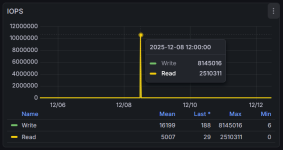
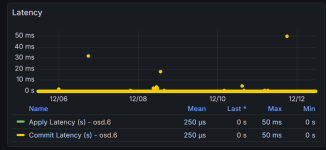
Ccomplexplaster27 replied to the thread Ceph intermittent slow OSD.Hope this helps: I find using https://github.com/digitalocean/ceph_exporter With Grafana Dashboards: https://grafana.com/grafana/dashboards/926-ceph-pools/ https://grafana.com/grafana/dashboards/923-ceph-osd/...
-
-
Mmeyergru replied to the thread I need help finding out how to connect to my proxmox server..Once you have verified that the machines on your network can see one another, you should also be able to open a browser on your laptop and entering the URL https://10.0.0.21:8006 (note the s in https) from there, regardless of any internet...
-
Mmeyergru replied to the thread I need help finding out how to connect to my proxmox server..So, what are your IP addresses? I assume: router 10.0.0.1 laptop 10.0.0.19 (from the sucessful network scan with nmap you posted) proxmox 10.0.0.21 (from your ping test) You should repeat the ping test to all three targets I quote in #11, plus...
-
FFrannce replied to the thread I need help finding out how to connect to my proxmox server..My overall issue is that I can’t connect to the browser interface. Those other devices can’t connect to the internet, I was just doing a test if it can even connect correctly. I’m unsure if the router and laptop can connect to each other...
-
LWith the tunable verification settings we went from a 4 hour verification process to 30 mins. Quite the improvement! :) 5x 61.44TB Solidigm in a RAIDz1 - Which in the past a benchmark showed about 30GB/s reads.
-
TI'm seeing crazy low performance in Ceph. I've traced it to OSD's sometimes being very slow...see below. In 3 tests, the first is fairly slow, then fast (as fast as I expect this OSD to be), then the 3rd is crazy slow. root@pm3:~# ceph tell...
-
Llucius_the replied to the thread Broadcom BCM57414 and jumbo MTU issues after upgrading to PVE 9.I've had more issues after leaving this with "gro-off". One day backup runs fine, the other day it runs slow (I found it dragging on for 2 days with no indication of ever finishing). So I changed MTU to 1500 and didn't have any issues with...
-
Mmeyergru replied to the thread I need help finding out how to connect to my proxmox server..So what is your problem about? Can each device connect to each other when connected to the router (you seem to use only ports on the router and have no switch?) or can no device access the internet? Also: I was talking about nic0 and nic1 on...
-
FFrannce replied to the thread I need help finding out how to connect to my proxmox server..There is only 1 Ethernet port to be able to plug into on my laptop. I think the reason it shows two is because it shows it IPv4 and IPv6 as separate NICs. Little confused by what your saying because I’m very new to this, but I tested other...
-
OOnslow replied to the thread backup times.Hi. Everyday (or two each day) backup also cover a weekly and monthly backups, so there is no need to create additional backup jobs. The schema of keeping them you may work out using the Prune Simulator at...
-
Sshiue75 replied to the thread Can't access GUI and can ssh to Proxmox VE.No firewall exists between the VPN subnet and Proxmox VE. How can I check the host firewall? This is a new installation, and I haven't installed any firewalls or other applications.
-
Mmeyergru replied to the thread I need help finding out how to connect to my proxmox server..The network and netmasks look right, as well as the route. The MAC OUI of the nic0 is by Dell, so it one could assume that this is the onboard NIC, however your configuration also lists "iface nic1 inet manual" - do you happen to have two...
-
OOnslow replied to the thread How to Troubleshoot Regular Backup Failures?.First you can run Memtest for a night or so.