

Hi,
I'm currently running a new Server with Proxmox 9 and a single Windows 2025 VM on it, serving as Exchange Server in our Environment.
I installed Virtio 0.1.285 SCSI drivers.
For Application awarene Backups I'm running Windows Server Backup, which was fine when I tested in the beginning.
Now after everything is productive I'm running into problems:
The Server crashes when the update is nearly complete - I assume that's when the logs should be truncated and the vss worker is being executed.

I already tried different Versions of the VirtIO driver and set my SCSI Controller from "VirtIO SCSI Single" to "VirtIO SCSI" => No Change.
More Info:
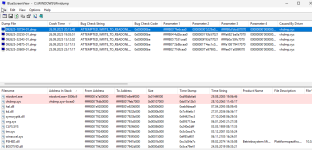
qm config 131
uname -r
Since I read something about AMD CPUs causing this:
I'm running an Intel Silver 4314 CPU
I'm currently running a new Server with Proxmox 9 and a single Windows 2025 VM on it, serving as Exchange Server in our Environment.
I installed Virtio 0.1.285 SCSI drivers.
For Application awarene Backups I'm running Windows Server Backup, which was fine when I tested in the beginning.
Now after everything is productive I'm running into problems:
The Server crashes when the update is nearly complete - I assume that's when the logs should be truncated and the vss worker is being executed.
I already tried different Versions of the VirtIO driver and set my SCSI Controller from "VirtIO SCSI Single" to "VirtIO SCSI" => No Change.
More Info:
qm config 131
agent: 1,fstrim_cloned_disks=1balloon: 0bios: ovmfboot: order=scsi0;ide2;net0;ide0cores: 12cpu: hostefidisk0: local:131/vm-131-disk-1.qcow2,efitype=4m,pre-enrolled-keys=1,size=528Kide0: WD8TB:iso/virtio-win-0.1.285.iso,media=cdrom,size=771138Kide2: none,media=cdrommachine: q35memory: 65536meta: creation-qemu=9.2.0,ctime=1754487133name: EX-AHBSV03net0: virtio=BC:24:11:8B:74:B0,bridge=vmbr0,tag=210numa: 0onboot: 1ostype: l26scsi0: local:131/vm-131-disk-0.qcow2,cache=writeback,size=250G,ssd=1scsi1: ZFS8TB:vm-131-disk-0,cache=writebacksize=450G,ssd=1scsi2: ZFS8TB:vm-131-disk-1,cache=writeback,size=1500G,ssd=1scsi3: ZFS8TB:vm-131-disk-2,cache=writeback,discard=on,size=1500G,ssd=1scsi4: WD8TB:131/vm-131-disk-0.qcow2,backup=0,cache=writeback,size=3500G,ssd=1scsihw: virtio-scsi-pcismbios1: uuid=d4fac7e5-0327-4c1f-80ed-e7115a1d14a7sockets: 1tpmstate0: local:131/vm-131-disk-2.raw,size=4M,version=v2.0vmgenid: f31c35f9-c471-46a2-8ed1-9f75dd3daf19uname -r
6.14.11-2-pveSince I read something about AMD CPUs causing this:
I'm running an Intel Silver 4314 CPU
Last edited:
