Hi
I have proxmox connected to a QNAP -1273au-rp via NFS (or SMB) for a storage.
Use it to backup .
I've seen this question raised repeatedly on the forum, but there's no definitive answer. The daily backups are half successful and half unsuccessful, which is very frustrating! Proxmox doesn't seem to have paid much attention to this issue for years, but it's crucial for businesses.
I thought PVE9 would solve this problem, but it didn't! I used the guest OS with NFS and didn't have this problem, so I think the hosts file on the cluster storage isn't well-tuned.
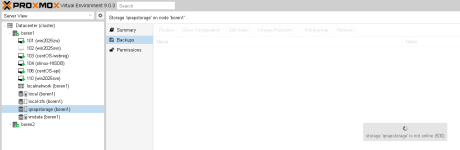
Lately I have a frequant issue when I access the storage in proxmox with it telling me that the "storage is not online", when it is all the time. When I quit the message and try again it's instantly available sometimes.
I also discovered that whenever NFS Samba is mounted, queries to local and LVM-ZFS are affected, and df-h also experiences delays, presumably due to the constant scanning.
Is there a way to tell what the problem is?
Thx in advance
I have proxmox connected to a QNAP -1273au-rp via NFS (or SMB) for a storage.
Use it to backup .
I've seen this question raised repeatedly on the forum, but there's no definitive answer. The daily backups are half successful and half unsuccessful, which is very frustrating! Proxmox doesn't seem to have paid much attention to this issue for years, but it's crucial for businesses.
I thought PVE9 would solve this problem, but it didn't! I used the guest OS with NFS and didn't have this problem, so I think the hosts file on the cluster storage isn't well-tuned.
Lately I have a frequant issue when I access the storage in proxmox with it telling me that the "storage is not online", when it is all the time. When I quit the message and try again it's instantly available sometimes.
I also discovered that whenever NFS Samba is mounted, queries to local and LVM-ZFS are affected, and df-h also experiences delays, presumably due to the constant scanning.
Is there a way to tell what the problem is?
Thx in advance