

I have been using VMWare Workstation Pro 17. I decided to test Proxmox. I have a VM that is running RedHat 6.1 (really!). I have been trying to figure out how to migrate toProxmox. I have a vmdk, ova and ovf file from the VMWare instance. These are the commands I ran:
1. qm importovf 100 ./RedHat61.ovf local-lvm --format qcow2
2. qm importdisk 100 RedHat61-disk1.vmdk local-lvm -format qcow2
Both ran successfully. Here is a scrrenshot:
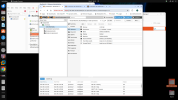
But when i start the vm and go to console:
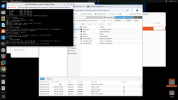
I'm not sure what I need to do. We are testing Proxmox and for now no subscription
1. qm importovf 100 ./RedHat61.ovf local-lvm --format qcow2
2. qm importdisk 100 RedHat61-disk1.vmdk local-lvm -format qcow2
Both ran successfully. Here is a scrrenshot:
But when i start the vm and go to console:
I'm not sure what I need to do. We are testing Proxmox and for now no subscription
