unable to open file '/var/lib/pve-manager/pkgupdates.tmp.1237' - No such file or directory (500)

PavelGolyakov

New Member
Nov 13, 2024
14
0
1
Hi Guys,

I recently deployed my proxmox and everything went well until today, I tried to update my proxmox using web interface but I faced with an error

1731967479559.png

unable to open file '/var/lib/pve-manager/pkgupdates.tmp.1237' - No such file or directory (500)
 
Hi,
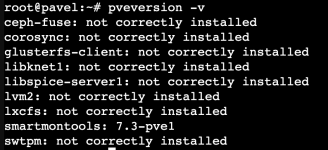
please post the output of pveversion -v? Is it still the same error after you re-open the tab? Please check your system logs and post the output between the log lines with:
Code:
Starting pve-daily-update.service
and
Code:
Finished pve-daily-update.service

What does running pveupdate in the CLI show?
 
Is it still the same error after you re-open the tab?
Yep, I have tried to restart the server too.


pveversion -v

1732018183790.png
Starting pve-daily-update.service
Finished pve-daily-update.service
1732018247760.png
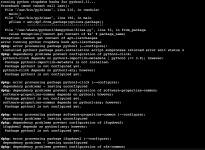
pveupdate
1732018284422.png
 
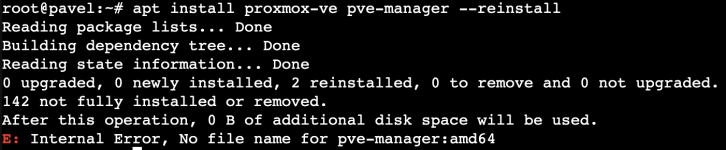
Please try (re-)installing the Proxmox VE packages, e.g. start with apt install proxmox-ve pve-manager --reinstall.
 
Seems the package management on your system is currently in a messy state. Best is to ask somebody with experience with apt for direct help, guiding you via the forum can potentially take a very long time.

Quick things you can try: apt install --fix-broken, apt dist-upgrade