

Hello community,
I tried to install new proxmox 8.2.iso bootable from USB into below pc configuration:
MSI PRO Z790-A MAX WIFI
Procesor Intel Core i5-14600KF, 3.5 GHz
SSD Lexar NM710 1TB M.2 2280 PCI-E x4 Gen4 NVMe
Kingston Fury Beast, DDR5, 32 GB
I tried different ways:
1)First i created bootable USB following below link Mac OS:
https://pve.proxmox.com/pve-docs/chapter-pve-installation.html
2)I created using BalenaEtcher.
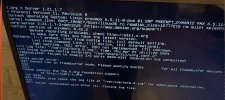
But it gave error "image1.png" image attached.
I also tried to install it after installing debian 12 following:
https://pve.proxmox.com/wiki/Install_Proxmox_VE_on_Debian_12_Bookworm
But after rebooting and removing the debian kerner it get stuck on "loading initial ram"
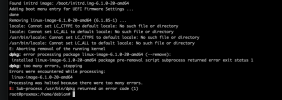
Also i see error while removing debian kernel, probably because is in used?
Any advice would be appreciated.
Thanks!
I tried to install new proxmox 8.2.iso bootable from USB into below pc configuration:
MSI PRO Z790-A MAX WIFI
Procesor Intel Core i5-14600KF, 3.5 GHz
SSD Lexar NM710 1TB M.2 2280 PCI-E x4 Gen4 NVMe
Kingston Fury Beast, DDR5, 32 GB
I tried different ways:
1)First i created bootable USB following below link Mac OS:
https://pve.proxmox.com/pve-docs/chapter-pve-installation.html
2)I created using BalenaEtcher.
But it gave error "image1.png" image attached.
I also tried to install it after installing debian 12 following:
https://pve.proxmox.com/wiki/Install_Proxmox_VE_on_Debian_12_Bookworm
But after rebooting and removing the debian kerner it get stuck on "loading initial ram"
Also i see error while removing debian kernel, probably because is in used?
Any advice would be appreciated.
Thanks!
Last edited:
