Hi all,
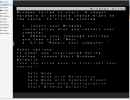
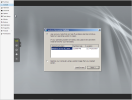
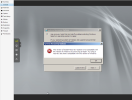
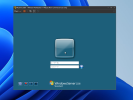
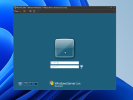
I have discovered many posts here and tried many solutions like import the vmdk file directly without converting but still unable to boot up , "Windows error" is shown.
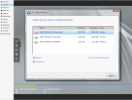
I can see those disks appeared when I using the server installation media and also able to see the last recovery image but every boot up , windows error screen is shown.
May I seek for help? (also tried to enter safe mode but redirects to the windows error page)
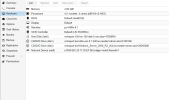
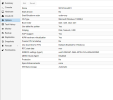
Attached are for your reference. ( in this case, it is using .raw by importdisk , not vmdk , but with the same error)
Below is the qm config output:
--------------------------------------
root@mcsiproxmox:/mnt/pve/vmimport/images# qm config 150
agent: 0
boot: order=ide0;net0;ide2;ide1
cores: 4
cpu: x86-64-v2-AES
ide0: vmimport:150/vm-150-disk-0.raw,size=475886M
ide1: vmimport:iso/virtio-win-0.1.240.iso,media=cdrom,size=612812K
ide2: vmimport:iso/Windows_Server_2008_R2_x64.iso,media=cdrom,size=2926546K
machine: pc-i440fx-8.1
memory: 4096
meta: creation-qemu=8.1.5,ctime=1715944563
name: MCSI1mcsi001
net0: e1000=BC:24:11:30:EF:9D,bridge=vmbr0,firewall=1
numa: 0
ostype: win7
smbios1: uuid=d38c0af1-0bd4-4870-b7c0-e328e24238d0
sockets: 1
vmgenid: c1c35567-7a6a-4b1f-9795-a07d06dc2bdb
root@mcsiproxmox:/mnt/pve/vmimport/images#
--------------------------------------
Thank you.
Yat
I have discovered many posts here and tried many solutions like import the vmdk file directly without converting but still unable to boot up , "Windows error" is shown.
I can see those disks appeared when I using the server installation media and also able to see the last recovery image but every boot up , windows error screen is shown.
May I seek for help? (also tried to enter safe mode but redirects to the windows error page)
Attached are for your reference. ( in this case, it is using .raw by importdisk , not vmdk , but with the same error)
Below is the qm config output:
--------------------------------------
root@mcsiproxmox:/mnt/pve/vmimport/images# qm config 150
agent: 0
boot: order=ide0;net0;ide2;ide1
cores: 4
cpu: x86-64-v2-AES
ide0: vmimport:150/vm-150-disk-0.raw,size=475886M
ide1: vmimport:iso/virtio-win-0.1.240.iso,media=cdrom,size=612812K
ide2: vmimport:iso/Windows_Server_2008_R2_x64.iso,media=cdrom,size=2926546K
machine: pc-i440fx-8.1
memory: 4096
meta: creation-qemu=8.1.5,ctime=1715944563
name: MCSI1mcsi001
net0: e1000=BC:24:11:30:EF:9D,bridge=vmbr0,firewall=1
numa: 0
ostype: win7
smbios1: uuid=d38c0af1-0bd4-4870-b7c0-e328e24238d0
sockets: 1
vmgenid: c1c35567-7a6a-4b1f-9795-a07d06dc2bdb
root@mcsiproxmox:/mnt/pve/vmimport/images#
--------------------------------------
Thank you.
Yat