

So, my bad, I set up my first storage server in a really weird way that I don't exactly remember what I did, or if I even followed a video/guide to do it. I believe I made my entire external HDD the storage for an Ubuntu Server VM for the purpose of running Samba, Jellyfin, and Transmission on it. I restarted the machine running Proxmox because the file transfers got way too inconsistent and slow, and all of a sudden it won't connect to my network again so I can access the GUI or any of the VMs. I'll figure that part out later, but I'm more concerned on getting my files back that are on the VM.
I took the HDD to another machine running Proxmox and am attempting to start the VM back up to get these files off. All pictures/outputs are from new machine.
The "external" pool/volume group is what I'm after.
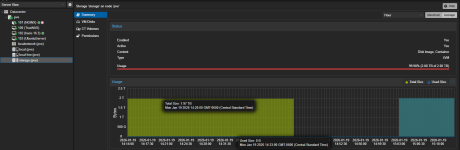
I can add the external drive to storage, but all I get is this 99.98% usage, with nothing showing under VM Disks, CT Volumes, or Permissions.
Any help would be massively appreciated, I have been searching the internet all day and cannot find what I'm looking for. Thank you!
I took the HDD to another machine running Proxmox and am attempting to start the VM back up to get these files off. All pictures/outputs are from new machine.
The "external" pool/volume group is what I'm after.
Code:
root@pve:~# lvs -a
  Failed to parse thin params: Error.
  LV               VG       Attr       LSize   Pool     Origin Data%  Meta%  Move Log Cpy%Sync Convert
  external         external twi-aotzF-  <1.79t
  [external_tdata] external Twi-ao----  <1.79t
  [external_tmeta] external ewi-ao---- <15.88g
  [lvol0_pmspare]  external ewi------- <15.88g
  vm-101-disk-0    external Vwi-XXtzX-   2.00t external
  data             pve      twi-aotz--  75.03g                 31.81  2.36
  [data_tdata]     pve      Twi-ao----  75.03g
  [data_tmeta]     pve      ewi-ao----   1.00g
  [lvol0_pmspare]  pve      ewi-------   1.00g
  root             pve      -wi-ao----  47.01g
  swap             pve      -wi-ao----   8.00g
  vm-100-disk-0    pve      Vwi-aotz--  32.00g data            26.78
  vm-101-disk-0    pve      Vwi-aotz--   8.00g data            50.08
  vm-102-disk-0    pve      Vwi-aotz--  32.00g data            23.64
  vm-102-disk-1    pve      Vwi-aotz--   4.00m data            14.06
  vm-103-disk-0    pve      Vwi-aotz--  20.00g data            18.63
I can add the external drive to storage, but all I get is this 99.98% usage, with nothing showing under VM Disks, CT Volumes, or Permissions.
Any help would be massively appreciated, I have been searching the internet all day and cannot find what I'm looking for. Thank you!