TrueNAS VM and USB-SSD

TMGG

Well-Known Member
Jun 16, 2019
76
1
48
Hello, I have created a Proxmox VM via truenas-iso
and then used Proxmox/Hardware/add-usb to pass my two USB SSD hard drives
to the TrueNAS VM.
But now I have the problem that I can no longer find the pool I created in TrueNas.
Presumably this is due to my method ???

How would you proceed so that I can safely use TrueNAS with the two SSD (USB) as a data pool?
data pool?
I have also read something about pci-e controller? But I'm sure you have the right tips for me.
 
Hi, @TMGG,

In my past experiences, HDD passthrough, did not work properly, in results of file system broken. More ideally is to create FS on the drive in Proxmox VE and add them as new HDD with little bit smaller size in VM.

This is for situation with clean disks.

If you need help, I can provide screenshots.

Lukas
 
Hi, @TMGG,

In my past experiences, HDD passthrough, did not work properly, in results of file system broken. More ideally is to create FS on the drive in Proxmox VE and add them as new HDD with little bit smaller size in VM.

This is for situation with clean disks.

If you need help, I can provide screenshots.

Lukas
Thank you for your feedback. I'm not sure if TrueNas is the right one.
My goal is actually just to create a NAS where I can access my data locally and externally.
I also just found ‘Cockpit’ to maybe do this directly via Proxmox.
I don't know which is the better choice?

But how exactly would I have to proceed to be able to use my two SSD-USB for a solution?
How i create a new FS?
 
Hi,

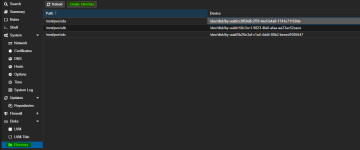
on Node level add disk as directory, be sure that they are clean, or you can wipe them in "Disk" submenu

1730135835349.png

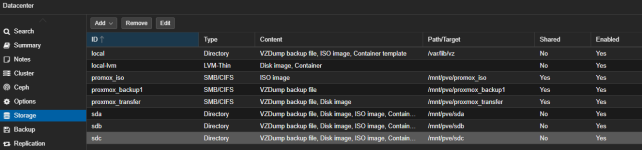
on Datacenter level add directory (i not automatically added, I can't clearly remember), and change content to "Disk Image"

1730135995513.png

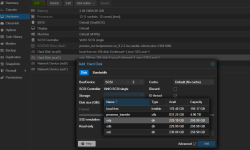
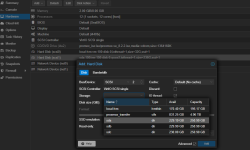
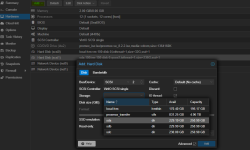
On VM level in "Hardware" section add disk, select storage and assign less than capacity. My picture show already crated disk image.


1730136256613.png

This solution is not ideal, and I do not recommend it to use for Critical data, but so far I did not experience any issue, always backup your data.

L
 

Attachments

  • 1730136135235.png
    1730136135235.png
    81.4 KB · Views: 2
  • 1730136243963.png
    1730136243963.png
    81.7 KB · Views: 2
  • Like
Reactions: TMGG