Hi everyone,
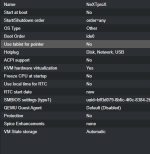
I’m currently trying to install OPENSTEP 4.2 for Intel architecture as a "Pet"-VM on Proxmox VE 8.2.2, and I’ve run into a couple of limitations that I can’t seem to solve from the GUI.
This behavior is also documented in various guides for OpenStep/NeXTSTEP installations on emulators and VMs.
Is there a supported way to add a floppy drive in Proxmox 8.2.2?
Thanks in advance — any guidance or experience with similar legacy setups would be highly appreciated.
Greetings from Aachen,
Sacha
I’m currently trying to install OPENSTEP 4.2 for Intel architecture as a "Pet"-VM on Proxmox VE 8.2.2, and I’ve run into a couple of limitations that I can’t seem to solve from the GUI.
Background
OPENSTEP requires a very specific legacy setup for installation:- Boot must start from a floppy disk image (Install_Floppy.img)
- The installer then loads additional drivers from a driver floppy
- The system disk must be configured as:
- IDE 0:0 (Primary Master)
- The CD-ROM must be:
- IDE 0:1 (Primary Slave)
This behavior is also documented in various guides for OpenStep/NeXTSTEP installations on emulators and VMs.
Issues I’m facing
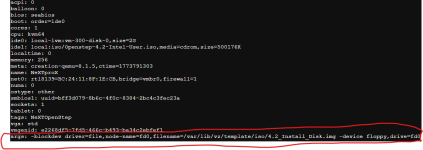
1) No floppy support via GUI
In Proxmox, I cannot find a way to:- Add a floppy drive
- Attach a floppy image (e.g. Install_Floppy.img)
Is there a supported way to add a floppy drive in Proxmox 8.2.2?
- Via manual config?
- Or via some hidden GUI option I’m missing?
Thanks in advance — any guidance or experience with similar legacy setups would be highly appreciated.
Greetings from Aachen,
Sacha
Last edited:



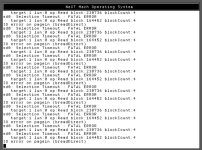
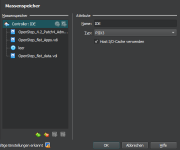
 .
.