Storage - NFS - "RPC: Remote system error - No route to host"

Harish Kamath

New Member
Sep 20, 2022
12
0
1
Hi,

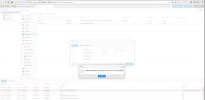
I have a Centos-7 with NFS Server configured. A folder has been exported. I am trying to add a NFS storage at the cluster level and fails to add. I have tried with GUI and command line (pvesm add nfs) as well. I get identical error. Capture of GUI output is attached along with CLI execution results.

Request your help please.

NFS - Server Operations

$cat /etc/exports /var/nfs-share *(rw,sync) $sudo exportfs -v /var/nfs-share <world>(sync,wdelay,hide,no_subtree_check,sec=sys,rw,secure,root_squash,no_all_squash)

Proxmox - Node Operations

#showmount clnt_create: RPC: Program not registered # showmount -e 192.168.122.146 clnt_create: RPC: Unable to receive #rpcinfo -p 192.168.122.146 192.168.122.146: RPC: Remote system error - No route to host # pvesm status Name Type Status Total Used Available % local dir active 15117272 2763832 11563732 18.28% local-lvm lvmthin active 29749248 0 29749248 0.00% # pvesm scan nfs 192.168.122.146 clnt_create: RPC: Unable to receive command '/sbin/showmount --no-headers --exports 192.168.122.146' failed: exit code 1 # pvesm add nfs storage-vms --path /mnt/pve/storage-vms --server 192.168.122.146 --export /var/nfs-share --options vers=4 create storage failed: storage 'storage-vms' is not online # nmap -v 192.168.122.146 Starting Nmap 7.80 ( https://nmap.org ) at 2022-10-17 18:12 IST Initiating ARP Ping Scan at 18:12 Scanning 192.168.122.146 [1 port] Completed ARP Ping Scan at 18:12, 0.02s elapsed (1 total hosts) Initiating Parallel DNS resolution of 1 host. at 18:12 Completed Parallel DNS resolution of 1 host. at 18:12, 0.00s elapsed Initiating SYN Stealth Scan at 18:12 Scanning storage-server (192.168.122.146) [1000 ports] Discovered open port 22/tcp on 192.168.122.146 Completed SYN Stealth Scan at 18:12, 5.09s elapsed (1000 total ports) Nmap scan report for storage-server (192.168.122.146) Host is up (0.00055s latency). Not shown: 999 filtered ports PORT STATE SERVICE 22/tcp open ssh MAC Address: 52:54:00:28:30:04 (QEMU virtual NIC) Read data files from: /usr/bin/../share/nmap Nmap done: 1 IP address (1 host up) scanned in 5.21 seconds Raw packets sent: 1991 (87.588KB) | Rcvd: 12 (792B) root@pm-host-1:~# pveversion -v proxmox-ve: 7.1-1 (running kernel: 5.13.19-2-pve) pve-manager: 7.1-7 (running version: 7.1-7/df5740ad) pve-kernel-helper: 7.1-6 pve-kernel-5.13: 7.1-5 pve-kernel-5.13.19-2-pve: 5.13.19-4 ceph-fuse: 15.2.15-pve1 corosync: 3.1.5-pve2 criu: 3.15-1+pve-1 glusterfs-client: 9.2-1 ifupdown2: 3.1.0-1+pmx3 ksm-control-daemon: 1.4-1 libjs-extjs: 7.0.0-1 libknet1: 1.22-pve2 libproxmox-acme-perl: 1.4.0 libproxmox-backup-qemu0: 1.2.0-1 libpve-access-control: 7.1-5 libpve-apiclient-perl: 3.2-1 libpve-common-perl: 7.0-14 libpve-guest-common-perl: 4.0-3 libpve-http-server-perl: 4.0-4 libpve-storage-perl: 7.0-15 libspice-server1: 0.14.3-2.1 lvm2: 2.03.11-2.1 lxc-pve: 4.0.11-1 lxcfs: 4.0.11-pve1 novnc-pve: 1.2.0-3 proxmox-backup-client: 2.1.2-1 proxmox-backup-file-restore: 2.1.2-1 proxmox-mini-journalreader: 1.3-1 proxmox-widget-toolkit: 3.4-4 pve-cluster: 7.1-2 pve-container: 4.1-2 pve-docs: 7.1-2 pve-edk2-firmware: 3.20210831-2 pve-firewall: 4.2-5 pve-firmware: 3.3-3 pve-ha-manager: 3.3-1 pve-i18n: 2.6-2 pve-qemu-kvm: 6.1.0-3 pve-xtermjs: 4.12.0-1 qemu-server: 7.1-4 smartmontools: 7.2-1 spiceterm: 3.2-2 swtpm: 0.7.0~rc1+2 vncterm: 1.7-1 zfsutils-linux: 2.1.1-pve3 root@pm-host-1:~#


Screenshot 2022-10-17 at 6.01.45 PM.png
 
Hi,

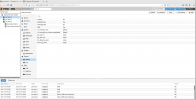
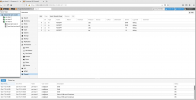
I have updated the Firewall settings and still observe failures. The firewall settings are identical in all the three nodes. As I understand, I have disabled Firewall at Datacenter. However, I allow traffic to ports - 111 and 2049 on TCP and UDP protocols.

I have rebooted one of the nodes and tried as well. However, no change was observed.

[B]NFS Server[/B] $ nmap -v 192.168.122.146 Starting Nmap 6.40 ( http://nmap.org ) at 2022-10-17 20:48 IST Initiating Ping Scan at 20:48 Scanning 192.168.122.146 [2 ports] Completed Ping Scan at 20:48, 0.00s elapsed (1 total hosts) Initiating Parallel DNS resolution of 1 host. at 20:48 Completed Parallel DNS resolution of 1 host. at 20:48, 0.00s elapsed Initiating Connect Scan at 20:48 Scanning storage-server (192.168.122.146) [1000 ports] Discovered open port 111/tcp on 192.168.122.146 Discovered open port 22/tcp on 192.168.122.146 Discovered open port 2049/tcp on 192.168.122.146 Completed Connect Scan at 20:48, 0.03s elapsed (1000 total ports) Nmap scan report for storage-server (192.168.122.146) Host is up (0.00046s latency). Not shown: 997 closed ports PORT STATE SERVICE 22/tcp open ssh 111/tcp open rpcbind 2049/tcp open nfs Read data files from: /usr/bin/../share/nmap Nmap done: 1 IP address (1 host up) scanned in 0.05 seconds $ nmap -v 127.0.0.1 Starting Nmap 6.40 ( http://nmap.org ) at 2022-10-17 20:50 IST Initiating Ping Scan at 20:50 Scanning 127.0.0.1 [2 ports] Completed Ping Scan at 20:50, 0.00s elapsed (1 total hosts) Initiating Connect Scan at 20:50 Scanning localhost (127.0.0.1) [1000 ports] Discovered open port 111/tcp on 127.0.0.1 Discovered open port 25/tcp on 127.0.0.1 Discovered open port 22/tcp on 127.0.0.1 Discovered open port 2049/tcp on 127.0.0.1 Discovered open port 631/tcp on 127.0.0.1 Completed Connect Scan at 20:50, 0.03s elapsed (1000 total ports) Nmap scan report for localhost (127.0.0.1) Host is up (0.00057s latency). Not shown: 995 closed ports PORT STATE SERVICE 22/tcp open ssh 25/tcp open smtp 111/tcp open rpcbind 631/tcp open ipp 2049/tcp open nfs Read data files from: /usr/bin/../share/nmap Nmap done: 1 IP address (1 host up) scanned in 0.06 seconds [B]NFS Client[/B] root@pm-host-1:~# nmap -v 192.168.122.146 Starting Nmap 7.80 ( https://nmap.org ) at 2022-10-17 21:25 IST Initiating ARP Ping Scan at 21:25 Scanning 192.168.122.146 [1 port] Completed ARP Ping Scan at 21:25, 0.02s elapsed (1 total hosts) Initiating Parallel DNS resolution of 1 host. at 21:25 Completed Parallel DNS resolution of 1 host. at 21:25, 0.00s elapsed Initiating SYN Stealth Scan at 21:25 Scanning storage-server (192.168.122.146) [1000 ports] Discovered open port 22/tcp on 192.168.122.146 Completed SYN Stealth Scan at 21:25, 5.07s elapsed (1000 total ports) Nmap scan report for storage-server (192.168.122.146) Host is up (0.00037s latency). Not shown: 999 filtered ports PORT STATE SERVICE 22/tcp open ssh MAC Address: 52:54:00:28:30:04 (QEMU virtual NIC) Read data files from: /usr/bin/../share/nmap Nmap done: 1 IP address (1 host up) scanned in 5.21 seconds Raw packets sent: 1991 (87.588KB) | Rcvd: 12 (792B) root@pm-host-1:~#

Screenshot 2022-10-17 at 9.21.57 PM.png
Screenshot 2022-10-17 at 9.19.38 PM.pngScreenshot 2022-10-17 at 9.20.48 PM.png
 
Based on:
MAC Address: 52:54:00:28:30:04 (QEMU virtual NIC)
I think you are trying to run the NFS inside the VM that is running on your PVE?
You need to change the filewall inside the Guest (nfs server) - not the hypervisor (nfs client).

Plug this into google "linux nfs server firewall port" and make the changes inside the VM


Blockbridge : Ultra low latency all-NVME shared storage for Proxmox - https://www.blockbridge.com/proxmox
 
Based on:

I think you are trying to run the NFS inside the VM that is running on your PVE?
You need to change the filewall inside the Guest (nfs server) - not the hypervisor (nfs client).

Plug this into google "linux nfs server firewall port" and make the changes inside the VM


Blockbridge : Ultra low latency all-NVME shared storage for Proxmox - https://www.blockbridge.com/proxmox
I have NFS-Server running inside a VM. VM is not part of PVE. I have CentOS-7 installed on VM.
Firewall seems to be fine. What could be issue ?
 
Firewall seems to be fine. What could be issue ?
The firewall is doing its job - blocking ports that are not part of standard installation. You've added a service to your VM, you need to open the ports to let that service speak to the rest of the network.


Blockbridge : Ultra low latency all-NVME shared storage for Proxmox - https://www.blockbridge.com/proxmox
 
Firewall was enabled NFS-Server, hence PVE, NFS-client was failing on NFS configuration. On disabling the firewall on NFS-Server, NFS storage was successfully configured.

Thanks,