Hello,
Let me start by saying that I'm pretty new to all of this
The problem:
I've added a disk to a VM running openmediavault and then shared a test folder using NFS.
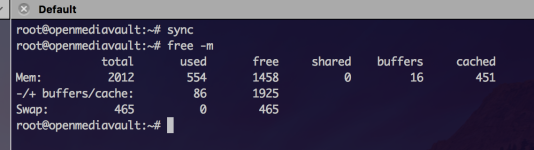
When I'm adding something to the shared folder it gets cached to the RAM for the VM instead of actually writing it to the disk.
I can see the original contents on the disk in OMV but if I create a new file in proxmox on the disk, i.e. touch testfile, I cannot see it in OMV. The same goes if I create/add a file in OMV.
Am I missing some kind of setting to get this to work?
My configure for the disk below:
If you need any more information, please let me know. I'm sort of lost here
Hope anyone can help me.
Thanks,
Monkieking
Let me start by saying that I'm pretty new to all of this
The problem:
I've added a disk to a VM running openmediavault and then shared a test folder using NFS.
When I'm adding something to the shared folder it gets cached to the RAM for the VM instead of actually writing it to the disk.
I can see the original contents on the disk in OMV but if I create a new file in proxmox on the disk, i.e. touch testfile, I cannot see it in OMV. The same goes if I create/add a file in OMV.
Am I missing some kind of setting to get this to work?
My configure for the disk below:
Code:
virtio0: /dev/disk/by-id/md-uuid-8dc1c44f:0ce6e1f3:f83efd32:7761571d,size=1953382464KIf you need any more information, please let me know. I'm sort of lost here
Hope anyone can help me.
Thanks,
Monkieking