SSL cert changing with crt - error

informant

Renowned Member
Jan 31, 2012
816
11
83
Hi all,

we have following certs:
- Root CA Certificate - AddTrustExternalCARoot.crt
- Intermediate CA Certificate - PositiveSSLCA2.crt
- Your PositiveSSL Wildcard Certificate - ourDomain.crt
- our privKey - priv.key

In wiki tutorial is only used with pem files. if we use our files and rename to pem, it´s doesn´t work. if we refresh browser after changing and 2 commands -> the browser said: load error...and the proxmox interface does not load :(
in console (vms) we have the error:
"Error: TLS handshake failed javax.net.ssl.SSLHandshakeException: java.security.CertificateException: certificate does not match"

on ct´s the console are working fine.

what we can do to use our cert in proxmox https-interface? can you help us please? which file must in which pem file?
very thanks for help.

best regards
 
Last edited:
Hi,

we have found a solution and would post it here. We have only one question.

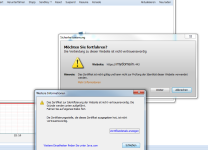
We use a positiv wildcard ssl cert of comodo and get the following message on start a console:
error-on-console.png

we have install the ca cert but this message comes - what can we do here?

we have use pve-ssl.pem as pve-root-ca.pem and reload with the commands service pveproxy restart and service pvedaemon restart. but the the message is still.

any ideas?

regards
 
Hello dietmar,

thansk for your answer. "mydomain" is a placeholder for our domain, the real Domain is correct in cert, https://domain:8006 works fine and without a message, but only on open a console it´s comes. Do you have a idea, too?

regards
 
Hello dietmar,

we have a iptable role for https, this accept port 443 for port 8006.

But, if we connect with https://domain:8006 and start a console, the same error comes, but with port 8006.

regards
 
Hi dietmar,

sorry, output of dpkg -l vncterm is:
Code:
Gewünscht=Unbekannt/Installieren/R=Entfernen/P=Vollständig Löschen/Halten
| Status=Nicht/Installiert/Config/U=Entpackt/halb konFiguriert/
         Halb installiert/Trigger erWartet/Trigger anhängig
|/ Fehler?=(kein)/R=Neuinstallation notwendig (Status, Fehler: GROSS=schlecht)
||/ Name           Version      Architektur  Beschreibung
+++-==============-============-============-=================================
ii  vncterm        1.1-6        amd64        VNC Terminal Emulator

regards
 
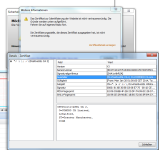
Hi, here a new screenshot. We have only the error, that the ca does not match, but it was correct. On website https works fine, but in console it comes this error. How can we fix it? Any ideas please?

regards
cert.png
 
Last edited:
Hi, here a new screenshot. We have only the error, that the ca does not match, but it was correct. On website https works fine, but in console it comes this error. How can we fix it? Any ideas please?

Why don't you trust that certificate? It is an official COMODO code signing cert.
 
Hi dietmar,

how do you mean?

if i accept it, it works fine, but how can i disable this message, well the cert has a ca for trust. With this ca the message comes yet. Is it normal - well on https, the message does not come?
do you or a other user have a tutorial for correct installation of a comodo cert, or a info for correct work?

best regards
 
thanks for answer dietmar.

we use the newest ie and newest firefox. than we have test with newest java 32 bit and 64 bit version. as os we use windows 7 pro and ultimate in 64bit versions.

the cert-update we have create with tutorial out of proxmox wiki.

our crt files, we have convert to pem files for use the tutorial out of proxmox wiki, well comodo have only crt files, non pem files.

Code:
-    Root CA Certificate - AddTrustExternalCARoot.crt -> ca.pem
-    Intermediate CA Certificate - PositiveSSLCA2.crt -> same as .pem
-    Your PositiveSSL Wildcard Certificate - ourDomain.crt -> convert to ssl.pem
- our privKey - priv.key -> convert to ssl-key.pem

its a comodo positiv wildcard ssl zertificate with trusted ca and root.

if we start the https connection in brower, it works fine and is trusted, but on start a console, we get the message, that the cert is not trusted...

do you have a idea, to configure the console without warn message, well the cert is trusted or do you have a information to create ssl-files with a other way, to work without warn-message?

thanks for your help and informations.

if you need more informations, i will post it.

best regards
 
do you have a idea, to configure the console without warn message, well the cert is trusted or do you have a information to create ssl-files with a other way, to work without warn-message?

no, sorry - I do not get such warnings here.
 
hmmm, can you check it, if i send you a cust login to a demo vm for check the warn or what we can do to solve this? or can you tell me please, witch file we must use for witch file on proxmox ssl-pve.pem ... the tutorial is written for cacert.org/ but it´s not the same as comodo cert, i think. i hope, you have a good info for us. very thanks.

best regards
 
hi, it is a option, but not a option for other users, witch have the same issue. if you search in forum, you find many entrys with open issus with wildcard cert´s and this warn message.

regards