Hi, apologies if this is a repated post. I've spent a lot of time searching here and reddit and have really struggled to understand how to fix this problem.
I have two containers (plex and qbittorrent), I want to be able to download files via torrents and have plex be able to access them. The containers were set up using the proxmox helper scripts.
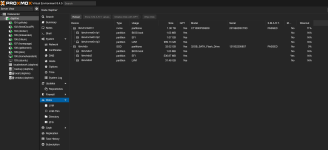
I've unfortunately got my proxmox host set up in a way that means my local directory is a small (32 gb) SSD and then I have an LVM set up which is a 1 TB NVME drive. I have it set up so that all of the VMs use this lvm ('vmdata') for their storage.
I have tried creating a directory on the host and mounting that to the containers, this works however the directory is created in the local 32 gb SSD which obviously has limited storage.
How can I create storage that can be accessed by my two containers and is hosted on my 1 TB NVME drive?
Any help appreciated, thank you!
I have two containers (plex and qbittorrent), I want to be able to download files via torrents and have plex be able to access them. The containers were set up using the proxmox helper scripts.
I've unfortunately got my proxmox host set up in a way that means my local directory is a small (32 gb) SSD and then I have an LVM set up which is a 1 TB NVME drive. I have it set up so that all of the VMs use this lvm ('vmdata') for their storage.
I have tried creating a directory on the host and mounting that to the containers, this works however the directory is created in the local 32 gb SSD which obviously has limited storage.
How can I create storage that can be accessed by my two containers and is hosted on my 1 TB NVME drive?
Any help appreciated, thank you!