Regarding IPV6, WEB cannot access

1248429482

New Member
Jan 7, 2019
4
0
1
28
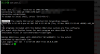
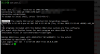
I use ipv6 to enter ssh, you can go in, but the web management interface can't get in.
upload_2019-1-7_20-20-27.png
 

Attachments

  • upload_2019-1-7_20-20-19.png
    upload_2019-1-7_20-20-19.png
    36.7 KB · Views: 6
On my machine, there is no open IPv6 port, so it cannot work. Could you please check that too?

Code:
LANG=C netstat -tunlp | grep -E '(^Proto|8006)'
Proto Recv-Q Send-Q Local Address           Foreign Address         State       PID/Program name
tcp        0      0 0.0.0.0:8006            0.0.0.0:*               LISTEN      5357/pveproxy
 
On my machine, there is no open IPv6 port, so it cannot work. Could you please check that too?

Code:
LANG=C netstat -tunlp | grep -E '(^Proto|8006)'
Proto Recv-Q Send-Q Local Address           Foreign Address         State       PID/Program name
tcp        0      0 0.0.0.0:8006            0.0.0.0:*               LISTEN      5357/pveproxy
How to open ipv6 port
C:\Users\12484\AppData\Roaming\Tencent\Users\1248429482\QQ\WinTemp\RichOle\%DNZ)$_@EOPFCJH~VT6CHV2.png

C:\Users\12484\AppData\Roaming\Tencent\Users\1248429482\QQ\WinTemp\RichOle\%DNZ)$_@EOPFCJH~VT6CHV2.png
 
On my machine, there is no open IPv6 port, so it cannot work. Could you please check that too?

Code:
LANG=C netstat -tunlp | grep -E '(^Proto|8006)'
Proto Recv-Q Send-Q Local Address           Foreign Address         State       PID/Program name
tcp        0      0 0.0.0.0:8006            0.0.0.0:*               LISTEN      5357/pveproxy
There is still a problem, modify the hosts, add ipv6 will cause ssl (certificate) will be deleted, you can test, but fortunately my virtual machine has a backup,
please reply, thank you

::1 localhost.localdomain localhost
::251 pve.lan pve
::1 pve.lan pve

# The following lines are desirable for IPv6 capable hosts

::1 ip6-localhost ip6-loopback
fe00::0 ip6-localnet
ff00::0 ip6-mcastprefix
ff02::1 ip6-allnodes
ff02::2 ip6-allrouters
ff02::3 ip6-allhosts
 
Last edited:
Hello, it has been solved. It can be set to IPv6 to access the web control panel. I hope you can fix itHello, it has been solved. It can be set to IPv6 to access the web control panel. I hope you can fix it

127.0.0.1 localhost.localdomain localhost
::1:10.0.0.230 pve.5gll.com pve

# The following lines are desirable for IPv6 capable hosts
::1 ip6-localhost ip6-loopback
fe00::0 ip6-localnet
ff00::0 ip6-mcastprefix
ff02::1 ip6-allnodes
ff02::2 ip6-allrouters
ff02::3 ip6-allhosts