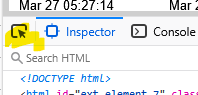
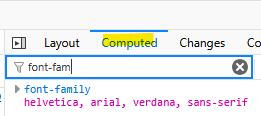
I am very much new to Proxmox and really enjoying the experience at the moment. One thing that is bugging me . . . .
I set up a Proxmox server in January and everything went well on a GMK mini PC. I have been playing with Home assistant and had no issues from Proxmox until about 2 - 3 weeks ago when suddenly the text on the web interface became harder to read. I can just get by using it but it is far from ideal. I have a windows 11 PC totally up to date with updates. During the time between when it was clean and crisp up to when the text became difficult to see I have not installed or deleted any fonts, I have not added or removed any software, but I can't say anything for Windows Update. It is possible they have taken place.
That said another Windows 11 Laptop I have see's it just fine and that is also up to date. The console is clear to read.
I have seen comments about Helvetica font's installed on the computer possibly being an issue. I temporarily removed them and cleared all the cache and it still persists.
Changing the font's in Chrome browser does not do anything to improve the matter so I am a little confused as to why my main computer is struggling to show the font correctly and the little used laptop is fine.
Does anyone have any suggestions what might be the problem!
Nigel
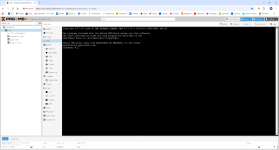
I set up a Proxmox server in January and everything went well on a GMK mini PC. I have been playing with Home assistant and had no issues from Proxmox until about 2 - 3 weeks ago when suddenly the text on the web interface became harder to read. I can just get by using it but it is far from ideal. I have a windows 11 PC totally up to date with updates. During the time between when it was clean and crisp up to when the text became difficult to see I have not installed or deleted any fonts, I have not added or removed any software, but I can't say anything for Windows Update. It is possible they have taken place.
That said another Windows 11 Laptop I have see's it just fine and that is also up to date. The console is clear to read.
I have seen comments about Helvetica font's installed on the computer possibly being an issue. I temporarily removed them and cleared all the cache and it still persists.
Changing the font's in Chrome browser does not do anything to improve the matter so I am a little confused as to why my main computer is struggling to show the font correctly and the little used laptop is fine.
Does anyone have any suggestions what might be the problem!
Nigel