Good morning
we have 2 proxmox nodes (Dell R440 and Dell R640) connected to a Netapp AFF-A150 via 10GBit network cards (x2 LACP layer4).
Both nodes mount an NFS export (version 4.2) as a datastore.
The Devices involved are (IPs dedicated to NFS protocol)
We have the following problem:
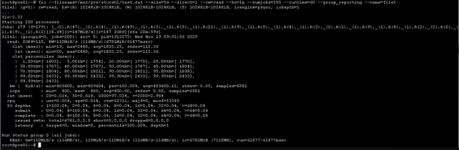
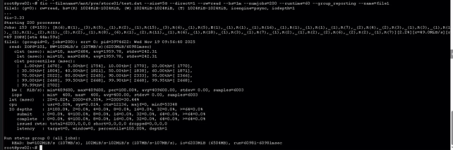
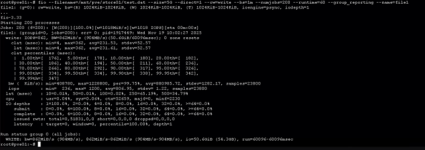
we detect performance problems in reads (about 110MB/s), while we detect no errors in writes (about 900MB/s).
The problem manifests itself after about 10/15 minutes that the servers are active, until then even the reading performance is ok.
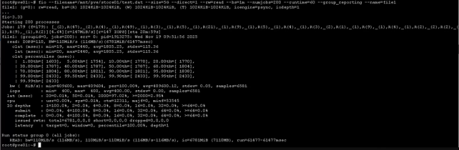
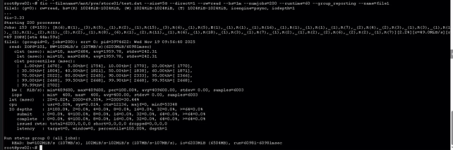
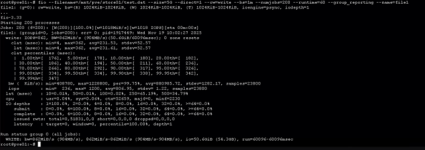
I attach tests performed with fio by both servers to Netapp both in read and write:
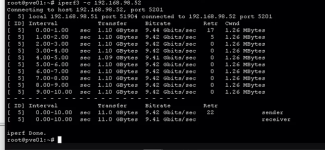
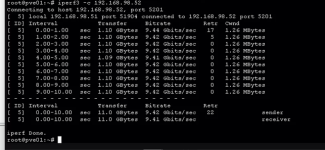
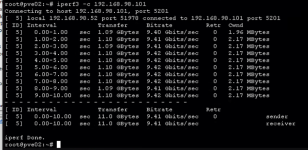
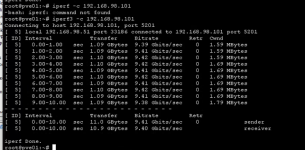
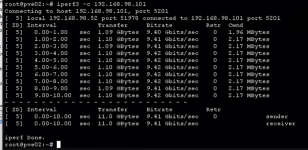
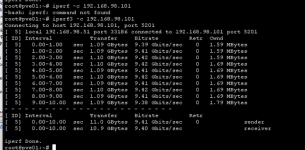
We ran tests with iperf3 to verify the goodness of the network connections between the two servers and on the netapp side, without detecting performance problems on the 10gbit network.
I have checked the hp switches and I do not detect any errors.
I did a test by connecting one of the two Dell servers with iscsi protocol and the problem presents itself in the same way.
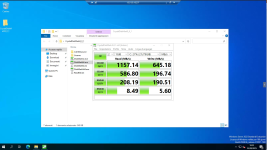
Doing a test and connecting another server with hyperv to the netapp does not cause the problem.
Does anyone have any ideas?
Thank you
we have 2 proxmox nodes (Dell R440 and Dell R640) connected to a Netapp AFF-A150 via 10GBit network cards (x2 LACP layer4).
Both nodes mount an NFS export (version 4.2) as a datastore.
The Devices involved are (IPs dedicated to NFS protocol)
- pve01 192.168.98.51(Proxmox version 9.1)
- pve02 192.168.98.52 (Proxmox version 9.1)
- Netapp 192.168.98.101 (ONTAP NetApp Release 9.18.1)
- HPE Networking Instant On 1960 12p 10GBT 4p SFP+ Switch x2 Switch JL805A (STACK)(last firmware)
We have the following problem:
we detect performance problems in reads (about 110MB/s), while we detect no errors in writes (about 900MB/s).
The problem manifests itself after about 10/15 minutes that the servers are active, until then even the reading performance is ok.
I attach tests performed with fio by both servers to Netapp both in read and write:
We ran tests with iperf3 to verify the goodness of the network connections between the two servers and on the netapp side, without detecting performance problems on the 10gbit network.
I have checked the hp switches and I do not detect any errors.
I did a test by connecting one of the two Dell servers with iscsi protocol and the problem presents itself in the same way.
Doing a test and connecting another server with hyperv to the netapp does not cause the problem.
Does anyone have any ideas?
Thank you