Proxmox as a VirtualBox machine: no Internet on VMachines

proxmox2021user

New Member
Oct 30, 2021
3
2
1
55
Hello. I just installed Proxmox 7.0 as a Virtual Machine on Virtual Box (Test purposes).

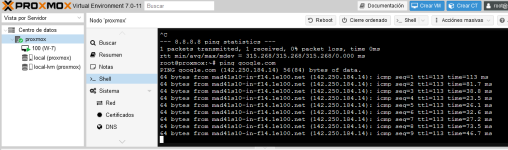
It works fine. From Proxmox shell I can reach Internet:
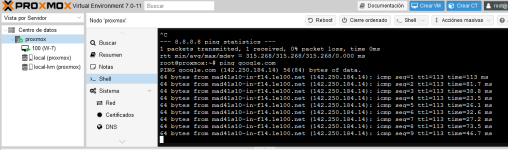
1635574378655.png

I have this configuration on Network:
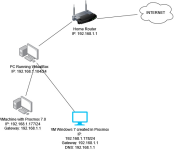
1635574750273.png
I have all firewalls disabled.

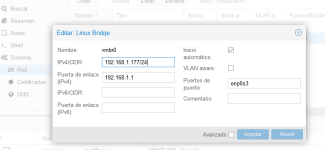
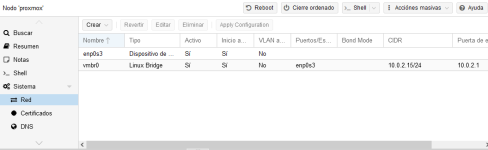
This is my Proxmox network configuration:
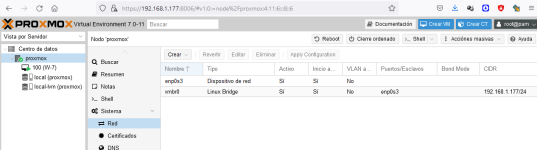
1635575038649.png
This is my VMWindows 7 Network configuration:
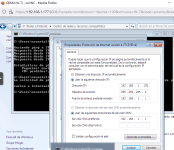
1635574982228.png
1635575059472.png
1635575091715.png

From VM Proxmox I can ping VM WIndows 7:
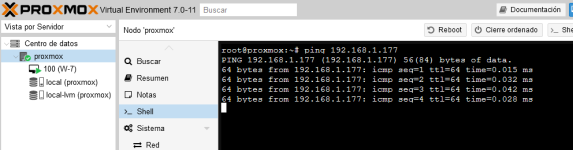
1635574794585.png
From VM Windows 7 I can ping Proxmox:
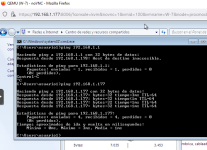
1635574844271.png
But from VM Windows 7 I cant reach Internet nor router:
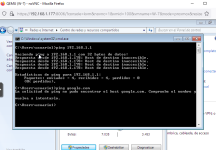
1635574921200.png

Please, could anyone suggest me what should I do to get Internet connection on Virtual Machines as Windows 7 ?

Thanks in advance
 

Attachments

  • 1635574726069.png
    1635574726069.png
    45.6 KB · Views: 37
  • Like
Reactions: semanticbeeng
Good day!

I have exactly the same problem, the proxmox server has internet access, and the virtual machines see proxmox but don't have internet access.

Proxmox network configuration:
Bash:
auto lo
iface lo inet loopback

iface enp4s0 inet manual

auto vmbr0
iface vmbr0 inet static
        address 192.168.50.10/27
        gateway 192.168.50.1
        bridge-ports enp4s0
        bridge-stp off
        bridge-fd 0

VM Windows 10 network configuration:
Code:
Ethernet adapter Экземпляр Ethernet 0:

   Connection-specific DNS Suffix  . :
   Description . . . . . . . . . . . : Red Hat VirtIO Ethernet Adapter
   Physical Address. . . . . . . . . : 42-AB-F4-32-8E-FC
   DHCP Enabled. . . . . . . . . . . : No
   Autoconfiguration Enabled . . . . : Yes
   Link-local IPv6 Address . . . . . : fe80::1a8:f9c9:c551:b37e%5(Preferred)
   IPv4 Address. . . . . . . . . . . : 192.168.50.13(Preferred)
   Subnet Mask . . . . . . . . . . . : 255.255.255.224
   Default Gateway . . . . . . . . . : 192.168.50.1
   DHCPv6 IAID . . . . . . . . . . . : 339913716
   DHCPv6 Client DUID. . . . . . . . : 00-01-00-01-29-0F-34-D3-42-AB-F4-32-8E-FC
   DNS Servers . . . . . . . . . . . : 192.168.15.1
                                       8.8.8.8
   NetBIOS over Tcpip. . . . . . . . : Enabled

Perhaps this is some kind of proxmox 7 system error?
 
Hello again. I SOLVED the problem with these steps:

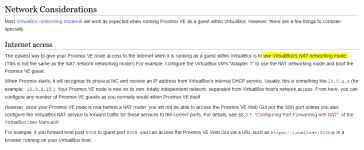
I read this https://pve.proxmox.com/wiki/Proxmox_VE_inside_VirtualBox

1635671473378.png
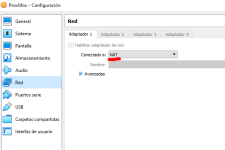
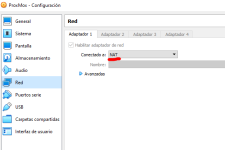
So I opened Virtual Box, and then I opened Promox Network Configuration (on Virtual Box):
1635671529366.png
As you can see, I changed it to NAT.

Then I continued reading https://pve.proxmox.com/wiki/Proxmox_VE_inside_VirtualBox

1635671598928.png
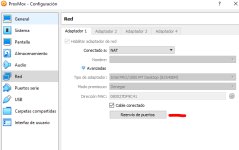
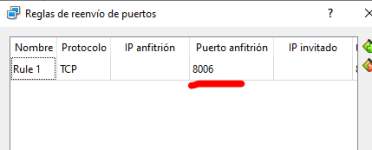
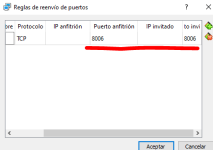
Next step is to do "port forwarding":
1635671628237.png
1635671645644.png
1635671663312.png
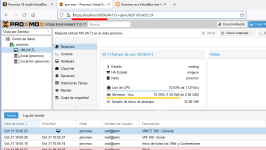
I clicked OK and I opened then a browser on the host machine:

I wroted then https://localhost:8006, because VirtualBox is in NAT mode:

1635671723390.png
I could then open the Web GUI for Proxmox.

1635671769574.png

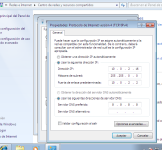
Then I went to my Windows 7 virtual Machine created in Proxmox and I went to TCP/IP configuration. I put an IP on the same subnet as the Proxmox virtual machine:
1635671877625.png

Important to set gateway to Virtual Box Internal IP 10.0.2.2 (in my case).

Then click ok and opened a browser in W-7, and it worked for me !!!
 

Attachments

  • 1635671548806.png
    1635671548806.png
    16.2 KB · Views: 119
  • Like
Reactions: semanticbeeng