

Hi, i have installaed proxmox 4.0, release 4.0-57 and i have succesfully created my first LXC container on top of ZFS pool (yes, snapshot and cloning works like a charm)
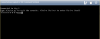
the problem is when i click "console" after containers has been marked as running, proxmox tells me to press "ctrl +a ctrl +a" to log into container or "ctrl +a +q" to exit. Unfortunatly non works, so from GUI the container is unusable.
Anyone with this issue or with a hand on how to sort it out?
thank you
S
the problem is when i click "console" after containers has been marked as running, proxmox tells me to press "ctrl +a ctrl +a" to log into container or "ctrl +a +q" to exit. Unfortunatly non works, so from GUI the container is unusable.
Anyone with this issue or with a hand on how to sort it out?
thank you
S

